
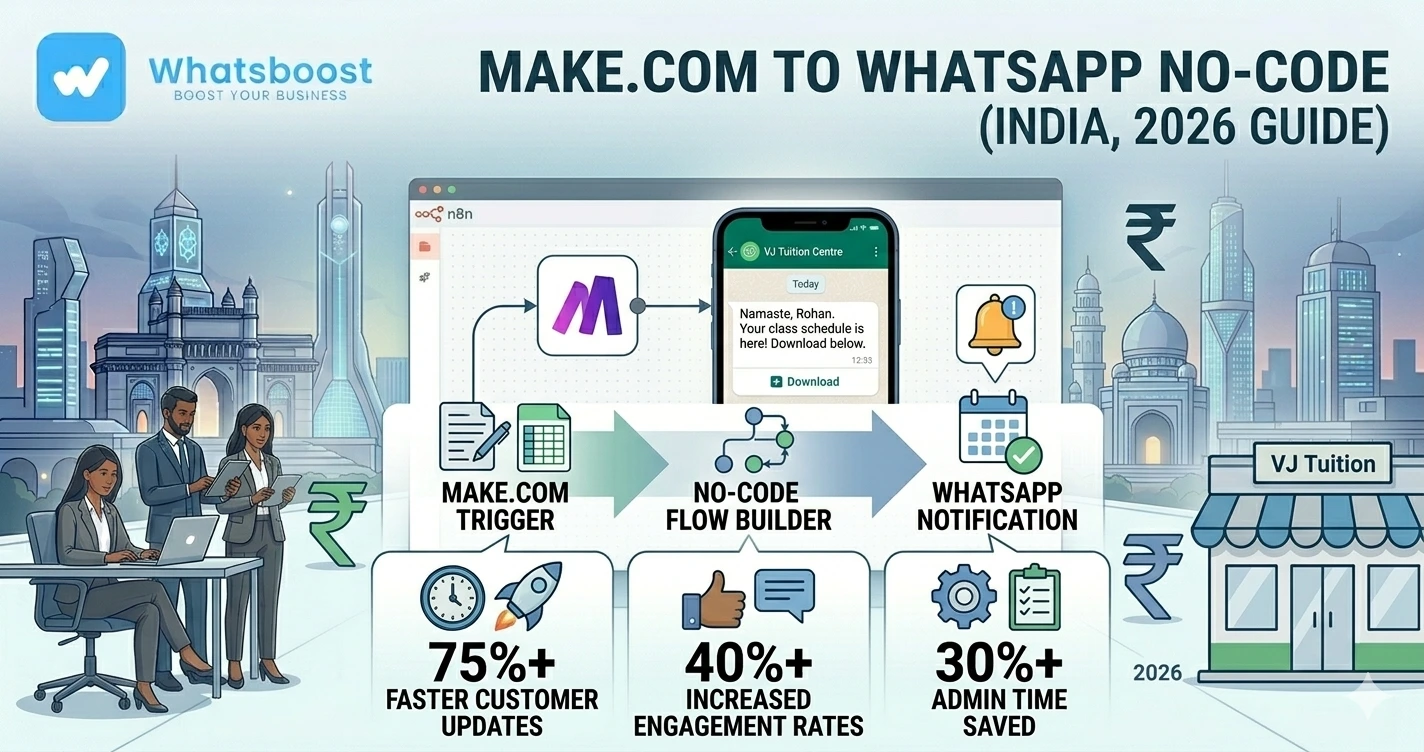
How to Connect Make.com with WhatsApp for Automated Notifications Without Coding (2026 Guide)
Learn how businesses use Make.com and WhatsApp automation to send instant alerts, lead notifications, reminders, and workflow updates without writing code.
Businesses Lose Time Because Information Moves Too Slowly
Most teams today rely on:
- Emails
- Manual updates
- Delayed notifications
- Repeated follow-ups
The result?
❌ Missed leads
❌ Delayed responses
❌ Team confusion
❌ Operational inefficiency
👉 Modern businesses need instant communication systems.
Why WhatsApp Notifications Work Better Than Email Alerts
Let’s be honest 👇
Most people:
- Ignore emails for hours
- Miss internal dashboard notifications
- Forget to check CRMs regularly
But WhatsApp messages:
✔ Get seen quickly
✔ Feel urgent
✔ Drive faster action
👉 That’s why businesses are turning WhatsApp into a real-time notification machine.
What is Make.com?
Make is a no-code automation platform that helps businesses connect apps and automate workflows visually.
Instead of manually transferring information between tools:
✔ Workflows run automatically
✔ Apps communicate instantly
✔ Notifications happen in real time
👉 No coding required.
What is a WhatsApp Notification Machine?
Simple explanation 👇
It’s a system where:
✔ Business events trigger automation
✔ Make.com processes the workflow
✔ WhatsApp sends instant notifications
Example:
New lead enters CRM → WhatsApp alert sent instantly to sales team
👉 Businesses stay updated without manually checking systems.
Why Businesses Are Combining Make.com + WhatsApp
This combination is powerful because it creates:
✔ Instant operational visibility
✔ Faster reactions
✔ Better team coordination
✔ Automated communication
Instead of waiting for updates…
👉 Teams receive them instantly.
If you're still managing communication manually, first understand how WhatsApp automation without Business API works because this often becomes the foundation for scalable workflow notifications.
What Can You Automate with Make.com + WhatsApp?
1. Lead Notifications
The moment a lead submits a form:
✔ WhatsApp alert sent instantly
✔ Sales team notified
✔ Faster response time
Example:
“New lead received from Facebook Ads.”
👉 Businesses improve conversions dramatically with speed.
2. CRM Alerts
Automation can notify teams when:
- Lead stage changes
- Deals close
- Tasks are overdue
👉 Learn more about CRM + WhatsApp automation workflows
3. Payment Notifications
Businesses automate:
✔ Payment reminders
✔ Invoice alerts
✔ Collection follow-ups
👉 Learn how businesses automate payment reminders on WhatsApp
4. Team Task Notifications
As operations scale:
❌ Teams forget tasks
❌ Follow-ups get delayed
Automation helps:
✔ Assign tasks
✔ Notify responsible staff
✔ Trigger reminders
👉 Learn how task delegation on WhatsApp improves accountability.
5. Internal Employee Alerts
Businesses automate:
- HR notifications
- Approval reminders
- Attendance alerts
- Operational updates
👉 Businesses improve coordination using automated employee alerts via WhatsApp
6. Customer Support Notifications
Example workflows:
- New support ticket
- Urgent escalation
- Ticket resolved
👉 Many businesses even build WhatsApp ticketing systems for structured communication.
Why No-Code Automation is Becoming Popular
Most businesses don’t want:
❌ Complex development
❌ Long setup times
❌ Expensive engineering projects
No-code tools like Make.com solve this by allowing businesses to:
✔ Build workflows visually
✔ Connect tools easily
✔ Launch automations faster
👉 This reduces technical dependency.
Step-by-Step: Turn Make.com into a WhatsApp Notification System
Step 1: Identify Important Business Events
Start with events that need immediate attention.
Examples:
- New leads
- Missed calls
- Form submissions
- Payment delays
- Support tickets
👉 Focus on high-impact notifications first.
Step 2: Create a Make.com Scenario
In Make.com:
✔ Choose trigger app
✔ Define automation logic
✔ Add WhatsApp notification step
👉 This becomes your automated workflow.
Step 3: Connect WhatsApp Automation
The workflow sends WhatsApp alerts automatically whenever triggers happen.
Example:
Google Form submitted → WhatsApp alert triggered instantly
👉 Businesses automate this using Google Forms to WhatsApp workflows
Step 4: Customize Notification Logic
You can personalize:
✔ Message content
✔ Team recipients
✔ Timing
✔ Workflow conditions
👉 Automation becomes more intelligent and useful.
Step 5: Add Follow-Up Workflows
Don’t stop at notifications.
Automation can also:
✔ Trigger reminders
✔ Escalate pending tasks
✔ Send repeated alerts
👉 This improves operational consistency.
That’s why businesses need smarter task follow-up systems instead of relying on manual monitoring.
Real Workflow Example
| Trigger | Automation Action | Result |
| New lead captured | WhatsApp alert sent | Faster sales response |
| Invoice overdue | Reminder triggered | Better collections |
| Task pending | Team notification sent | Improved accountability |
| Support ticket created | Internal alert triggered | Faster support handling |
Best Use Cases for Make.com + WhatsApp Automation
🏢 Agencies
Lead notifications & client coordination
🏭 B2B Businesses
Sales workflow alerts
🛒 E-commerce Businesses
Order & support notifications
🎓 Education Businesses
Student alerts & reminders
🧑💼 Service Companies
Appointment & enquiry workflows
Advanced Automation Strategies
🔁 Multi-Step Workflow Automation
Example:
Lead captured → WhatsApp alert → CRM update → Task assignment → Follow-up reminder
👉 This creates full operational automation.
🧠 AI-Powered Workflow Logic
AI can help:
✔ Prioritize alerts
✔ Analyze lead intent
✔ Generate smart responses
👉 Enhance systems using Gemini AI WhatsApp integration
📊 Analytics & Workflow Tracking
Track:
- Notification response times
- Team efficiency
- Workflow completion rates
👉 Data improves operational performance.
🔗 Cross-Platform Integrations
Connect:
✔ Google Sheets
✔ CRMs
✔ Forms
✔ Internal systems
✔ Payment tools
👉 Automation centralizes business communication.
Before vs After WhatsApp Notifications
| Factor | Manual Process | Automated Notification System |
| Response speed | ❌ Slow | ✔ Instant |
| Team visibility | ❌ Limited | ✔ Real-time |
| Follow-up consistency | ❌ Weak | ✔ Structured |
| Operational efficiency | ❌ Lower | ✔ Improved |
👉 Automation improves workflow efficiency dramatically.
Common Mistakes Businesses Make
❌ Too many unnecessary alerts
❌ No prioritization system
❌ Poor workflow structure
❌ Delayed notifications
❌ No escalation logic
👉 These reduce automation effectiveness.
Pro Tips (From Real Automation Systems)
Automate High-Impact Events First
Start simple
Keep Notifications Clear
Avoid long messages
Use Escalation Workflows
Critical alerts need follow-ups
Centralize Communication
WhatsApp works best as a unified notification layer
Why WhatsBoost is Ideal for Make.com + WhatsApp Workflows
🚀 WhatsApp Workflow Automation
Real-time operational alerts
🤖 Smart Notification Systems
Lead, support, and team communication
👥 Team Coordination Workflows
Better accountability
📊 Analytics & Tracking
Monitor workflow performance
👉 It transforms WhatsApp into a business notification and automation engine
Real Insight
Most businesses already have tools.
What they lack is:
❌ Instant communication
❌ Workflow visibility
❌ Structured automation
That’s exactly what Make.com + WhatsApp solves.
Final Conclusion
Modern businesses move too fast for manual communication systems.
Without automation:
❌ Teams miss updates
❌ Leads wait too long
❌ Follow-ups break down
With Make.com + WhatsApp workflows:
✔ Notifications become instant
✔ Teams react faster
✔ Operations become more scalable
👉 The future is:
👉 No-Code Automation + WhatsApp Notifications = Faster Business Operations 🚀
Want to automate WhatsApp for your business?
Set up campaigns, replies, and follow-ups in minutes.