
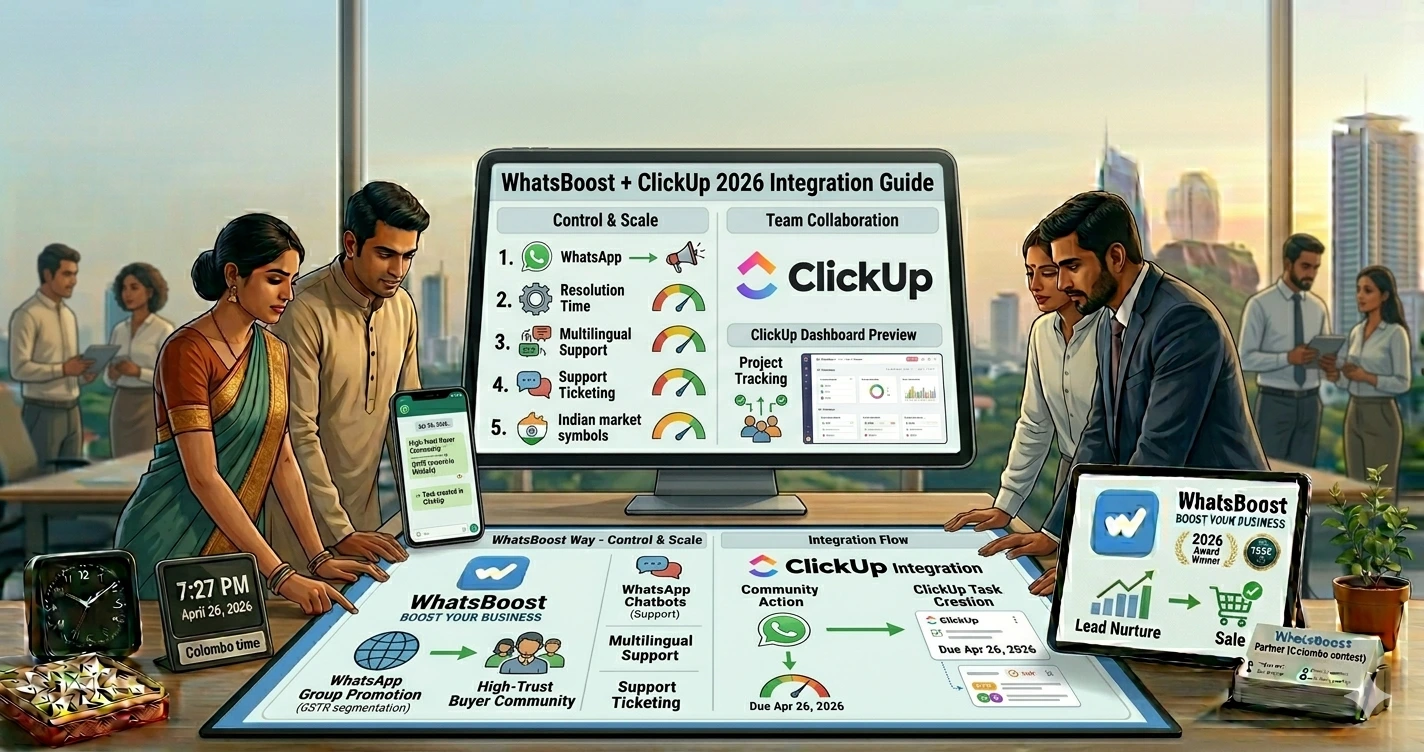
How to Integrate WhatsApp with ClickUp for Efficient Team Collaboration in India (2026 Guide)
जानिए WhatsApp और ClickUp integration कैसे Indian teams को better collaboration, task management, lead tracking, customer support और workflow automation में help करता है using WhatsBoost.
Teams WhatsApp पर बात करती हैं… लेकिन Work कहाँ Track होता है? 🤔
Indian businesses में एक बहुत common problem है।
Communication WhatsApp पर होती है…
लेकिन task tracking कहीं और।
Result?
❌ missed follow-ups
❌ lost leads
❌ unclear ownership
❌ scattered communication
❌ no accountability
❌ delayed responses
Sales team WhatsApp पर बात कर रही है।
Support team अलग messages manage कर रही है।
Operations team manually updates कर रही है।
और इसी chaos की वजह से businesses scale नहीं कर पाते।
यहीं WhatsApp + ClickUp integration game changer बनता है।
जब WhatsApp communication directly ClickUp workflows से connect हो जाती है, तब businesses build कर सकते हैं:
✅ centralized workflows
✅ automated task creation
✅ lead tracking
✅ follow-up systems
✅ team collaboration
✅ CRM visibility
✅ automation pipelines
और WhatsBoost इस integration को practical और workflow-focused बनाने में मदद करता है।
ClickUp क्या है? 📋
ClickUp एक project management और productivity platform है।
Businesses इसे use करते हैं:
- task management
- project tracking
- workflows
- team collaboration
- SOP management
- operations tracking
India में startups, agencies, sales teams और service businesses तेजी से ClickUp adopt कर रहे हैं क्योंकि यह flexible workflow system provide करता है।
Official website: ClickUp
WhatsApp + ClickUp Integration आखिर है क्या?
Simple language में:
यह integration WhatsApp communication को ClickUp tasks और workflows से connect करता है।
मतलब:
जब WhatsApp पर कोई event हो:
- inquiry आए
- lead respond करे
- support request आए
- payment pending हो
- client follow-up चाहिए हो
तो automatically ClickUp task create/update हो सकता है।
Indian Businesses को इसकी जरूरत क्यों पड़ रही है? 🇮🇳
क्योंकि Indian teams heavily WhatsApp-first हैं।
लेकिन WhatsApp alone structured workflow tool नहीं है।
Without proper systems:
- conversations खो जाती हैं
- responsibilities unclear रहती हैं
- follow-ups miss होते हैं
- reporting difficult हो जाती है
Reddit discussions में भी users ने mention किया कि WhatsApp communication और project management tools को connect करना productivity significantly improve करता है।
WhatsBoost इस Integration में कैसे Help करता है? 🚀
WhatsBoost WhatsApp workflows को automation systems से connect करने पर focus करता है।
Businesses इसमें build कर सकते हैं:
- WhatsApp triggers
- ClickUp task creation
- lead routing
- CRM workflows
- automated follow-ups
- reminders
- multi-team workflows
और यही चीज manual coordination को reduce करती है।
WhatsApp + ClickUp Integration के Major Benefits
1. Automatic Task Creation
Example:
Customer WhatsApp inquiry → ClickUp task auto-created
No manual copying required.
2. Better Team Accountability
हर task assign हो सकता है:
- sales agent
- support executive
- operations manager
- onboarding team
इससे ownership clear होती है।
3. Faster Lead Follow-Ups
Slow response = lost lead.
WhatsApp inquiry आते ही ClickUp workflow trigger हो सकता है।
Useful guide:
Automated WhatsApp replies from Google Forms
4. Centralized Communication
Teams scattered chats के बजाय structured workflows use कर सकती हैं।
5. Better Reporting & Visibility
Managers easily track कर सकते हैं:
- pending tasks
- follow-up delays
- team performance
- lead status
- support workload
Step-by-Step: WhatsApp + ClickUp Integration कैसे काम करता है
Step 1: WhatsApp Workflow Setup करें
WhatsBoost workflows configure करें based on triggers जैसे:
- new lead
- incoming inquiry
- payment reminder
- support request
- onboarding event
Step 2: ClickUp Automation Connect करें
WhatsApp event → ClickUp action
Examples:
| WhatsApp Event | ClickUp Action |
|---|---|
| New lead | Create task |
| Follow-up pending | Reminder task |
| Customer issue | Assign support ticket |
| Site visit request | Schedule task |
Step 3: Teams & Pipelines Organize करें
Separate workflows create करें for:
- sales
- support
- onboarding
- operations
- marketing
Step 4: Notifications Automate करें
WhatsApp reminders + ClickUp deadlines together better workflow discipline create करते हैं।
Best Use Cases for Indian Businesses
Sales Teams
Useful for:
- lead tracking
- follow-ups
- deal progression
- pipeline visibility
Guide:
Conversation and deal tracking guide
Agencies
Agencies manage कर सकती हैं:
- client onboarding
- approvals
- campaign tasks
- internal coordination
Real Estate Teams
Use cases:
- site visit scheduling
- lead assignment
- property inquiries
- buyer nurturing
Coaching & Education Businesses
Helpful for:
- student onboarding
- cohort management
- assignment reminders
- payment follow-ups
Customer Support Teams
Support workflows become structured with:
- ticket assignment
- escalation tracking
- issue resolution
Shared inbox guide:
WhatsApp shared inbox and task management guide
Advanced WhatsApp + ClickUp Workflows 🔥
Lead Qualification Automation
WhatsApp conversations automatically categorize हो सकती हैं:
- hot lead
- warm lead
- cold lead
- support inquiry
Guide:
WhatsApp lead scoring automation guide
CRM Integration + ClickUp
Businesses CRM + WhatsApp + ClickUp combine कर रहे हैं।
Result:
✅ centralized visibility
✅ better tracking
✅ smoother collaboration
CRM guide:
CRM WhatsApp integration guide
AI-Based Workflow Automation
AI workflows help कर सकते हैं:
- task prioritization
- lead routing
- automated replies
- smart tagging
AI guide:
Gemini WhatsApp integration guide
n8n + ClickUp + WhatsApp Systems
Advanced businesses custom workflows build कर सकती हैं।
Guide:
n8n WhatsApp integration guide
WhatsApp + ClickUp Integration किसे सबसे ज्यादा Benefit देगा?
Growing Teams
जिनकी communication volume बढ़ रही है।
Multi-Agent Sales Teams
जहाँ follow-ups critical हैं।
Operations-Heavy Businesses
जहाँ workflows structured होने चाहिए।
Agencies & Service Businesses
जहाँ client coordination important है।
Common Mistakes Businesses करती हैं ❌
1. WhatsApp को सिर्फ Messaging App की तरह Use करना
WhatsApp अब workflow infrastructure बन चुका है।
2. No Task Tracking
Without structured tracking:
- leads lost होते हैं
- follow-ups miss होते हैं
- accountability टूटती है
3. Teams को Separate Systems में रखना
Disconnected systems productivity reduce करते हैं।
4. Too Much Manual Work
Automation repetitive work reduce करता है।
5. CRM Ignore करना
Without CRM visibility scaling difficult हो जाती है।
Pro Tips for Better Team Collaboration 💡
Standard Operating Workflows बनाइए
हर inquiry structured process follow करे।
Role-Based Automation करें
Different teams → different workflows
Human + Automation Balance रखें
Automation:
- reminders
- task creation
- updates
Humans:
- sales closing
- support handling
- negotiations
Metrics Track करें
Monitor:
- response time
- task completion
- lead conversion
- support resolution
Why WhatsBoost is Useful for Workflow Automation
WhatsBoost सिर्फ messaging tool नहीं है।
यह businesses को help करता है build करने में:
- workflow systems
- CRM pipelines
- task automation
- lead nurturing
- group workflows
- broadcasts
- collaboration systems
और यही चीज इसे scalable operations platform बनाती है।
Final Conclusion
2026 में businesses सिर्फ “communication tools” नहीं चाहते।
वे चाहते हैं:
✅ structured collaboration
✅ automation
✅ task visibility
✅ CRM tracking
✅ faster execution
✅ scalable workflows
और WhatsApp + ClickUp integration यही solve करता है।
जब WhatsApp communication directly workflow systems से connect होती है, teams:
- faster work करती हैं
- fewer mistakes करती हैं
- better accountability maintain करती हैं
- leads efficiently manage करती हैं
और WhatsBoost businesses को यही automation-driven collaboration ecosystem build करने में help करता है।
Want to automate WhatsApp for your business?
Set up campaigns, replies, and follow-ups in minutes.