

How to Use WhatsApp Business With Multiple Users for Customer Support Teams
Learn how to use WhatsApp Business with multiple users for customer support teams. Discover how WhatsApp Automation and Whatsboost help teams collaborate, manage chats, and scale support efficiently.
Customer expectations have changed dramatically in the digital era. Today’s customers expect fast, conversational, and convenient support channels. Among all communication platforms, WhatsApp Business has emerged as one of the most preferred channels for customer interactions.
Businesses across industries—from e-commerce brands to service providers—use WhatsApp to answer customer queries, provide updates, and resolve issues quickly.
However, when a business begins receiving a high volume of messages, one major challenge arises:
How can multiple team members manage WhatsApp Business conversations efficiently?
The standard WhatsApp Business application is designed primarily for small operations, often limiting how customer support teams collaborate. As customer inquiries grow, businesses need a structured solution that allows multiple users to handle WhatsApp conversations without confusion or overlap.
This is where WhatsApp Automation and collaborative platforms like Whatsboost become essential for scaling customer support operations.
Why Customer Support Teams Need Multiple WhatsApp Users
For growing businesses, customer support rarely involves just one person. Instead, multiple team members work together to handle incoming messages, resolve issues, and maintain service quality.
Allowing multiple users to access WhatsApp Business enables teams to:
Respond to customers faster
Distribute workloads among agents
Improve service availability
Reduce response time
Maintain consistent communication
Without a collaborative system, businesses often face operational challenges.
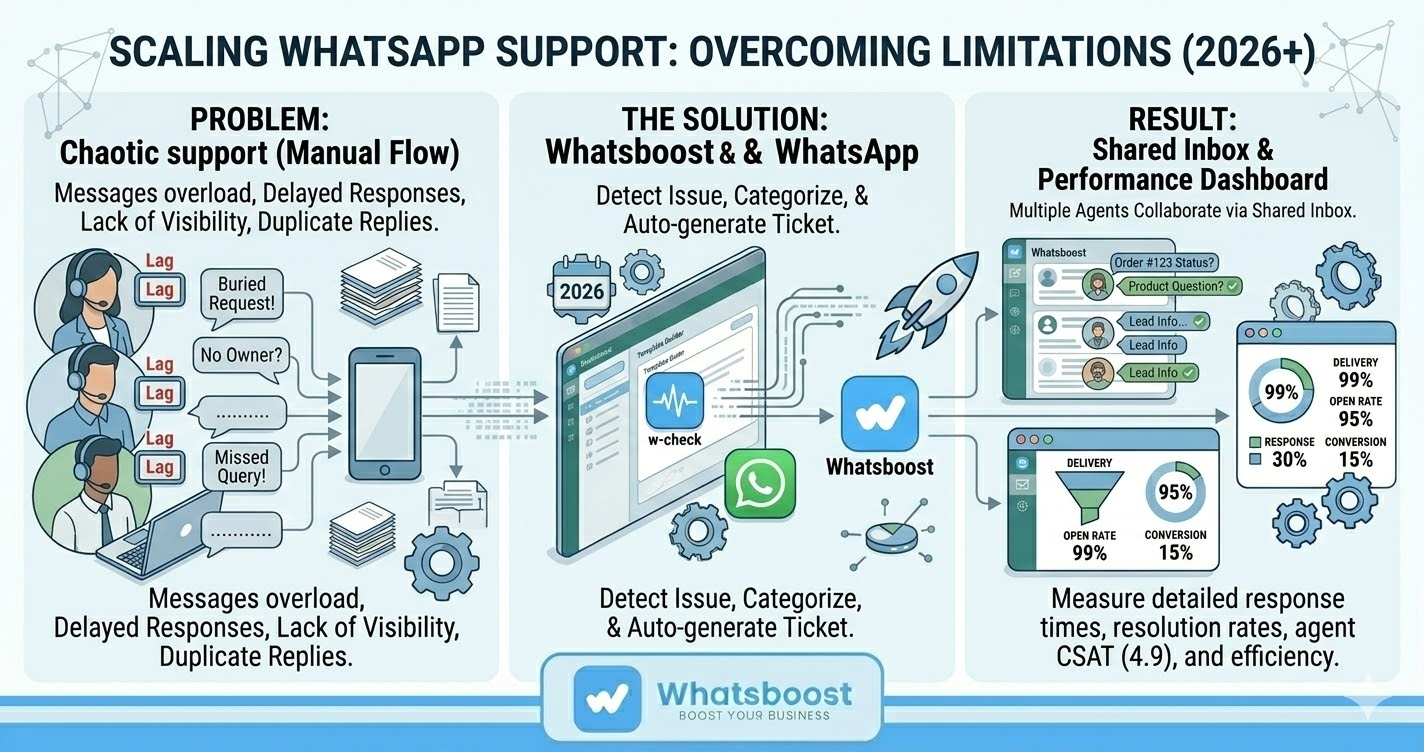
Message Overload
A single support agent cannot efficiently manage hundreds of daily messages.
Delayed Customer Responses
Customers may wait longer if only one person has access to the WhatsApp Business account.
Lack of Team Visibility
Other team members cannot see ongoing conversations or assist customers.
Risk of Duplicate Replies
When teams share a single device or account informally, multiple agents may respond to the same customer.
These problems highlight the need for a structured system that allows WhatsApp Business to support multiple users simultaneously.
Challenges of Using Standard WhatsApp Business for Teams
The basic WhatsApp Business application works well for small businesses with minimal customer inquiries. However, it has limitations when used by larger support teams.
Limited Device Access
WhatsApp Business typically allows only limited device connections, making it difficult for many agents to work simultaneously.
No Structured Collaboration
The app lacks built-in features for assigning conversations, tracking progress, or monitoring team performance.
No Workflow Automation
Manual responses slow down support operations and reduce efficiency.
No Centralized Dashboard
Managers cannot easily track support performance or monitor customer interactions.
To overcome these limitations, businesses need a collaborative system that integrates WhatsApp Business with automation and shared team workflows.
How WhatsApp Automation Enables Multi-User Support
WhatsApp Automation transforms WhatsApp Business into a scalable communication system suitable for larger customer support teams.
By automating routine processes and enabling multi-agent access, businesses can manage conversations more efficiently.
Shared Team Inbox
A shared inbox allows multiple support agents to access and manage conversations from a centralized dashboard.
This ensures that:
All agents see the same conversations
Messages are handled efficiently
Customers receive consistent responses
Conversation Assignment
Customer queries can be assigned to specific agents, preventing duplicate responses and improving accountability.
Automated Responses
Automation can handle common queries instantly, reducing the workload on support teams.
Conversation Tracking
Every conversation can be tracked, monitored, and reviewed for quality assurance.
Internal Collaboration
Support agents can collaborate internally while managing customer issues.
Together, these features help businesses deliver faster and more reliable customer support experiences.
Key Features to Look for in a Multi-User WhatsApp Support System
When implementing a system that allows WhatsApp Business with multiple users, businesses should look for several essential features.
Multi-Agent Access
Multiple team members should be able to access the WhatsApp account simultaneously.
Chat Assignment
Customer conversations should be assignable to specific agents or departments.
Automated Message Handling
Automation should assist with common responses and follow-ups.
Performance Monitoring
Managers should be able to monitor response times, resolution rates, and agent performance.
Integration With Business Tools
Integration with CRM and support systems ensures that customer data is centralized.
These capabilities allow businesses to transform WhatsApp from a simple messaging tool into a powerful support management system.
How Whatsboost Helps Customer Support Teams Collaborate on WhatsApp
Platforms like Whatsboost enable businesses to scale WhatsApp customer support operations effectively.
Whatsboost combines WhatsApp Automation with multi-user collaboration features, making it easier for teams to manage conversations at scale.
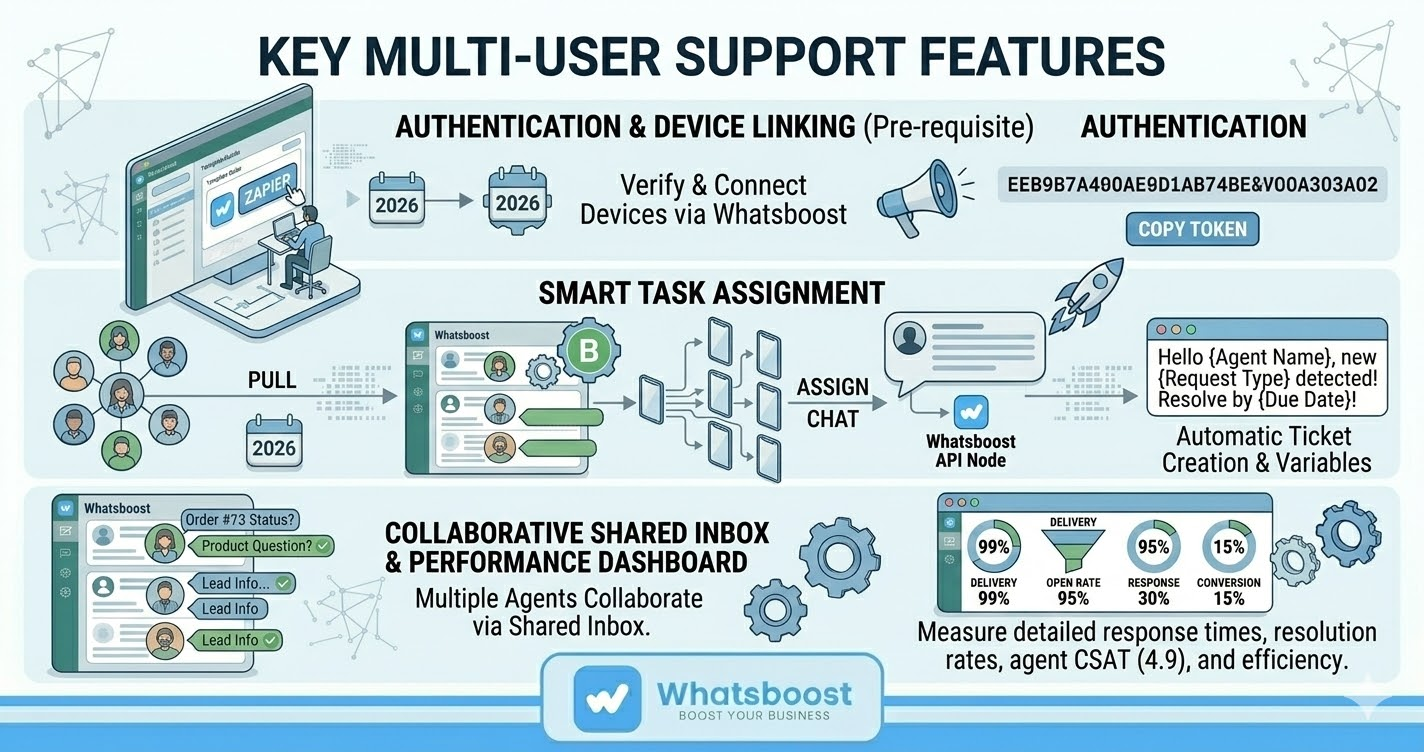
Shared Team Inbox
Whatsboost allows multiple agents to manage WhatsApp conversations from a single unified interface.
This prevents confusion and ensures that every customer query is handled efficiently.
Smart Conversation Assignment
Customer chats can be automatically assigned to the right team member based on workload or issue type.
Automated Workflows
Whatsboost enables automated responses and follow-ups, helping teams handle routine queries quickly.
CRM Integration
Customer conversations can be synced with CRM systems to maintain a centralized customer database.
Performance Insights
Support managers can monitor team activity, response time, and resolution efficiency.
Businesses can explore more about these features at
https://whatsboost.in
Best Practices for Managing WhatsApp Support Teams
Organizations that want to maximize the benefits of WhatsApp Business with multiple users should adopt structured workflows.
Define Support Roles
Clearly assign responsibilities among team members.
Use Automation for Repetitive Queries
Automation reduces the workload on human agents.
Track Performance Metrics
Monitor response times and resolution rates to improve service quality.
Maintain Internal Communication
Support agents should collaborate internally to resolve complex issues quickly.
Organize Conversations With Tags
Categorizing conversations helps teams prioritize urgent issues.
By following these practices, businesses can deliver consistent and efficient support experiences through WhatsApp.
Want to automate WhatsApp for your business?
Set up campaigns, replies, and follow-ups in minutes.