
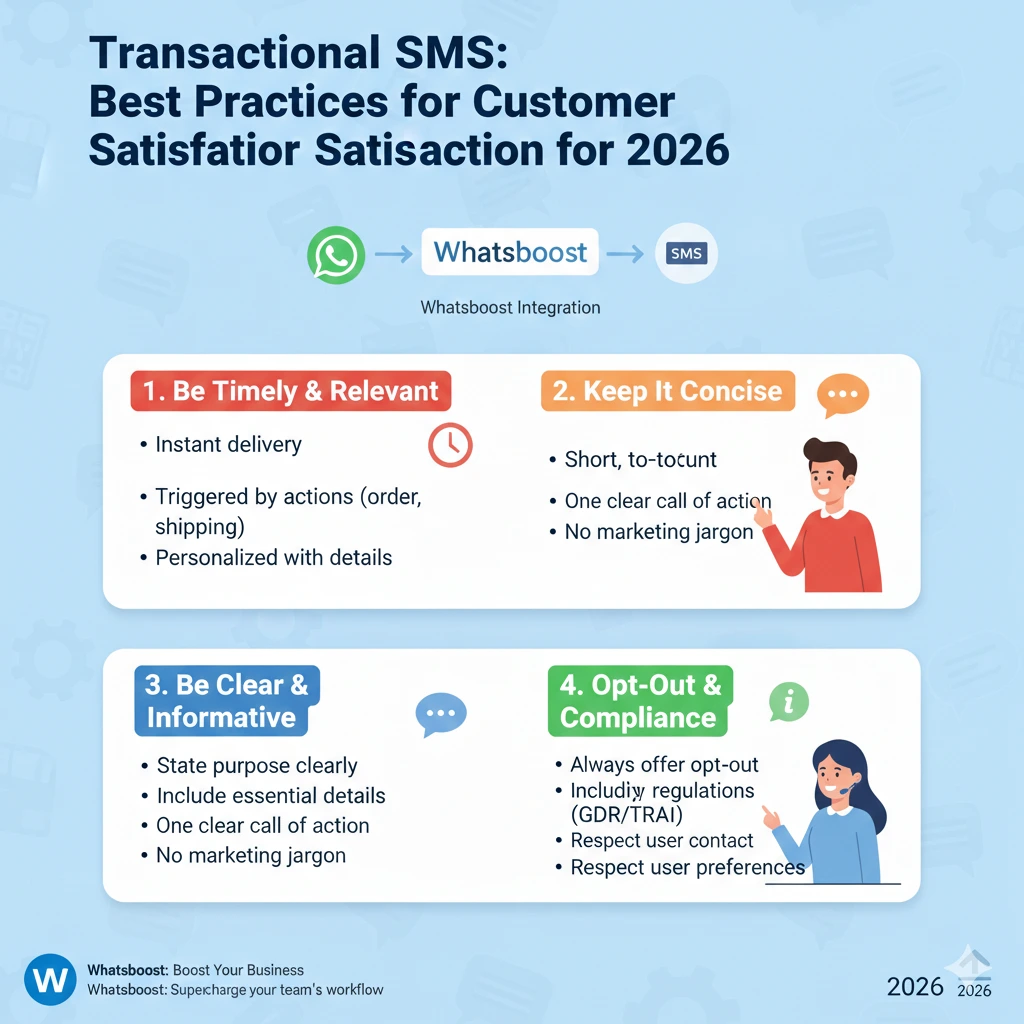
Transactional SMS: Best Practices for Customer Satisfaction in 2026
Learn what transactional SMS is, why it matters, and the best practices to use it for maximum customer satisfaction in 2026 — with real examples and ready-to-use templates.
When was the last time you checked your phone? If you are like most people in 2026, the answer is probably within the last few minutes. People spend more than five hours a day on their smartphones — using them for news, shopping, banking, and almost every interaction with businesses. And with SMS campaigns boasting a 98% open rate, text messaging remains one of the most direct and reliable ways to reach your customers.
This is where transactional SMS earns its place in every business's communication strategy. Unlike promotional messages designed to sell, transactional SMS delivers essential, time-sensitive information that customers actually want — and expect. In this blog, we cover what transactional SMS is, the best practices to follow, and real-world examples to inspire your own campaigns.
What Is Transactional SMS?
Transactional SMS is a direct way for businesses to communicate specific, important information to customers through text messages. These messages are triggered by a customer action or a business event — not a marketing calendar.
Common examples include:
- A one-time password (OTP) sent when a customer logs into their account
- A bank alert when unusual activity is detected on a credit card
- An order confirmation and tracking number sent after a purchase
- A delivery notification with an estimated arrival time
- An appointment reminder with options to confirm or reschedule
The key distinction from promotional SMS is that transactional messages are personal, timely, and directly tied to the customer's own actions — which is precisely why they perform so well.
Transactional SMS vs. Promotional SMS
It is worth being clear on the difference. Promotional SMS messages are marketing-driven — they announce sales, new products, and special offers on a planned schedule. Transactional SMS messages, on the other hand, are sent as needed, based on individual customer interactions.
Because transactional messages feel more personal and relevant, customers are far more receptive to them. In many countries, promotional messages require explicit opt-in consent. Transactional messages are held to different standards, though best practice in 2026 is to obtain clear opt-in for all SMS communications.
Why Transactional SMS Is Worth Investing In
The benefits of transactional SMS go beyond simply keeping customers informed. Here is why it matters:
It is instant. Research consistently shows that 80% of consumers expect to hear from a brand within 24 hours of taking an action. Transactional SMS delivers in seconds — keeping customers informed the moment something happens.
It is reliable. SMS runs on mobile networks, not Wi-Fi or mobile data. Your messages reach customers regardless of internet connectivity issues.
It is convenient. The information lands directly in the customer's pocket. No logging in, no searching through emails — it is right there in a text.
It builds trust. Customers who are proactively kept in the loop — even about delays or issues — feel more confident in a business. That confidence translates into loyalty and higher retention rates.
It can be fully automated. Once set up, transactional SMS runs itself — triggered automatically by specific events in your CRM or business systems, with no manual effort required.
How to Send Transactional SMS in 5 Steps
1. Integrate an SMS API Into Your Business Systems
An SMS API connects your business platform to an SMS provider, allowing messages to be sent automatically based on triggers in your system. Look for a provider that supports multiple programming languages and offers a straightforward integration process. Whatsboost makes this process simple, allowing businesses to start sending automated messages at scale without complex setup.
2. Run an Opt-In Campaign
Get your customers' explicit permission to receive text messages. You can collect opt-ins on your website, at checkout, within email receipts, or through in-store signage. Always make it clear what type of messages customers will receive and how often.
3. Develop Message Templates
Create reusable templates for your most common transactional scenarios — order confirmations, delivery updates, appointment reminders, and fraud alerts. Use template variables like customer name, order number, and appointment time to personalise each message automatically without manual input.
4. Start With One Campaign
Before rolling out multiple transactional SMS flows, start with one — perhaps shipping updates or appointment reminders. Monitor engagement, watch your opt-out rates, and gather insights before expanding. This controlled approach helps you fine-tune your messaging before scaling.
5. Analyse, Adjust, and Expand
Use the data from your initial campaign to improve your messaging and identify other areas where transactional SMS can add value. Are customers frequently calling to ask about order status? Is your no-show rate for appointments high? Transactional SMS can address both — and much more.
Best Practices for Transactional SMS in 2026
Getting the content right is just as important as the setup. Follow these best practices to maximise customer satisfaction:
Personalise every message. Use the customer's name and relevant details. "Hi Sarah, your order #45231 has shipped!" always outperforms a generic notification.
Keep it concise. A standard SMS is 160 characters — stick to the essential information only. If the customer needs more detail, include a link.
Use a clear call to action. Tell customers exactly what to do next. "Click here to track your order" or "Reply YES to confirm your appointment" removes any ambiguity.
Send promptly. A delivery notification sent three hours after dispatch is far less useful than one sent immediately. Timeliness is the entire point of transactional SMS — automate triggers to fire in real time.
Always include an opt-out option. A simple "Reply STOP to unsubscribe" respects your customers and keeps you compliant with messaging regulations.
Transactional SMS Examples and Templates
Appointment Reminder
"Your appointment at [Business Name] is confirmed, [First Name]! We'll see you on [Date] at [Time]. Reply STOP to opt out."
Order Confirmation
"Hi [First Name], thanks for your order! Your tracking number is [Tracking Number]. Stay updated at [Link]. Reply STOP to unsubscribe."
Delivery Notification
"Good news, [First Name]! Your order ([Tracking Number]) is out for delivery today. See details: [URL]. Reply STOP to opt out."
OTP Verification
"Hi [First Name], welcome to [Service Name]! Your verification code is [Code]. Enter this to complete your sign-up. Not you? Reply STOP."
Fraud Alert
"[Bank Name] Alert: Hi [First Name], did you use your card ending in [XXXX] at [Retailer] on [Date]? Reply YES or NO. Reply STOP to opt out."
Real-World Results
Leading businesses across industries have seen measurable results from transactional SMS. Healthcare platforms have achieved 97% SMS delivery rates with under one second of latency for appointment reminders — dramatically reducing no-shows. Payment processors have used real-time two-way SMS fraud alerts to replace slow, manual verification processes, improving both security and customer experience. Delivery companies averaging nearly 4.9 out of 5 stars consistently cite their SMS notification system as a primary driver of customer satisfaction.
The pattern is consistent across sectors: customers who are kept informed in real time are happier, more loyal, and less likely to contact your support team unnecessarily.
Power Up Your Messaging With Whatsboost
Transactional SMS is a powerful tool — and when combined with WhatsApp automation, the impact multiplies. Whatsboost enables businesses to deliver both transactional and marketing communications through WhatsApp, with broadcast messaging for campaigns and chatbot automation for real-time customer interactions — all on the platform with the highest engagement rates in 2026.
Whether you are sending order updates, appointment reminders, or fraud alerts, Whatsboost gives you the tools to do it at scale, automatically, and with the personalisation customers expect.
FAQs: Transactional SMS
What is the difference between transactional and promotional SMS? Transactional SMS is triggered by a customer action and delivers essential, personalised information — like order confirmations or OTPs. Promotional SMS is marketing-driven, sent on a schedule to promote products, offers, or events.
Do I need customer consent to send transactional SMS? Requirements vary by country and message type. As a best practice in 2026, obtaining explicit opt-in for all SMS communications — transactional or promotional — is strongly recommended to maintain trust and ensure compliance.
What makes a good transactional SMS message? A good transactional SMS is personalised, concise, timely, and includes a clear next step. It delivers only the information the customer needs, exactly when they need it.
How quickly should a transactional SMS be sent after a trigger event? Immediately — within seconds of the trigger wherever possible. Real-time delivery is what makes transactional SMS valuable. Delays undermine trust and reduce its effectiveness.
How can Whatsboost help with transactional messaging? Whatsboost supports automated WhatsApp messaging flows that can replicate and enhance transactional SMS use cases — from order updates and OTPs to appointment reminders — all delivered through WhatsApp's high-engagement environment.
FAQs About Whatsboost Automation
What is Whatsboost? Whatsboost is a WhatsApp marketing and automation platform built on the WhatsApp Business API. It helps businesses automate customer communications, send bulk broadcast messages, and build chatbot-powered conversation flows. Learn more at Whatsboost.
Can Whatsboost automate transactional-style messages on WhatsApp? Yes. You can configure Whatsboost to send automated WhatsApp messages triggered by customer actions — such as purchase confirmations, delivery updates, and appointment reminders — in real time.
Is Whatsboost suitable for businesses of all sizes? Absolutely. Whatsboost is designed for businesses ranging from solo operators to large enterprises, with flexible plans and an easy-to-use interface that requires no technical expertise to get started.
Want to automate WhatsApp for your business?
Set up campaigns, replies, and follow-ups in minutes.