
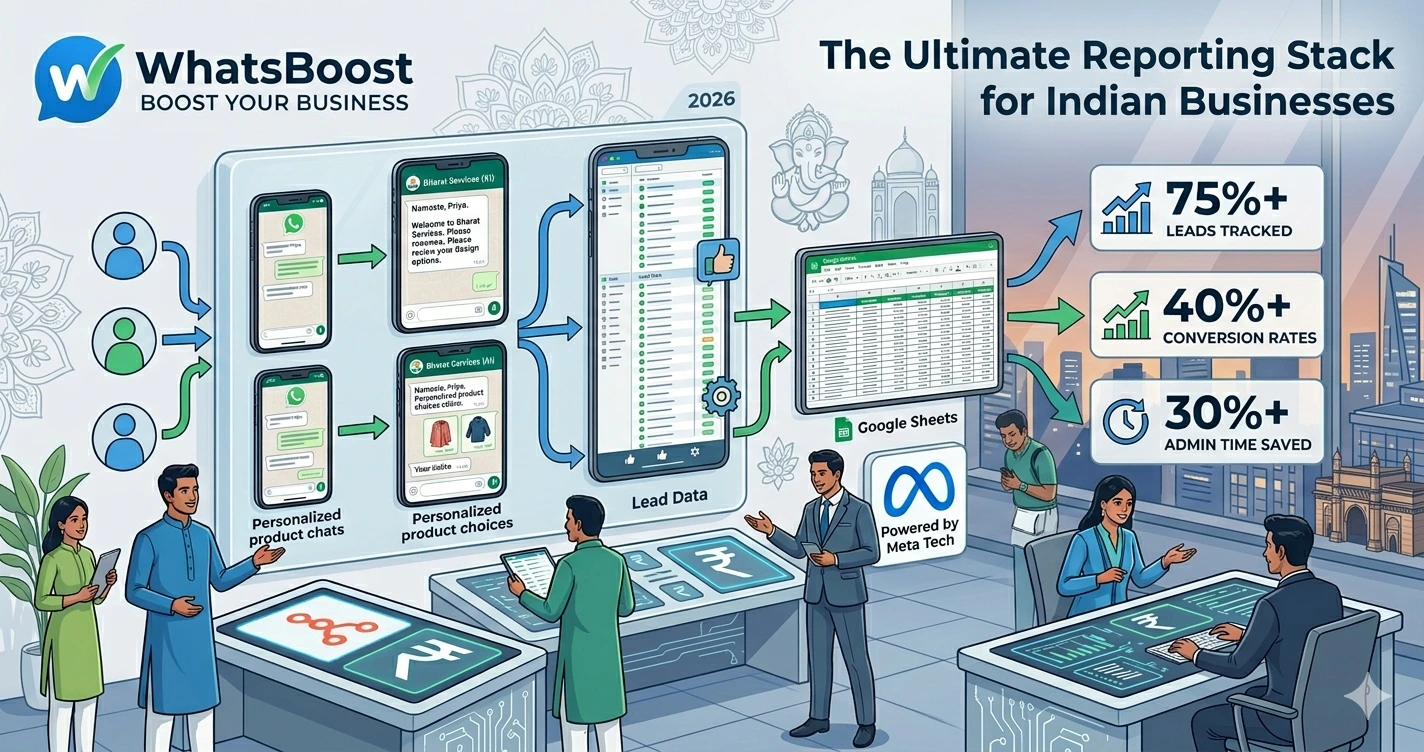
WhatsApp + Google Sheets + Looker Studio: The Ultimate Reporting Stack for Businesses
Learn how to build a powerful business reporting system using WhatsApp, Google Sheets, and Looker Studio. Track leads, monitor customer interactions, visualize business performance, and automate reporting with WhatsApp automation and AI workflows.
WhatsApp + Google Sheets + Looker Studio: The Ultimate Reporting Stack for Businesses
Most businesses already have the data they need.
The problem is they can't see it.
Every day, valuable information flows through:
- WhatsApp conversations
- Lead enquiries
- Customer support chats
- Appointment bookings
- Sales discussions
- Team communications
But for many businesses, that information stays scattered across different systems.
As a result:
❌ Managers lack visibility
❌ Reporting takes hours every week
❌ Sales performance becomes difficult to measure
❌ Marketing ROI remains unclear
❌ Business decisions rely on assumptions
The reality is simple.
Data is only valuable when it's organized and visible.
That's why many businesses are combining WhatsApp, Google Sheets, and Looker Studio into a powerful reporting stack.
👉 When customer conversations become measurable, business decisions become smarter.
Why Traditional Reporting Often Fails
Many businesses still generate reports manually.
Someone exports spreadsheets.
Someone updates dashboards.
Someone compiles numbers.
Then management reviews outdated information.
The process is:
Slow.
Error-prone.
Difficult to scale.
As customer conversations increase, manual reporting becomes nearly impossible.
Businesses that already track customer interactions often start with systems similar to this WhatsApp lead tracking workflow using Claude AI and Google Sheets, creating a structured foundation for business reporting.
Without a reliable data source, dashboards become meaningless.
Why This Stack Works So Well
Each tool has a specific purpose.
Captures customer interactions.
Google Sheets
Stores and organizes data.
Looker Studio
Visualizes data through dashboards and reports.
Together, they create a simple yet powerful reporting ecosystem.
Step 1: Capture Data From WhatsApp
Everything starts with conversations.
Businesses use WhatsApp for:
- Lead generation
- Customer support
- Sales enquiries
- Appointment scheduling
- Client communication
The challenge is that valuable insights often remain trapped inside chats.
Many organizations solve this by implementing automated tracking systems similar to this guide on automatically saving WhatsApp conversations into Google Sheets for reporting.
Once data is captured, reporting becomes possible.
Step 2: Store Everything in Google Sheets
Google Sheets acts as the reporting database.
Common data points include:
- Customer name
- Phone number
- Lead source
- Conversation type
- Assigned representative
- Status
- Date and time
- Conversion outcome
Benefits of Google Sheets include:
✔ Easy access
✔ Real-time updates
✔ Collaboration across teams
✔ Flexible reporting structures
For many businesses, it provides all the functionality needed before moving to more complex databases.
Step 3: Build Dashboards Using Looker Studio
Once data is flowing into Google Sheets, Looker Studio transforms it into visual dashboards.
Instead of reviewing rows of data, teams can instantly see:
- Lead volume
- Conversion rates
- Response times
- Team performance
- Marketing effectiveness
- Customer engagement trends
This creates a real-time view of business performance.
What Metrics Should Businesses Track?
One of the biggest mistakes businesses make is tracking too much data.
Focus on metrics that influence decisions.
Examples include:
Lead Metrics
- New leads
- Qualified leads
- Conversion rates
Businesses that actively score and prioritize leads often use methods similar to these WhatsApp lead qualification strategies for improving CRM conversions to improve reporting accuracy.
Sales Metrics
- Opportunities created
- Appointments booked
- Proposals sent
- Deals won
These metrics help identify sales bottlenecks.
Support Metrics
- Ticket volume
- Resolution time
- Customer satisfaction
- Escalation trends
Support reporting improves operational efficiency.
Marketing Metrics
- Campaign enquiries
- Cost per lead
- Lead quality
- Source performance
This helps marketing teams allocate budgets more effectively.
Connect WhatsApp Reporting to Your CRM
As businesses grow, reporting often extends beyond Google Sheets.
Customer records, sales pipelines, and follow-up activities need to be connected.
That's why many organizations integrate reporting with CRM systems. Businesses often follow workflows similar to this CRM and WhatsApp automation framework to ensure customer conversations, sales activities, and reporting data remain synchronized.
This creates a complete view of the customer journey.
Use AI to Improve Reporting Quality
As conversation volume increases, manually categorizing messages becomes difficult.
AI can automatically classify:
✔ Sales enquiries
✔ Support requests
✔ Billing questions
✔ Appointment requests
✔ Product enquiries
Businesses implementing advanced automation often leverage techniques similar to this AI-powered WhatsApp assistant workflow built with Claude and n8n.
This improves dashboard accuracy while reducing manual work.
Automate the Entire Reporting Process
The real power of this stack comes from automation.
Instead of manually updating reports:
Customer Message → WhatsApp Captures Data → Google Sheet Updated → Looker Studio Dashboard Refreshes
Everything happens automatically.
Many businesses achieve this using workflows similar to this n8n and WhatsApp integration setup, allowing systems to exchange information without human intervention.
The result is always up-to-date reporting.
Example Business Dashboard
A Looker Studio dashboard might display:
| KPI | Example |
| Total WhatsApp Leads | 1,250 |
| Qualified Leads | 420 |
| Appointments Booked | 180 |
| Conversion Rate | 22% |
| Average Response Time | 4 Minutes |
| Support Requests | 310 |
Management can monitor performance at a glance.
Real Reporting Workflow Example
Customer Sends WhatsApp Message → WhatsBoost Captures Conversation → Google Sheet Updated → AI Categorizes Interaction → CRM Updated → Looker Studio Dashboard Refreshed
This creates a fully automated reporting ecosystem.
Before vs After Implementing the Reporting Stack
| Before | After |
| Manual reports | Automated dashboards |
| Spreadsheet chaos | Structured reporting |
| Delayed insights | Real-time visibility |
| Scattered data | Centralized analytics |
| Reactive decisions | Data-driven decisions |
Who Benefits Most From This Reporting Stack?
This setup works particularly well for:
- Agencies
- Coaches
- Consultants
- Educational businesses
- Healthcare providers
- Customer support teams
- Real estate firms
- SaaS companies
- Service-based businesses
Any organization using WhatsApp regularly can benefit from better reporting.
How WhatsBoost Powers the Reporting Stack
WhatsBoost serves as the communication layer that captures customer interactions and feeds reporting systems.
Combined with:
- Google Sheets for data storage
- Looker Studio for visualization
- CRM platforms for customer management
- AI agents for categorization
- n8n for workflow automation
it creates a powerful reporting infrastructure that scales with business growth.
Final Conclusion
Most businesses already collect valuable customer data every day.
The challenge is turning that data into actionable insights.
Without proper reporting:
❌ Opportunities remain hidden
❌ Performance becomes difficult to measure
❌ Decision-making slows down
❌ Growth becomes harder to manage
By combining WhatsApp, Google Sheets, and Looker Studio, businesses can build a simple yet powerful reporting stack that provides real-time visibility into sales, marketing, customer support, and operational performance.
Using WhatsBoost, CRM integrations, AI workflows, and automation platforms, organizations can transform everyday conversations into meaningful business intelligence.
👉 The future is: WhatsApp + AI + Automation = Scalable Business Operations 🚀
Want to automate WhatsApp for your business?
Set up campaigns, replies, and follow-ups in minutes.