
How to Create Tasks Automatically From WhatsApp Messages in Project Management Tools in 2026 | Whatsboost
Learn how to create tasks automatically from WhatsApp messages in project management tools in 2026. Discover step-by-step workflows, practical use cases, and how Whatsboost helps Indian businesses connect WhatsApp to ClickUp, Trello, and Asana automatically.
How to Create Tasks Automatically From WhatsApp Messages in Project Management Tools in 2026
Every Indian business team has experienced the same operational gap. A client sends a WhatsApp message with a new requirement. A teammate forwards a customer complaint on WhatsApp that needs immediate action. A manager sends a voice note on WhatsApp with instructions for the next sprint. These messages are seen, acknowledged with a thumbs up or a quick reply, and then — in the natural flow of a busy day — forgotten. The task never makes it to ClickUp, Trello, or Asana. The deadline is missed. The client is disappointed.
The problem is not that the team is careless. It is that WhatsApp and project management tools operate as two completely separate systems — and the bridge between them depends entirely on a human remembering to cross it. In 2026, automating task creation from WhatsApp messages directly into your project management tools eliminates this dependency entirely.
This blog explains exactly how to build this automation — connecting WhatsApp to your project management tools so that every relevant message becomes a tracked, assigned, deadline-managed task automatically. And how Whatsboost provides the WhatsApp Business API layer that makes this connection reliable and scalable for Indian teams.
Why WhatsApp Messages Become Lost Tasks Without Automation
The volume of action-generating communication that flows through Indian business WhatsApp accounts is significant. Client instructions, internal escalations, approval requests, feedback on deliverables, and scope change requests arrive on WhatsApp every day — often faster than teams can process them.
Without an automated connection to a project management tool, each of these messages depends on a human action to become a tracked task: someone reads the message, opens their project management tool, creates the task manually, assigns it, sets a deadline, and links it back to the WhatsApp context. This process takes two to five minutes per task — and in a team receiving dozens of action-generating messages daily, this is a significant collective time burden that also introduces a consistent risk of human error and omission.
More critically, the manual process means that tasks created from WhatsApp messages lack context. By the time a task is manually created, the rich conversational context of the original WhatsApp message — the client's exact words, the urgency signals in their tone, the attachments they shared — has been summarised into a task title that loses the nuance needed to execute the work correctly.
Automating task creation from WhatsApp messages preserves the full context, eliminates the manual effort, and ensures no action-generating message is ever quietly forgotten. Whatsboost makes this automation possible through the WhatsApp Business API and webhook integrations that connect WhatsApp to any project management platform your team uses. Visit Whatsboost.in to explore the platform.
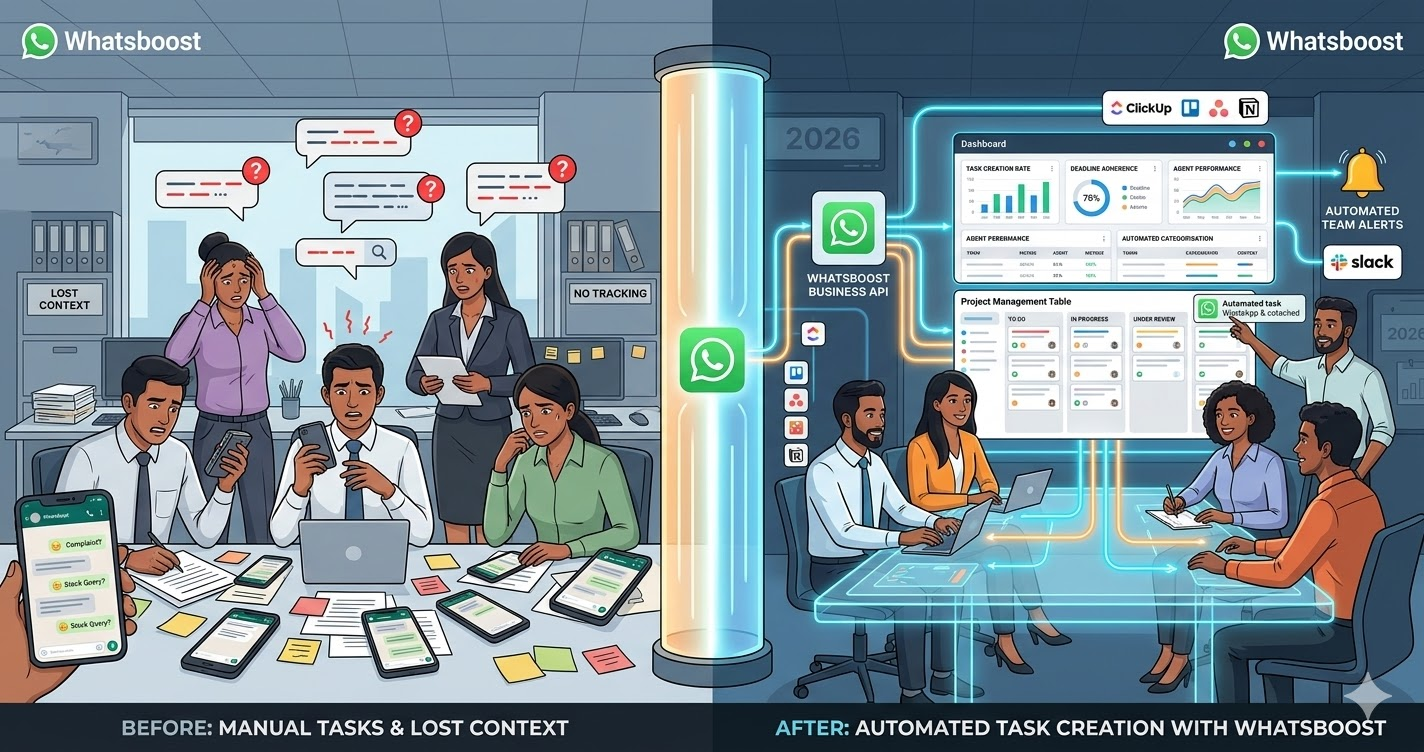
How WhatsApp to Project Management Task Creation Works
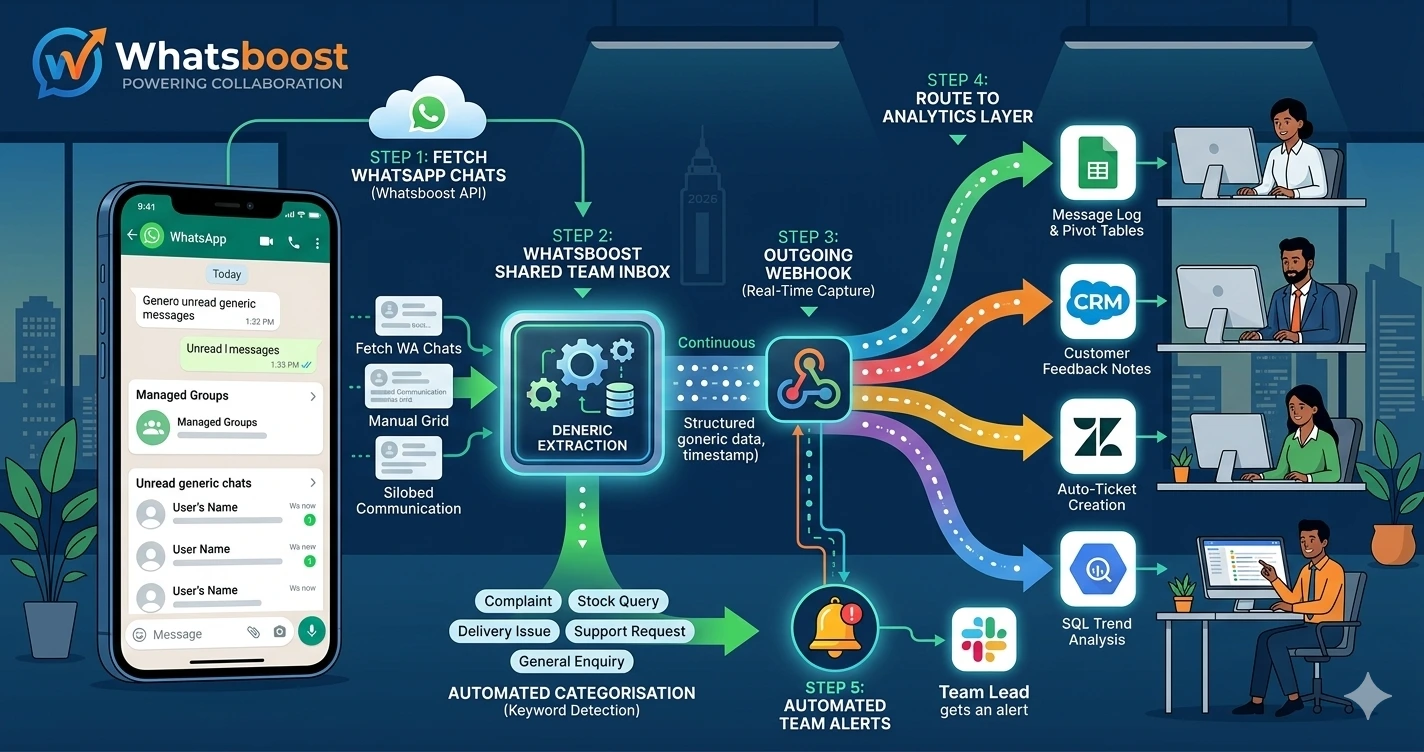
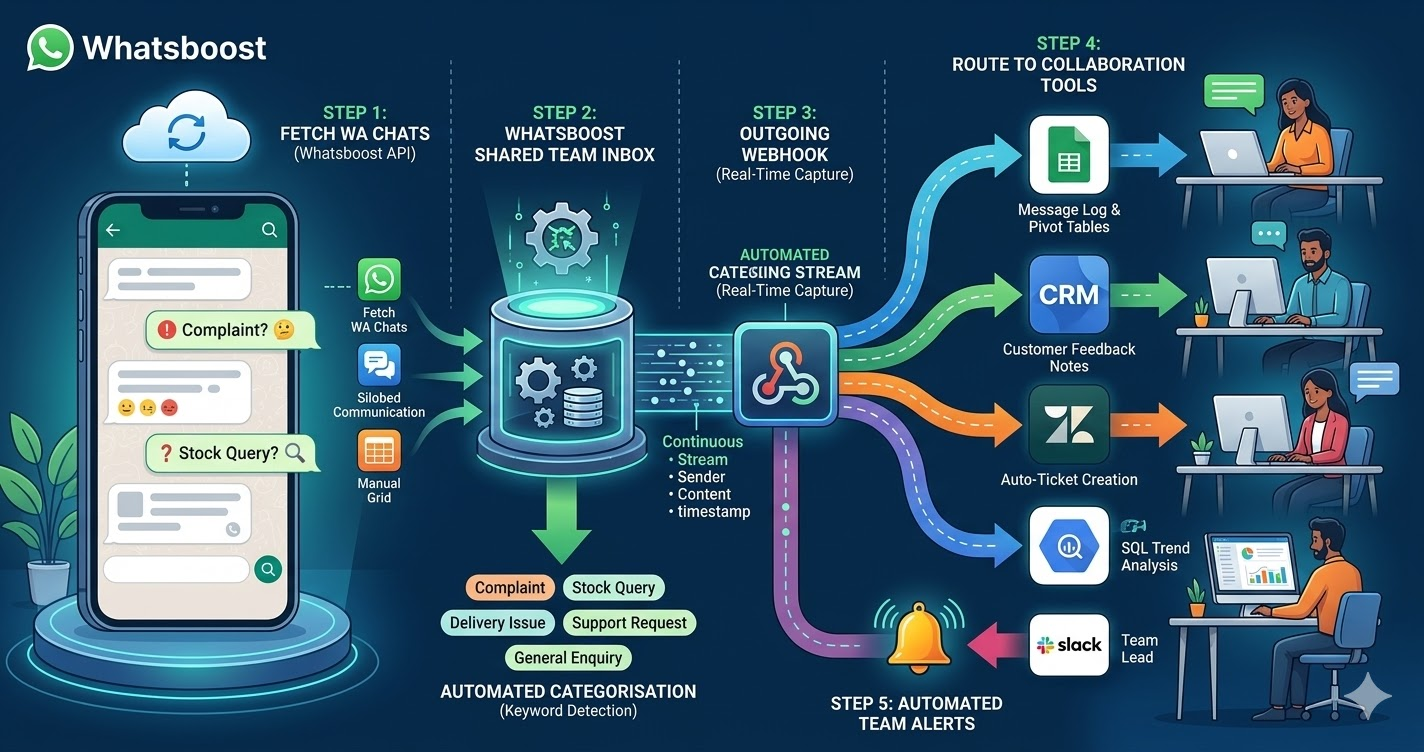
The automation connects three components: Whatsboost's WhatsApp Business API capturing every incoming message and firing a webhook, an automation platform processing the webhook and applying task creation logic, and your project management tool receiving the structured task data.
When an action-generating WhatsApp message arrives — from a client, a team member, or a stakeholder — Whatsboost captures it in real time and fires a webhook payload containing the sender's details, message content, timestamp, conversation label, and any media attachments. The automation platform receives this payload, applies your defined task creation logic, and creates a new task in your project management tool — pre-populated with the message content, the sender's name as the requester, a due date calculated from the message context or a default timeline, and the appropriate project or board assignment based on conversation labels or sender identity.
The task creator — whether the client or colleague who sent the WhatsApp message — receives an automatic WhatsApp acknowledgement confirming that their request has been logged as a task with a reference number. Your project team sees the task appear in their tool with complete WhatsApp context attached. And the operational gap between WhatsApp communication and project management accountability is permanently closed.
Building WhatsApp to Project Management Task Automation With Whatsboost
Step 1: Activate WhatsApp Business API via Whatsboost
The WhatsApp Business API is the foundation of the entire automation. Whatsboost is an authorised WhatsApp Business Solution Provider that activates your API with guided onboarding — giving your team the webhook and integration capabilities that connect WhatsApp to your project management tools. Start at Whatsboost.in.
Step 2: Standardise Task Trigger Conventions With Your Team
The most effective WhatsApp to project management automations use a consistent triggering convention that tells the automation which messages should become tasks and which should remain conversational. Train your team to use a simple prefix or keyword in messages that require a task to be created — for example, "TASK:" or "ACTION:" at the beginning of any WhatsApp message that requires tracked follow-up.
This convention transforms your team's WhatsApp communication into a structured task input channel — where every prefixed message becomes a task automatically and conversational messages flow through without triggering task creation noise in your project management tool.
Step 3: Configure Whatsboost Webhooks for Message Capture
Enable outgoing webhooks in Whatsboost to fire on every incoming WhatsApp message. Configure keyword detection to filter for your defined task trigger prefix — ensuring only task-intended messages trigger the project management automation while other messages are logged for reference without creating unnecessary tasks.
Step 4: Build the Task Creation Workflow in Zapier, Make, or Pabbly Connect
Connect Whatsboost's webhook to your project management tool using your preferred automation platform. The workflow logic should include:
Trigger — Whatsboost webhook received containing a message with the task trigger keyword.
Action 1 — Parse the message — Extract the task title from the message content following the trigger prefix, identify the sender's name and contact details, and note the timestamp and any attachments.
Action 2 — Identify the correct project — Based on the conversation label applied in Whatsboost, the sender's phone number matched to a client record, or a keyword in the message content, determine which project, board, or workspace the task should be created in.
Action 3 — Create the task — In ClickUp, Trello, Asana, or your preferred project management tool, create a new task with the message content as the task description, the sender's name in the requester field, a default or extracted due date, and the appropriate team member assigned based on the project's assignment rules.
Action 4 — Attach conversation context — Add the full original WhatsApp message, sender details, and timestamp as a task comment or note — ensuring the team member who works on the task has complete context without needing to search through WhatsApp to find the original message.
Action 5 — Send acknowledgement via Whatsboost — Trigger a WhatsApp confirmation message to the sender confirming that their request has been logged as a tracked task — including the task name and an expected completion timeframe if applicable.
Step 5: Configure Bidirectional Task Status Updates
Close the loop by configuring your project management tool to trigger WhatsApp status updates via Whatsboost when tasks change status. When a task moves from "In Progress" to "Under Review" or "Completed," Whatsboost automatically sends a WhatsApp message to the original requester — keeping clients and internal stakeholders informed of progress without the project team needing to send manual status updates.
This bidirectional flow — WhatsApp message to task, task status to WhatsApp update — creates a complete, closed-loop communication system where every request is tracked and every stakeholder is kept informed automatically. Visit Whatsboost.in for integration details.
Project Management Tools This Automation Works With
ClickUp — Tasks created from WhatsApp messages populate directly into ClickUp lists, with full message content in the task description, sender attribution, and due date assignment. ClickUp's status changes can trigger return WhatsApp notifications through Whatsboost.
Trello — WhatsApp messages create Trello cards in the appropriate board and list, with message content in the card description and attachments linked as card attachments. Card movement between lists triggers WhatsApp status updates to requesters.
Asana — WhatsApp messages create Asana tasks in the relevant project, with the original message in the task notes and assignee populated from your team's project assignment rules. Task completion triggers WhatsApp confirmation to the original requester.
Notion — WhatsApp messages create new database entries in the relevant Notion project database — with full message content, sender details, and a creation timestamp logged — enabling project teams using Notion for task management to receive WhatsApp-generated inputs directly in their workflow.
Best Practices for WhatsApp to Project Management Task Automation
Review automatically created tasks daily in the first two weeks. The keyword detection and task routing logic requires calibration in the early stages. Daily review of auto-created tasks helps identify incorrectly triggered tasks, wrong project assignments, or parsing errors — allowing your team to refine the workflow before it operates at full volume.
Include a task urgency indicator in your trigger convention. Extend your team's WhatsApp task prefix system to include urgency levels — "TASK URGENT:" for same-day tasks, "TASK:" for standard tasks, "TASK BACKLOG:" for non-time-sensitive items. This urgency indicator can automatically set task priority levels in your project management tool — ensuring high-priority WhatsApp requests are visible immediately in your team's task queue.
Archive WhatsApp task acknowledgement messages in your project tool. Store the automated WhatsApp acknowledgement message — confirming the task was created — as a comment on the task itself. This creates a complete paper trail showing when the request was received, when it was acknowledged, and all subsequent status updates — valuable for client accountability and internal process documentation.
Every WhatsApp Message Your Team Acts on Should Be a Tracked Task
In 2026, Indian businesses operating with a clear, accountable project management system have a structural advantage over those managing work through informal WhatsApp communication. The gap between where work is requested and where work is tracked is where deadlines are missed, clients are disappointed, and team accountability breaks down.
Automating task creation from WhatsApp messages with Whatsboost closes this gap permanently — ensuring every action-generating message becomes a tracked, assigned, deadline-managed task in your project management tool the moment it arrives, with full context preserved and every stakeholder kept informed automatically.
Visit Whatsboost.in and start turning your WhatsApp messages into project management tasks automatically today.
Want to automate WhatsApp for your business?
Set up campaigns, replies, and follow-ups in minutes.