
How to Send Facebook and Google Ads Lead Alerts Directly to WhatsApp in 2026 | Whatsboost
Learn how to send Facebook and Google Ads lead alerts directly to WhatsApp in 2026. Discover step-by-step workflows, practical setup tips, and how Whatsboost helps Indian businesses respond to paid ad leads instantly via WhatsApp automation.
How to Send Facebook and Google Ads Lead Alerts Directly to WhatsApp in 2026
Every rupee spent on Facebook and Google Ads is a direct investment in lead generation. When a prospect fills out a Meta Lead Ad form or submits a Google Ads landing page form, they are expressing genuine interest at a specific moment — a moment that has a very short window of peak intent. Research consistently shows that leads contacted within five minutes of submitting a form are dramatically more likely to convert than leads contacted even 30 minutes later.
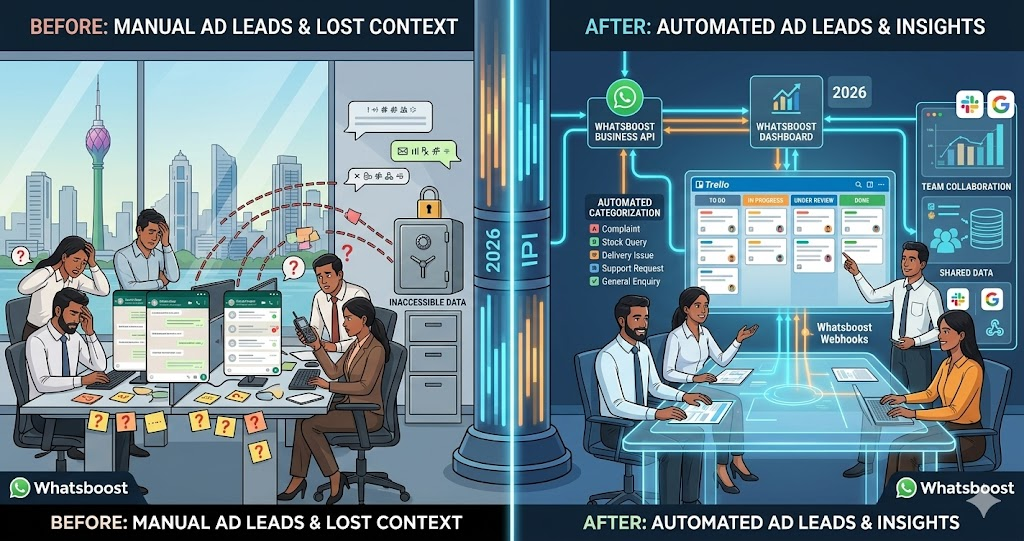
Yet for most Indian businesses, the gap between when a paid ad lead submits their form and when a sales rep actually contacts them is measured in hours — not minutes. The lead comes in, sits in a CRM or a spreadsheet, and waits for someone to notice it during the next manual review. By the time the call goes out, the lead's attention has moved on, their intent has cooled, and the competitor who responded faster has already started the conversation.
Sending Facebook and Google Ads lead alerts directly to WhatsApp in 2026 is the simplest, most impactful fix for this conversion gap. This blog explains exactly how to build this real-time lead alert system — and how Whatsboost powers the WhatsApp delivery layer that gets your sales reps responding to paid ad leads within minutes of every form submission.
Why WhatsApp Is the Right Channel for Paid Ad Lead Alerts
Sales reps check WhatsApp more frequently and more responsively than any other communication channel. Email notifications for new leads get buried in inboxes. CRM notifications require the rep to be actively logged in. Phone notifications for new CRM records are easy to dismiss. A WhatsApp message, on the other hand, arrives with immediate attention — seen, read, and acted on within minutes in the normal flow of a working day.
For Indian sales teams managing Facebook and Google Ads campaigns simultaneously — often across multiple products, services, or geographic markets — WhatsApp lead alerts create an instant response reflex. The moment a lead submits a form on a paid ad, the responsible rep receives a WhatsApp notification with the lead's name, phone number, the ad they responded to, and a one-tap option to call or message them immediately. The entire workflow — from form submission to first contact — can happen in under three minutes.
Whatsboost provides the WhatsApp Business API and automation infrastructure that delivers these real-time lead alerts reliably for every form submission, across every campaign, without any manual review step required. Visit Whatsboost.in to explore the platform.
How Facebook and Google Ads Lead Alerts to WhatsApp Work
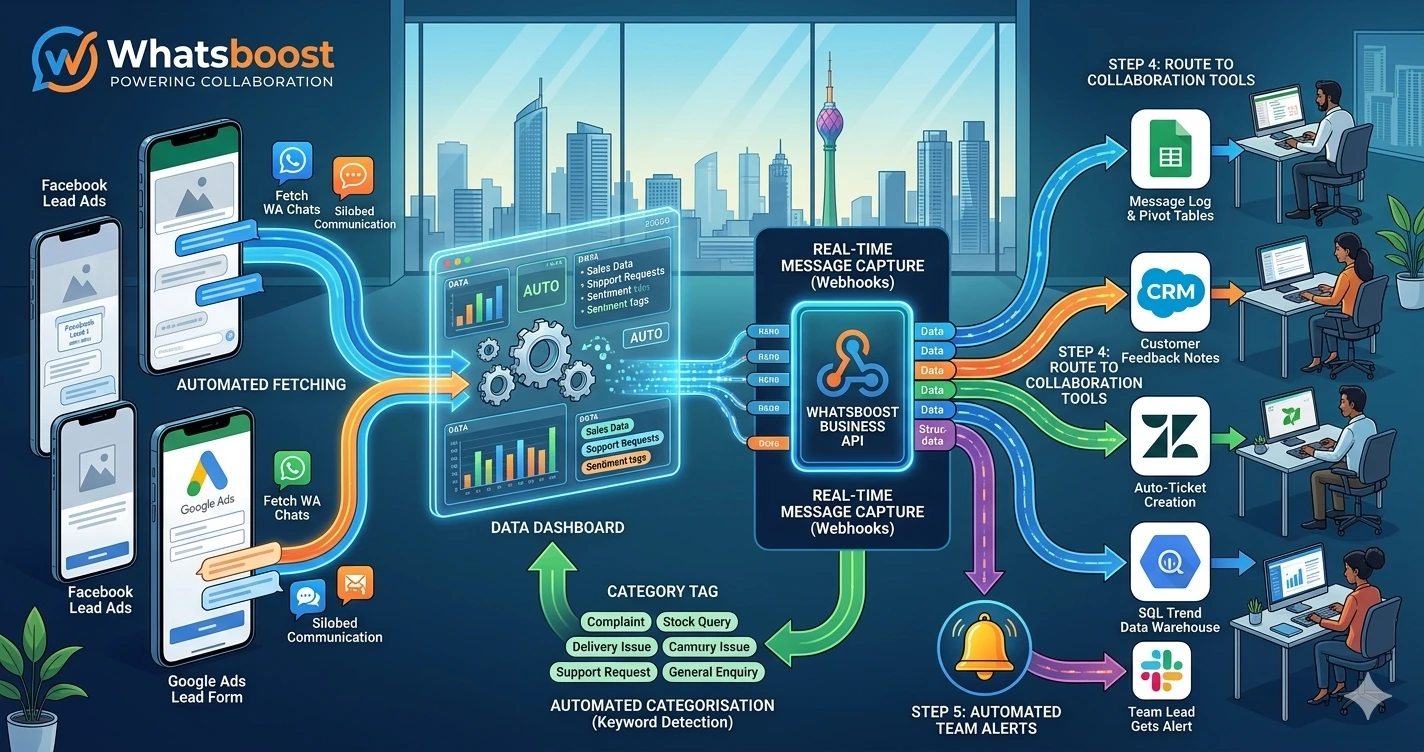
The automation pipeline connects your ad platforms to Whatsboost's WhatsApp Business API through a real-time webhook flow. Here is the complete process from form submission to rep notification:
A prospect submits a Meta Lead Ad form or a Google Ads landing page form — providing their name, phone number, and any other qualifying details your form collects.
The ad platform or landing page fires a webhook — either natively through Facebook's Lead Ads webhook, via the landing page platform, or through an automation tool like Zapier or Make — passing the lead data to Whatsboost in real time.
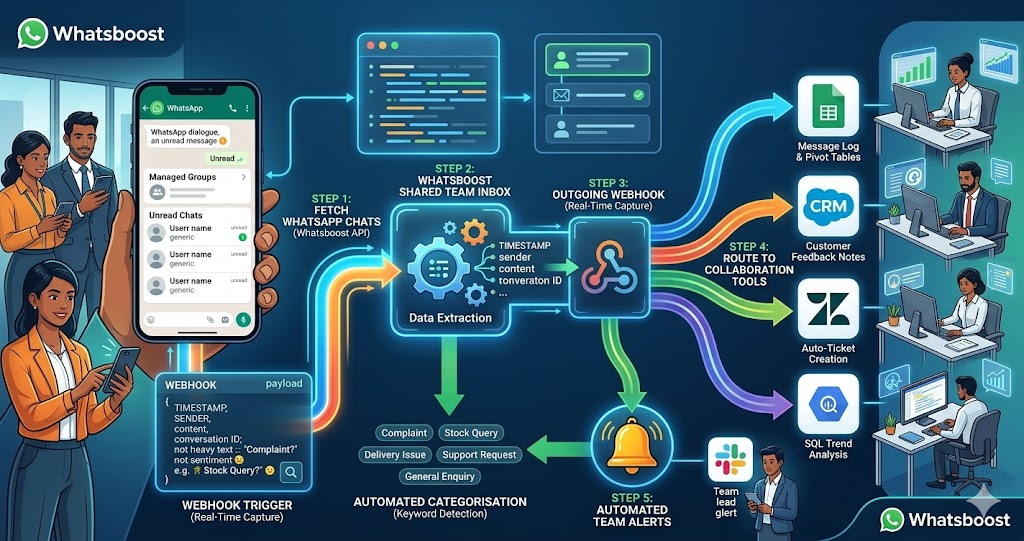
Whatsboost receives the lead data and immediately delivers two WhatsApp messages simultaneously: a personalised automated message to the lead themselves — acknowledging their enquiry and confirming that someone from the team will be in touch shortly — and a structured lead alert notification to the assigned sales rep — containing the lead's name, phone number, the campaign or ad they responded to, their submitted details, and a one-tap call button.
The entire sequence — form submission to both WhatsApp messages delivered — takes under 30 seconds. The lead feels immediately acknowledged. The rep has everything they need to make a relevant, personalised first call without any manual lead lookup.
Building Your Facebook and Google Ads to WhatsApp Lead Alert System
Step 1: Activate WhatsApp Business API via Whatsboost
Real-time, automated WhatsApp message delivery at scale requires the WhatsApp Business API. Whatsboost is an authorised WhatsApp Business Solution Provider that activates your API with comprehensive onboarding support — the essential first step for the entire lead alert workflow. Start at Whatsboost.in.
Step 2: Connect Facebook Lead Ads to Whatsboost
For Meta Lead Ads, connect your Facebook Ad account to your automation platform — Zapier, Make, or Pabbly Connect — using Facebook's native Lead Ads integration. Configure the trigger to fire on every new lead submission from your specified ad account, ad set, or specific campaign.
Pass the following data fields to the Whatsboost action: lead name, phone number, email address, the ad name or campaign identifier the lead responded to, and the submission timestamp. These fields populate your rep's WhatsApp alert with the full context needed for a relevant, informed first contact.
Step 3: Connect Google Ads Landing Page Leads to Whatsboost
For Google Ads leads captured through landing pages, the connection method depends on your landing page platform. For pages built on Webflow, WordPress, or a custom domain, configure a form webhook that fires on every submission and routes the lead data to your automation platform — which then triggers the Whatsboost WhatsApp alert workflow.
For leads captured through Google's own lead form extensions, use Google Ads' webhook integration to connect form submissions directly to your automation platform — applying the same Whatsboost notification workflow used for Meta leads.
Step 4: Build the Dual WhatsApp Message Workflow
Configure two separate WhatsApp message actions in your automation workflow — both triggered simultaneously by the same form submission event:
Message 1 — Lead Acknowledgement to the Prospect Send a personalised WhatsApp message to the lead's submitted phone number confirming their enquiry has been received. Include their name, a brief confirmation of what they expressed interest in, and a clear statement of when they will be contacted: "Hi [Name], thank you for your interest in [Product/Service]. Our team will reach out to you within the next 15 minutes. If you have any immediate questions, feel free to reply here."
This instant acknowledgement serves two critical purposes: it confirms to the lead that their form submission was received, and it opens a WhatsApp conversation thread that makes the rep's subsequent outreach feel like a natural continuation rather than a cold first contact.
Message 2 — Lead Alert Notification to the Sales Rep Send a structured WhatsApp notification to the assigned sales rep containing: the lead's full name, their phone number as a tappable link, the campaign or ad name they responded to, all submitted form fields, the submission timestamp, and a one-tap action to initiate a WhatsApp chat or phone call to the lead immediately.
Format this alert for rapid scanning — the rep should be able to read the full lead context, assess the opportunity, and initiate contact in under 30 seconds from receiving the notification.
Step 5: Configure Campaign-Based Rep Assignment Rules
For businesses running multiple campaigns targeting different products, services, or geographic regions, configure routing rules that assign each lead alert to the appropriate sales rep based on the campaign source:
Facebook campaign for Product A routes to the Product A sales team lead. Google Ads campaign for City B routes to the regional rep covering City B. This routing logic ensures every lead is handled by the rep with the most relevant product knowledge and geographic familiarity — maximising the quality and relevance of the first contact conversation.
Use Whatsboost's shared team inbox alongside the individual rep alerts — so the team lead has visibility into all incoming lead alerts and can reassign or escalate if the primary rep is unavailable. Visit Whatsboost.in to explore routing and inbox management capabilities.
Advanced Lead Alert Workflows for Higher Conversion
Instant lead qualification chatbot before rep assignment — For businesses with high paid ad lead volumes, configure Whatsboost to initiate an automated WhatsApp qualification conversation with the lead immediately after form submission — asking two or three qualifying questions before routing the lead to the rep. Only leads who confirm budget fit and purchase intent trigger the rep alert — ensuring reps invest their follow-up time exclusively in pre-qualified, high-intent leads.
Lead source attribution tracking in CRM — Configure your automation to simultaneously log every incoming Facebook or Google Ads lead in your CRM — tagged with the campaign source, ad name, submission timestamp, and initial qualification responses. Sales managers see a live dashboard of paid ad lead quality, rep response times, and conversion rates by campaign source — enabling data-driven ad spend optimisation based on actual sales outcomes.
Re-engagement sequence for uncontacted leads — If a rep does not contact a lead within 60 minutes of the alert, Whatsboost automatically sends a follow-up WhatsApp message to the lead — acknowledging a brief delay and assuring them they will be contacted shortly. A simultaneous escalation alert goes to the sales manager, flagging the uncontacted lead for immediate reassignment — ensuring no paid ad lead is left uncontacted due to a rep oversight.
Best Practices for Facebook and Google Ads WhatsApp Lead Alert Automation
Personalise every lead acknowledgement message with ad-specific context. A generic "thank you for your enquiry" message is far less effective than a message that references the specific product, offer, or solution the lead expressed interest in. Use the campaign name or ad content in the acknowledgement message to demonstrate that you are already familiar with what they want.
Set a team response time standard and measure it. The value of real-time WhatsApp lead alerts is only realised if reps respond to them promptly. Define a maximum response time standard — five minutes during business hours — and use Whatsboost analytics combined with CRM data to measure actual response times by rep and by campaign. Make response time performance visible to the whole team to create accountability.
Test lead alert delivery across all active campaigns before going live. Submit test leads through each of your active Facebook and Google Ads campaigns and confirm that alerts are delivered to the correct rep, formatted correctly, and that both the rep notification and the lead acknowledgement message are sent successfully. A missed alert for a paid lead is a direct revenue loss — test thoroughly before activating for live campaigns.
Every Paid Ad Lead Deserves a Five-Minute Response
In 2026, the Indian businesses converting the highest percentage of their paid ad spend into revenue are not necessarily running the best ads — they are responding to their leads the fastest. A five-minute WhatsApp response to a Facebook or Google Ads lead submission is not exceptional customer service. It is an executable standard that any business can achieve with the right automation in place.
With Whatsboost delivering real-time lead alerts directly to your sales team on WhatsApp, the gap between form submission and first contact collapses — and every rupee of paid ad spend converts at the rate it was always capable of.
Visit Whatsboost.in and start sending your Facebook and Google Ads lead alerts directly to WhatsApp today.
Want to automate WhatsApp for your business?
Set up campaigns, replies, and follow-ups in minutes.