
WhatsApp Group Notifications for Hive Task Assignments and Status Updates in 2026 | Whatsboost
Learn how to set up WhatsApp group notifications for Hive task assignments and status updates in 2026. Discover step-by-step workflows, practical setup tips, and how Whatsboost helps Indian teams stay aligned on project progress via WhatsApp automatically.
WhatsApp Group Notifications for Hive Task Assignments and Status Updates in 2026
Project management tools are only as effective as the team's awareness of what is happening inside them. Hive is a powerful, flexible project management platform — but even the most well-structured Hive workspace loses its value if team members are not noticing new task assignments, missing status change signals, or failing to act on deadline alerts because they did not check the platform today.
Indian project teams check WhatsApp far more consistently than they check any project management tool. It is the first app opened in the morning and the last checked before bed. When Hive task assignments and status updates are delivered as WhatsApp group notifications — in the team's active WhatsApp group, on the device they check constantly — the gap between a task being assigned in Hive and the responsible team member knowing about it collapses from hours to seconds.
In 2026, automating WhatsApp group notifications for Hive task assignments and status updates is one of the most practical, high-impact improvements an Indian project team can implement. This blog explains how to build this notification system — and how Whatsboost powers the WhatsApp delivery layer that keeps every team member informed in real time.
Why Hive Notifications Alone Are Not Enough for Indian Project Teams
Hive provides its own in-platform notification system — email alerts, in-app notifications, and browser push notifications for task assignments, status changes, and deadline reminders. For teams working at their computers in a dedicated project management environment, these notifications are sufficient.
But Indian project teams do not work this way. Project managers are in client calls. Designers are in Figma. Developers are in their IDEs. Account managers are responding to client WhatsApp messages. Nobody has Hive open in the foreground for eight consecutive hours. In-platform notifications accumulate unread. Email alerts are buried under other correspondence. Browser push notifications are dismissed without being read.
The result is a project team that is technically receiving Hive notifications but practically not responding to them — with task assignments going unacknowledged, status changes going unnoticed, and project leads assuming work is progressing while it is actually stalled waiting for a team member to notice they have been assigned.
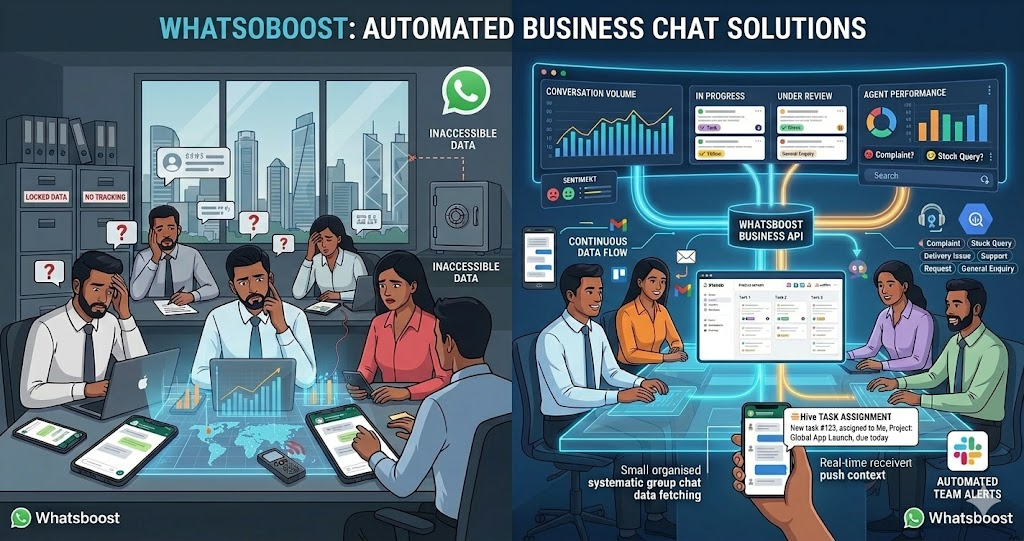
Delivering Hive notifications to WhatsApp groups — where Indian teams are always present and always responsive — transforms this dynamic entirely. Whatsboost provides the WhatsApp Business API and automation infrastructure that makes this notification bridge reliable and immediate. Visit Whatsboost.in to explore the platform.
What WhatsApp Group Notifications for Hive Look Like in Practice
A well-configured Hive to WhatsApp group notification system delivers targeted, formatted alerts to the right WhatsApp groups at the right moments — without creating notification overload that causes team members to mute the group.
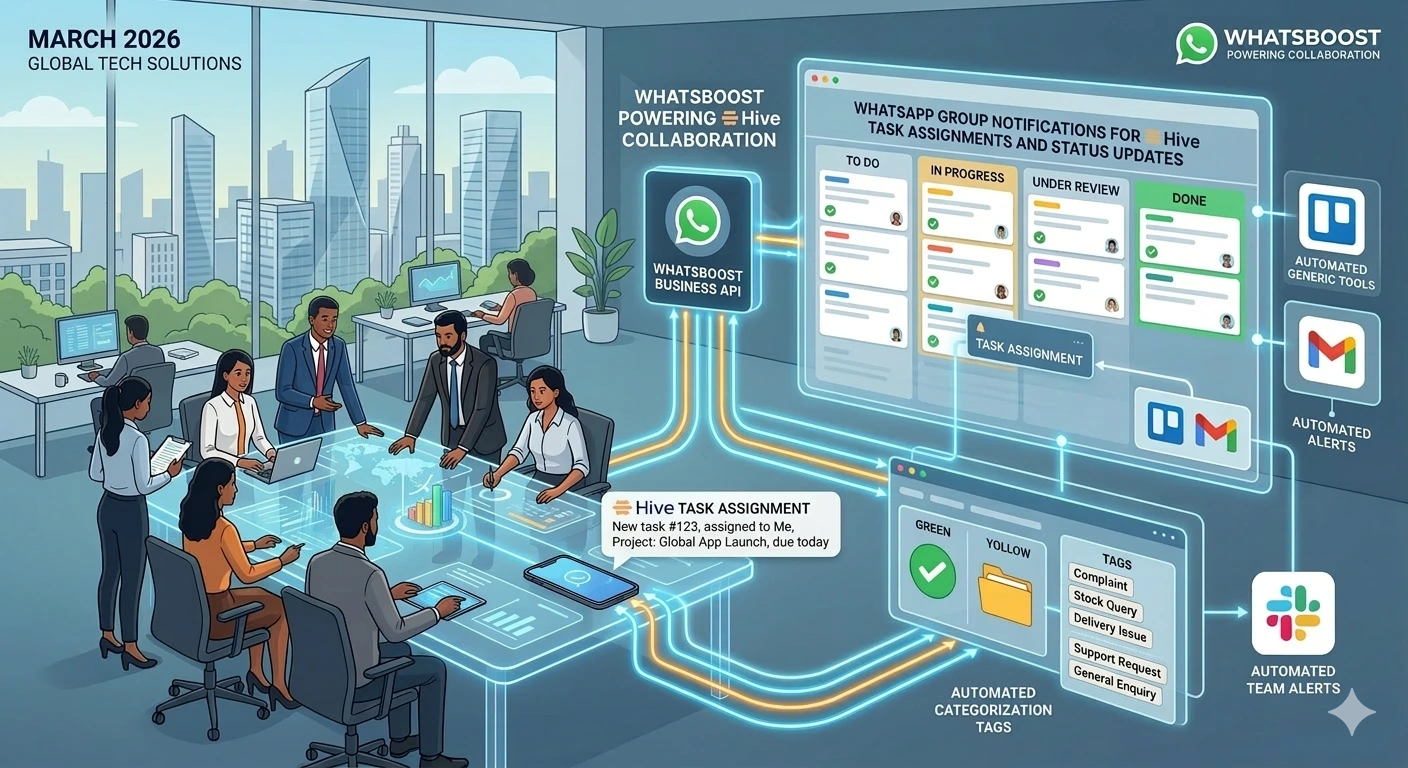
When a new task is assigned to a team member in Hive, a formatted WhatsApp message is delivered to the project team's WhatsApp group — or directly to the assigned team member's individual WhatsApp — containing the task name, the project it belongs to, the assigned team member's name, the due date, and a direct link to the Hive action card. The assigned team member sees the notification within minutes on WhatsApp and can begin work or ask clarifying questions immediately — in the same WhatsApp thread where the notification arrived.
When a task's status changes in Hive — from "To Do" to "In Progress," or from "In Progress" to "Review," — the relevant stakeholders receive a WhatsApp group notification summarising the change — keeping the project manager and client contacts informed of progress without requiring anyone to log into Hive to check.
Building WhatsApp Group Notifications for Hive With Whatsboost
Step 1: Activate WhatsApp Business API via Whatsboost
All automated, scalable WhatsApp message delivery — including group notifications — requires the WhatsApp Business API. Whatsboost is an authorised WhatsApp Business Solution Provider that activates your API with guided onboarding. This is the foundational step. Start at Whatsboost.in.
Step 2: Map Your Notification Events and Target Recipients
Before building any automation, define precisely which Hive events should trigger WhatsApp notifications, and which individuals or groups should receive each notification type. This mapping exercise is the most important planning step in the entire build — because the value of the notification system depends entirely on the right people receiving the right alerts at the right time.
Common Hive notification events for Indian project teams and their appropriate WhatsApp recipients include:
New task assigned → Assigned team member (individual WhatsApp) + Project lead (group notification) Task status changed to In Progress → Project lead + Client contact (if client-facing project) Task moved to Review → Project lead + Quality reviewer Task marked Complete → Project lead + Client contact + Original requester Task approaching deadline — 24 hours remaining → Assigned team member (individual alert) Task overdue — past due date → Assigned team member + Project manager (escalation alert) New comment added on a task → Task assignee + commenter's direct manager
Step 3: Connect Hive to Whatsboost via Zapier or Make
Hive supports outgoing webhooks and Zapier integrations that fire on task events — new assignments, status changes, deadline triggers, and comment additions. In your automation platform:
Configure the Hive trigger — Select the specific Hive event type (new task, status change, due date reminder, task completion) and the project workspace it applies to.
Format the notification message — Build the WhatsApp message template using dynamic fields pulled from the Hive event data — task name, assignee name, status, due date, project name, and a direct Hive action card link. Keep each notification message concise — eight lines maximum — with the most actionable information first.
Configure the Whatsboost send action — Connect the formatted message to Whatsboost's WhatsApp API action, specifying whether the notification should go to an individual phone number, a WhatsApp group managed through Whatsboost's shared inbox, or both simultaneously based on the notification type.
Apply conditional routing — Route different notification types to different WhatsApp destinations. Individual task assignments go to the assignee's personal WhatsApp. Project milestone completions go to the full project team's WhatsApp group. Client-relevant updates go to the client-facing account manager's WhatsApp for review before being forwarded to the client.
Visit Whatsboost.in to explore the Zapier and Make integration options available.
Step 4: Configure the WhatsApp Group Structure for Project Notifications
For teams running multiple simultaneous projects, set up dedicated WhatsApp groups for each active project — managed through Whatsboost's shared team inbox. Each project gets its own notification group containing the project manager, the assigned team members, and any relevant stakeholders.
Hive notifications for each project are routed to the corresponding WhatsApp group — so team members only receive notifications for the projects they are actively working on. This targeted group structure prevents cross-project notification noise that would cause team members to disengage from the WhatsApp groups entirely.
Step 5: Build the Deadline and Overdue Escalation Notification Layer
Beyond event-triggered notifications, configure time-based escalation alerts that fire automatically based on task due dates:
24-hour deadline reminder — At 9 AM on the day before a task is due, Whatsboost sends a personal WhatsApp reminder to the assigned team member — listing every task due tomorrow, the current status of each, and a direct link to each Hive action card. This proactive reminder gives the team member a full day to complete or escalate tasks approaching their deadline.
Overdue task escalation — When a task passes its due date without being marked complete in Hive, Whatsboost automatically sends a WhatsApp escalation alert to both the team member and the project manager — flagging the overdue task, the number of days overdue, and requesting an immediate status update or revised timeline. The project manager has the context they need to intervene before the delay cascades to the client.
Notification Scenarios That Create the Most Value for Indian Teams
Cross-functional handoffs — When a development task is marked complete in Hive, the automatic WhatsApp notification to the design team triggers the next phase of work without the project manager needing to manually coordinate the handoff. Cross-functional project transitions happen faster, with less coordination overhead.
Remote and distributed team management — For Indian businesses with team members across multiple cities or working from home, WhatsApp group notifications for Hive events are the most reliable way to maintain project visibility and accountability without requiring remote team members to be logged into Hive continuously.
Client milestone transparency — When client-facing Hive milestones are completed, automated WhatsApp notifications to the account manager — summarising what was delivered and what comes next — enable immediate, informed client communication without the account manager needing to review the Hive workspace before calling or messaging the client.
Best Practices for WhatsApp Group Hive Notifications
Limit notifications to genuinely actionable events. Not every Hive activity warrants a WhatsApp notification. Comments, minor label changes, and internal checklist updates create noise without adding value. Restrict WhatsApp notifications to the events that require a human response — assignments, status changes, deadline alerts, and completions. Keep the signal-to-noise ratio high enough that team members trust every notification they receive on WhatsApp is worth reading.
Include direct Hive action card links in every notification. A notification that says "Task X has been assigned to you" requires the recipient to open Hive, find the task, and review it. A notification that includes a direct link to the Hive action card reduces this to a single tap. Always include deep links to the relevant Hive record in every WhatsApp notification — minimising friction between notification and action.
Review notification volume per team member weekly in the first month. The right number of WhatsApp notifications per team member per day varies by role and project complexity. Track notification counts by recipient in the first month and adjust the event triggers, batching logic, or individual vs. group routing accordingly — building toward a system that the whole team finds genuinely helpful rather than intrusive.
Keep Every Team Member Informed — On the Channel They Never Miss
In 2026, the most effective Indian project teams are not the ones with the most sophisticated project management tools — they are the ones whose team members are most consistently aware of what needs to be done and when. WhatsApp group notifications for Hive task assignments and status updates, powered by Whatsboost, deliver this awareness automatically — on the channel your team checks first, every day, without asking anyone to change their working habits.
Visit Whatsboost.in and start automating your Hive task notifications to WhatsApp groups today.
Want to automate WhatsApp for your business?
Set up campaigns, replies, and follow-ups in minutes.