
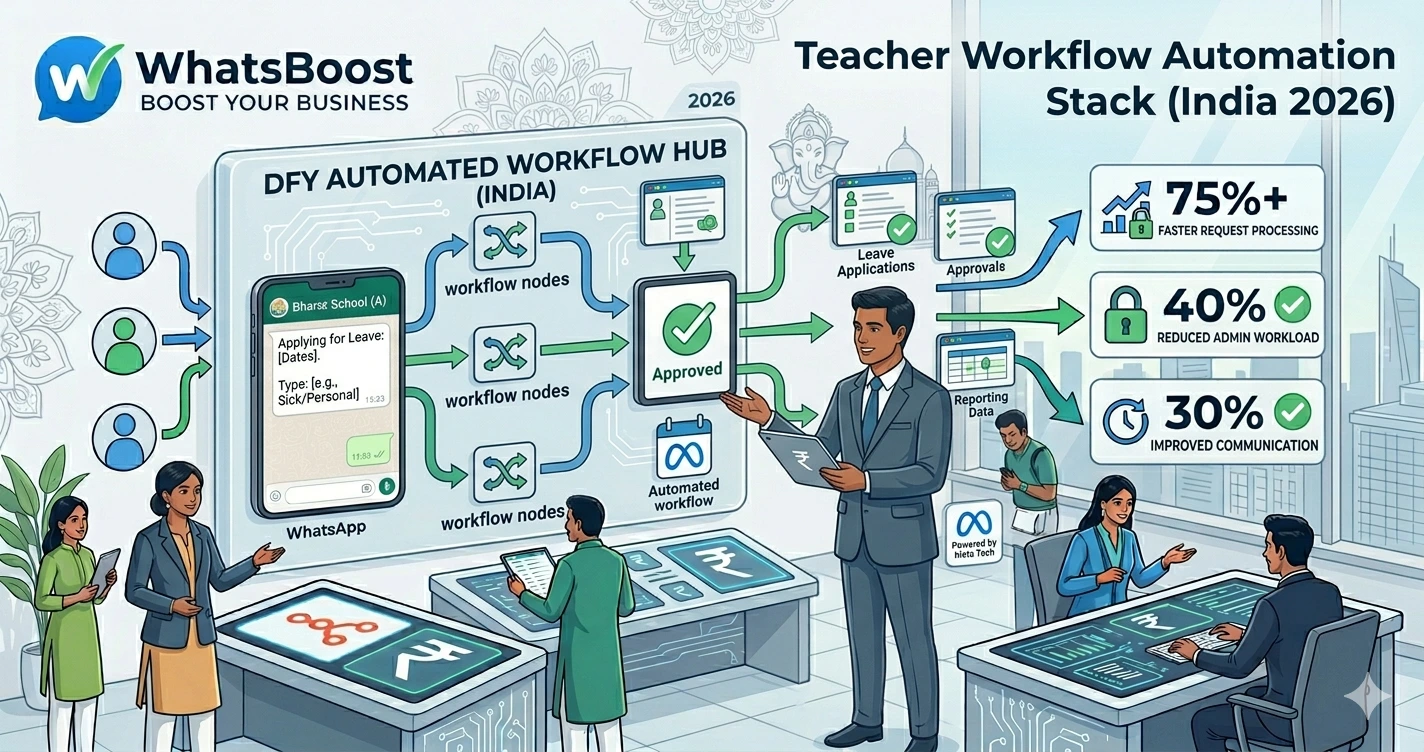
Automating Teacher Requests, Leave Applications, and Approvals Using WhatsApp
Learn how schools, colleges, coaching centers, and educational institutions can automate teacher requests, leave applications, approvals, and staff communication using WhatsApp automation, CRM systems, Google Sheets, and workflow tools like n8n.
Automating Teacher Requests, Leave Applications, and Approvals Using WhatsApp
Ask any school administrator where most of their operational time goes.
The answer usually isn't academics.
It's administration.
Every week, schools handle dozens of staff requests:
- Leave applications
- Half-day requests
- Medical leave submissions
- Substitute teacher requests
- Resource requests
- Duty change requests
- Meeting approvals
The problem?
Most schools still manage these processes manually.
As a result:
❌ Teachers send messages across multiple channels
❌ Approvals get delayed
❌ Important requests get overlooked
❌ Records become difficult to track
❌ Administrative workload increases
The larger the institution becomes, the bigger the challenge.
That's why modern schools are increasingly automating teacher requests and approval workflows using WhatsApp, Google Sheets, CRM systems, and automation platforms.
👉 The goal isn't just faster approvals. It's creating a transparent and scalable administrative system.
Why Manual Leave Management Creates Problems
In many schools, the process looks something like this:
Teacher Sends WhatsApp Message → Coordinator Reviews Request → Principal Approves → Administrator Updates Records → Substitute Arranged
It sounds simple.
But when dozens of requests arrive every week, issues start appearing.
Common challenges include:
- Missed messages
- Delayed approvals
- Lack of documentation
- Difficulty tracking leave balances
- Confusion around substitute scheduling
Schools experiencing administrative bottlenecks often begin addressing them through frameworks similar to School Workflow Automation Checklist: 25 Processes Every School Should Automate.
The first step is standardizing the process.
What Can Be Automated?
Most teacher-related administrative requests can be automated.
Examples include:
Leave Applications
- Casual leave
- Sick leave
- Emergency leave
- Vacation leave
Administrative Requests
- Classroom resource requests
- IT support requests
- Facility maintenance requests
Academic Requests
- Schedule changes
- Exam duty adjustments
- Substitute teacher requests
Approval Workflows
- Department head approval
- Principal approval
- HR approval
Automation ensures requests move through the proper channels automatically.
Why WhatsApp Is Ideal for Teacher Workflows
Teachers already use WhatsApp daily.
There's no need for complicated software training.
Using WhatsApp, schools can:
✔ Submit requests instantly
✔ Track approvals automatically
✔ Notify stakeholders in real time
✔ Maintain request history
✔ Reduce paperwork
This creates a much smoother experience for both teachers and administrators.
Example: Teacher Leave Application Workflow
Without automation:
- Teacher writes a message.
- Coordinator reads it.
- Approval is requested.
- Records are updated manually.
- Substitute teacher is contacted.
With automation:
Teacher Submits Leave Request → Principal Receives Approval Request → Approval Granted → HR Updated → Leave Log Updated → Substitute Teacher Notified
Everything happens automatically.
Using WhatsApp Forms for Leave Applications
Instead of unstructured messages, schools can create standardized leave requests.
Teachers submit:
- Name
- Department
- Leave type
- Leave dates
- Reason
- Supporting documents
This ensures all required information is collected from the beginning.
Institutions that automate information collection often use workflows similar to How to Automate WhatsApp Replies From Google Forms, allowing structured data to flow directly into operational systems.
Automatically Routing Approval Requests
One common issue is determining who needs to approve a request.
Automation solves this problem.
For example:
Casual Leave
Teacher → Department Head
Medical Leave
Teacher → Department Head → HR
Extended Leave
Teacher → Department Head → Principal → HR
Each approval step is triggered automatically.
No manual forwarding required.
Using Google Sheets for Leave Tracking
Many schools don't need complex HR software.
A well-structured Google Sheet can track:
- Leave balances
- Request status
- Approval history
- Staff attendance records
Schools often implement systems similar to How to Build a WhatsApp Lead Tracking System Using Claude AI and Google Sheets, adapting the same concept for staff administration.
This creates a simple and cost-effective management system.
Automating Substitute Teacher Notifications
One of the biggest challenges when leave is approved is arranging classroom coverage.
Instead of manually coordinating schedules:
Leave Approved → Substitute Identified → WhatsApp Notification Sent → Schedule Updated
The process becomes significantly faster.
This reduces disruptions to students and teaching schedules.
Internal Staff Notifications
Administrative teams need visibility into requests.
Automation can notify:
✔ Department heads
✔ Academic coordinators
✔ HR staff
✔ Principals
✔ Substitute teachers
Many institutions automate these alerts using systems similar to Automated Employee Alerts via WhatsApp.
Everyone stays informed without constant follow-up.
Using AI to Answer Staff Questions
Teachers often ask repetitive questions such as:
- How many leave days do I have remaining?
- What is the approval status?
- Who approved my request?
- Can I apply for half-day leave?
Schools can automate responses using AI-driven workflows inspired by Building an AI WhatsApp Coach Using Claude AI and n8n.
This reduces administrative workload while improving response times.
Connecting Leave Requests to School Management Systems
As institutions grow, leave management should connect to:
- HR systems
- Attendance systems
- Payroll systems
- Staff databases
Schools can implement workflows similar to How to Integrate CRM With WhatsApp for Automation, ensuring information remains synchronized across systems.
This eliminates duplicate data entry.
Using n8n to Automate the Entire Process
n8n acts as the workflow engine.
A complete automation might look like:
Teacher Submits Request → WhatsBoost Receives Data → n8n Routes Approval → Principal Approves → Google Sheet Updated → HR Notified → Substitute Assigned
Everything runs automatically.
Schools exploring workflow automation often begin with concepts from n8n WhatsApp Integration Without API.
This creates a scalable operational framework.
Real Workflow Example
Teacher Needs Sick Leave
↓
WhatsApp Leave Form Submitted
↓
Department Head Receives Approval Request
↓
Approval Granted
↓
Google Sheet Updated
↓
HR Receives Notification
↓
Substitute Teacher Alert Sent
↓
Attendance Records Updated
No emails.
No paperwork.
No manual coordination.
Before vs After Leave Automation
| Before Automation | After Automation |
| Manual requests | Structured submissions |
| Delayed approvals | Instant routing |
| Lost messages | Centralized tracking |
| Spreadsheet updates by hand | Automated records |
| Substitute scheduling confusion | Automatic notifications |
| Limited visibility | Real-time status tracking |
Benefits for Schools
Faster Approvals
Requests move immediately to decision-makers.
Better Documentation
Every request is logged automatically.
Improved Transparency
Teachers can track request status.
Reduced Administrative Work
Staff spend less time managing paperwork.
Scalability
Processes continue working efficiently as schools grow.
How WhatsBoost Helps Educational Institutions
WhatsBoost helps schools automate:
✔ Teacher leave applications
✔ Approval workflows
✔ Staff requests
✔ Internal notifications
✔ Attendance-related communication
✔ Reporting workflows
✔ Google Sheets integration
✔ n8n automation
Combined with AI assistants, CRM systems, and workflow automation tools, schools can modernize internal administration without introducing complex software.
Final Conclusion
Managing teacher requests manually may work for a small institution.
But as schools grow, administrative complexity grows with them.
Without automation:
❌ Requests get delayed
❌ Communication breaks down
❌ Administrative workload increases
❌ Visibility decreases
By automating leave applications, approvals, staff requests, notifications, and reporting through WhatsApp, schools can create a faster, more transparent, and more efficient operational environment.
Using WhatsBoost, Google Sheets, AI workflows, and n8n automation, educational institutions can reduce administrative friction and focus more on delivering quality education.
👉 The future is: WhatsApp + AI + Automation = Scalable Business Operations 🚀
Want to automate WhatsApp for your business?
Set up campaigns, replies, and follow-ups in minutes.