
Automating WhatsApp Reports From Ads Analytics Tools for Marketing Teams in 2026 | Whatsboost
Learn how to automate WhatsApp reports from ads analytics tools for marketing teams in 2026. Discover step-by-step workflows, practical setup tips, and how Whatsboost helps Indian marketing teams receive real-time campaign performance reports on WhatsApp automatically.
Automating WhatsApp Reports From Ads Analytics Tools for Marketing Teams in 2026
Marketing teams that run paid campaigns on Facebook, Google, Instagram, and other platforms are generating performance data constantly. Impressions, clicks, conversions, cost per lead, ROAS, CTR — every campaign is producing a continuous stream of numbers that should be informing daily decisions about budget allocation, creative performance, and audience targeting.
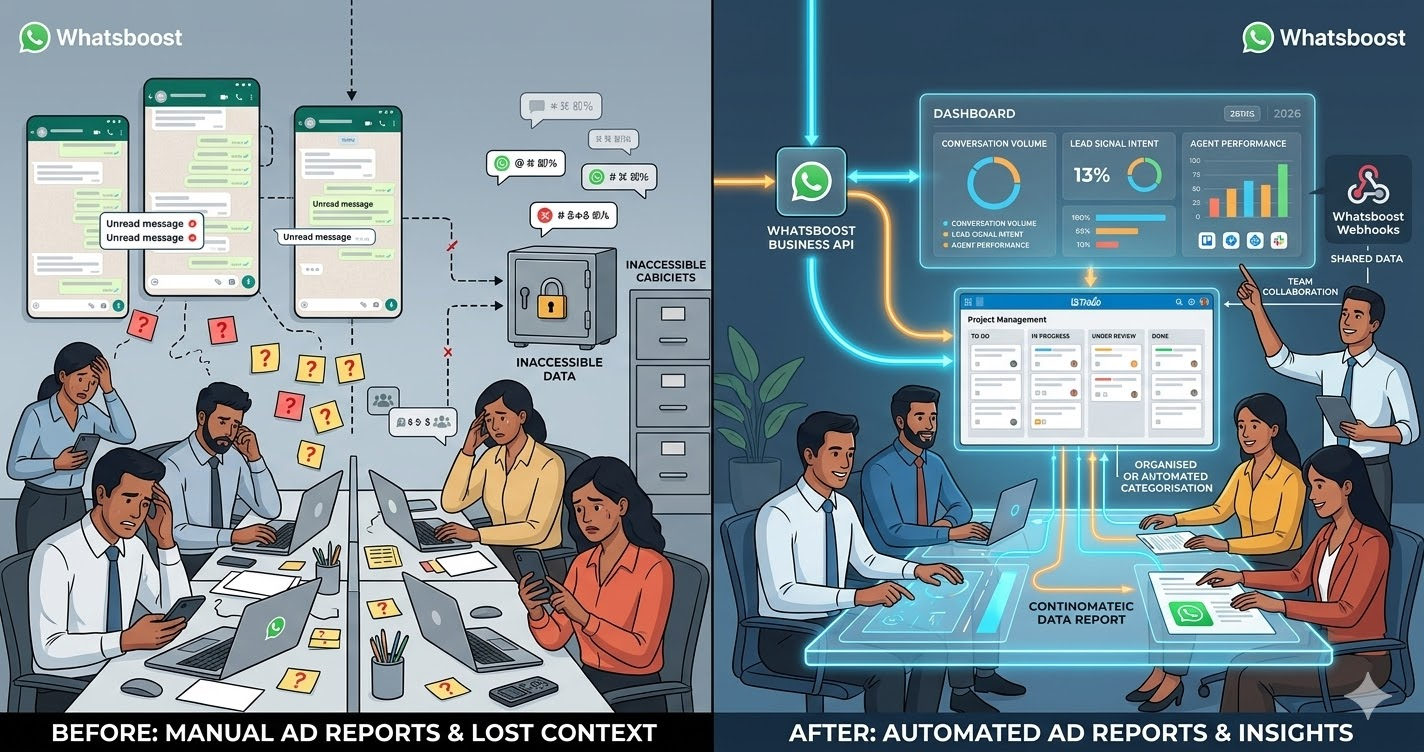
The problem is that most Indian marketing teams access this data reactively rather than proactively. Performance reviews happen when someone remembers to check the dashboard. Underperforming campaigns continue spending while the team is in a meeting, on a call, or simply occupied with other work. Budget overruns are discovered at the end of the week rather than the moment they start happening. The data is there — but it is not reaching the people who need it at the moment they need it most.
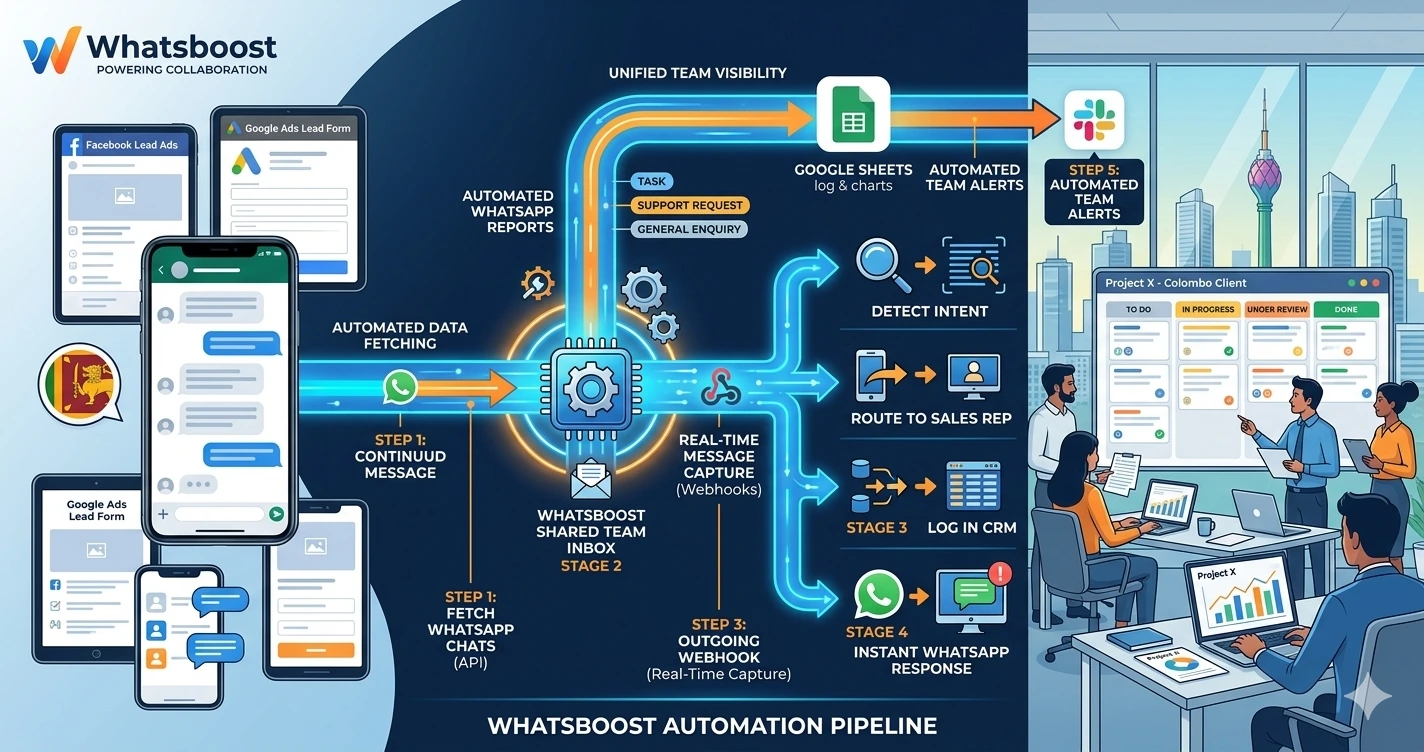
Automating WhatsApp reports from ads analytics tools changes this entirely. In 2026, Indian marketing teams that receive scheduled and trigger-based campaign performance reports directly on WhatsApp operate with a level of campaign awareness and response speed that dashboard-dependent teams simply cannot match. This blog explains how to build this reporting automation — and how Whatsboost delivers the WhatsApp layer that puts performance data where marketing teams actually look.
Why WhatsApp Is the Right Channel for Ads Performance Reports
Marketing managers and team leads check WhatsApp more consistently and more frequently than any analytics dashboard. A campaign performance summary delivered to WhatsApp is seen within minutes. The same summary sitting in a Google Data Studio report or an email digest may not be reviewed until hours later — by which point budget has been wasted on a campaign that stopped performing at 9 AM.
For Indian marketing teams managing multiple campaigns simultaneously — Facebook Lead Ads, Google Search campaigns, Instagram story promotions, YouTube pre-roll — the cognitive load of monitoring each platform's native dashboard is significant. WhatsApp reports consolidate the key metrics from all platforms into a single, formatted message that the team lead can review in 60 seconds and act on immediately.
The decision to pause a campaign, increase a budget, or escalate to a client can happen on WhatsApp in real time — rather than being delayed until the next scheduled dashboard review or team meeting. Whatsboost provides the WhatsApp Business API and automation infrastructure that makes this real-time reporting delivery reliable and scalable. Visit Whatsboost.in to explore the platform.
Types of WhatsApp Ads Reports Marketing Teams Need
Before building the automation, it is worth being clear about the different types of ads reports that serve different marketing team functions — because each report type has a different trigger, frequency, and recipient.
Daily performance summary — A morning WhatsApp message sent to the campaign manager and team lead summarising yesterday's performance across all active campaigns: total spend, total impressions, total clicks, total conversions, and cost per result by platform. This is the foundational report that keeps the whole team aligned on daily campaign health.
Real-time budget alert — A WhatsApp notification triggered the moment a campaign's daily budget consumption crosses a defined threshold — 70%, 90%, or 100% — alerting the campaign manager to review performance before the full budget is spent on a potentially underperforming ad set.
Lead volume alert — A WhatsApp notification triggered when a lead volume threshold is reached — "Your Facebook Lead Ads campaign generated 50 leads today" — enabling sales teams to prepare for increased follow-up volume and allowing the marketing team to scale budget on high-performing campaigns in real time.
Weekly campaign performance digest — A structured WhatsApp summary delivered every Monday morning comparing the previous week's performance against the target KPIs — highlighting overperforming campaigns, underperforming campaigns, and recommended actions for the week ahead.
Client-facing performance update — For marketing agencies, an automated WhatsApp message to the client contact summarising their campaign performance for the week — spend, leads generated, cost per lead — without requiring the account manager to manually compile and send a report.
Building Automated WhatsApp Ads Reports With Whatsboost
Step 1: Activate WhatsApp Business API via Whatsboost
Automated, scalable WhatsApp message delivery for performance reports requires the WhatsApp Business API. Whatsboost activates your API as an authorised WhatsApp Business Solution Provider — the essential infrastructure for all report delivery workflows. Start at Whatsboost.in.
Step 2: Connect Your Ads Analytics Tools to Your Data Layer
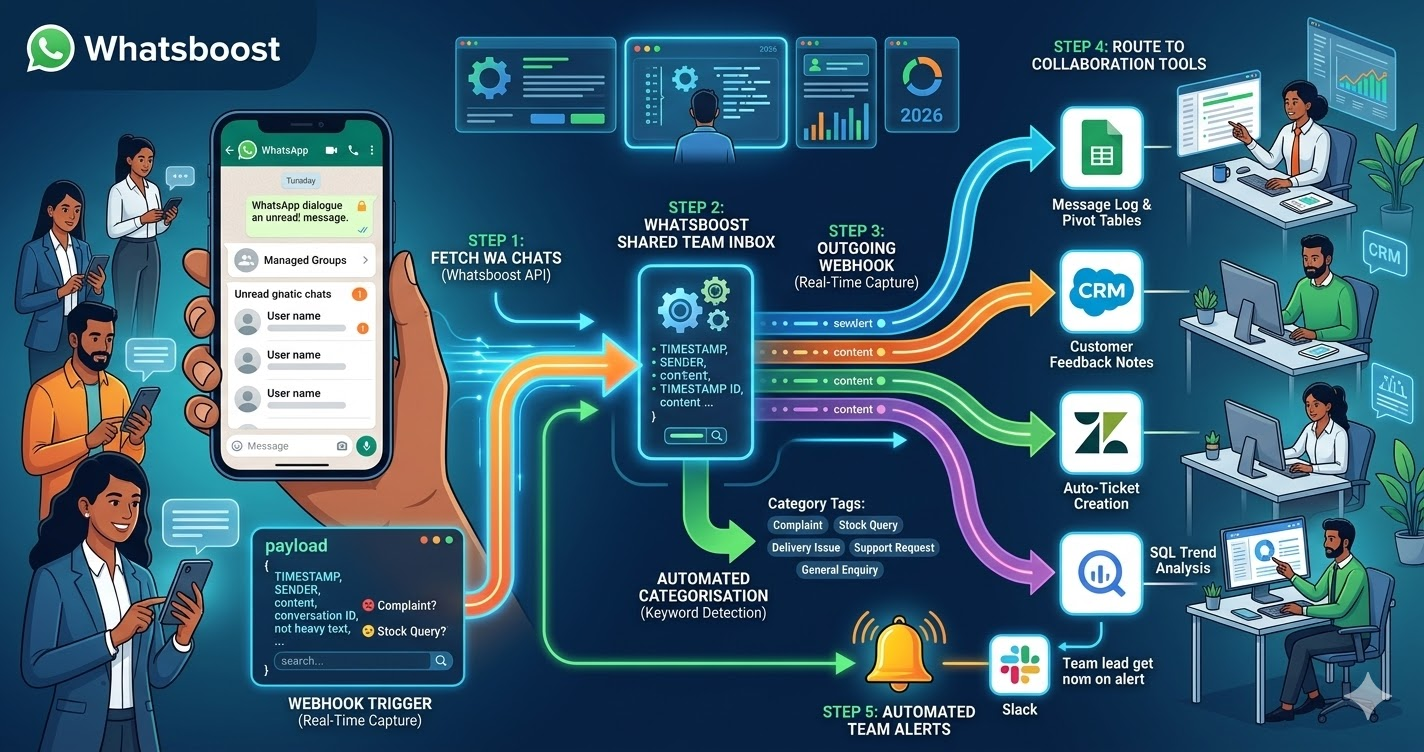
The reporting automation requires pulling performance data from your ads platforms and routing it to Whatsboost for WhatsApp delivery. The most practical approach for Indian marketing teams is using Google Sheets as an intermediate data layer — connected to your ads platforms through native integrations or automation platforms:
Facebook and Instagram Ads — Connect Meta's Ads Manager to Google Sheets via Supermetrics, a custom API connection, or Zapier's Facebook Ads integration — automatically syncing campaign performance data to a designated Google Sheet at your chosen frequency (hourly, daily, or on-demand).
Google Ads — Use Google Ads' native Google Sheets export, Google's Looker Studio connector, or Zapier's Google Ads integration to sync campaign metrics — spend, impressions, clicks, conversions — to the same or a connected Google Sheet on a scheduled basis.
Other platforms — For LinkedIn Ads, Twitter Ads, or platform-specific tools, use automation platform connectors or API integrations to route relevant metrics to the same Google Sheets data layer — creating a unified performance data source that your WhatsApp reporting automation reads from.
Step 3: Build the Report Formatting Logic
In Google Sheets or your automation platform, build formulas and logic that transform raw campaign data into formatted report summaries — the structured message text that Whatsboost will deliver on WhatsApp.
A well-formatted daily performance summary WhatsApp message includes: the report date, platform-by-platform performance summary (spend, leads, CPL for each), a total across all platforms, a comparison to the previous day's performance, and a brief status indicator — "On Track," "Review Needed," or "Action Required" — based on performance against daily targets.
Keep each WhatsApp report message concise and scannable. Marketing team leads reading a performance summary on mobile should be able to assess the key metrics and identify action items in under 60 seconds — which means no more than 8 to 10 data points per message, formatted with clear labels and line breaks.
Step 4: Configure Scheduled Report Delivery via Whatsboost
In Zapier, Make, or Pabbly Connect, create scheduled automation workflows that trigger at your defined report delivery times — pulling the latest data from your Google Sheets data layer, formatting the report message, and sending it via Whatsboost to the correct recipients:
Daily summary — Triggered at 8 AM every morning, pulling yesterday's aggregated performance data and delivering the formatted summary to the campaign manager and marketing team lead.
Weekly digest — Triggered at 8 AM every Monday, pulling the previous week's aggregated data and delivering a structured comparison report with trend indicators and recommended actions.
Client update — Triggered at a defined time on Friday afternoon, pulling the week's performance data for each client account and delivering personalised WhatsApp performance summaries to each client contact via Whatsboost. Visit Whatsboost.in for multi-recipient delivery configuration details.
Step 5: Set Up Trigger-Based Real-Time Alert Workflows
Beyond scheduled reports, configure trigger-based alert workflows that fire automatically when specific performance thresholds are crossed:
Budget consumption alert — When daily budget consumption for any campaign crosses 80%, the automation pulls current performance metrics and sends a WhatsApp alert to the campaign manager — including the campaign name, current spend, leads generated so far, current CPL, and a recommended action: scale up, maintain, or pause.
CPL threshold alert — When cost per lead for a campaign exceeds your defined maximum acceptable CPL, an immediate WhatsApp alert goes to the campaign manager — flagging the campaign, the current CPL, the target CPL, and prompting a creative or audience review before additional budget is spent.
Conversion spike alert — When a campaign's daily conversion volume exceeds its baseline by a defined percentage — indicating an unusually high-performing ad — a WhatsApp alert notifies the campaign manager to review and consider budget scaling before the opportunity passes.
Best Practices for WhatsApp Ads Analytics Reporting Automation
Design reports for mobile readability from the start. WhatsApp is a mobile-first platform. Reports that look clean in a desktop spreadsheet view often become unreadable walls of text in a WhatsApp message. Structure every report with short lines, clear metric labels, and emoji indicators — such as a green circle for on-track metrics and a red circle for metrics requiring attention — that allow rapid visual assessment on a smartphone screen.
Separate scheduled reports from trigger alerts by recipient. Scheduled daily summaries go to the team lead and campaign manager. Real-time budget and CPL alerts go to the specific campaign manager responsible for the affected campaign. Client performance updates go to the client contact only. Sending all report types to all recipients creates notification overload that causes the most critical alerts to be missed in the volume.
Review report accuracy against native platform dashboards weekly. Automated data syncs occasionally produce discrepancies due to data refresh lag, API rate limits, or connection errors. Comparing your WhatsApp report figures against the native platform dashboards weekly — particularly for spend and conversion data — ensures your team is making decisions on accurate data rather than a stale or incorrectly synced figure.
Marketing Teams That See Performance Data First Move Fastest
In 2026, the Indian marketing teams with the best campaign outcomes are not always those with the largest budgets — they are the ones whose team leads see performance signals first and act on them immediately. Automating WhatsApp reports from ads analytics tools, powered by Whatsboost, puts campaign performance data where your team actually looks — delivering the right metrics to the right people at the right moment, every day, without a single manual step.
Visit Whatsboost.in and start automating your ads analytics WhatsApp reports today.
Want to automate WhatsApp for your business?
Set up campaigns, replies, and follow-ups in minutes.