
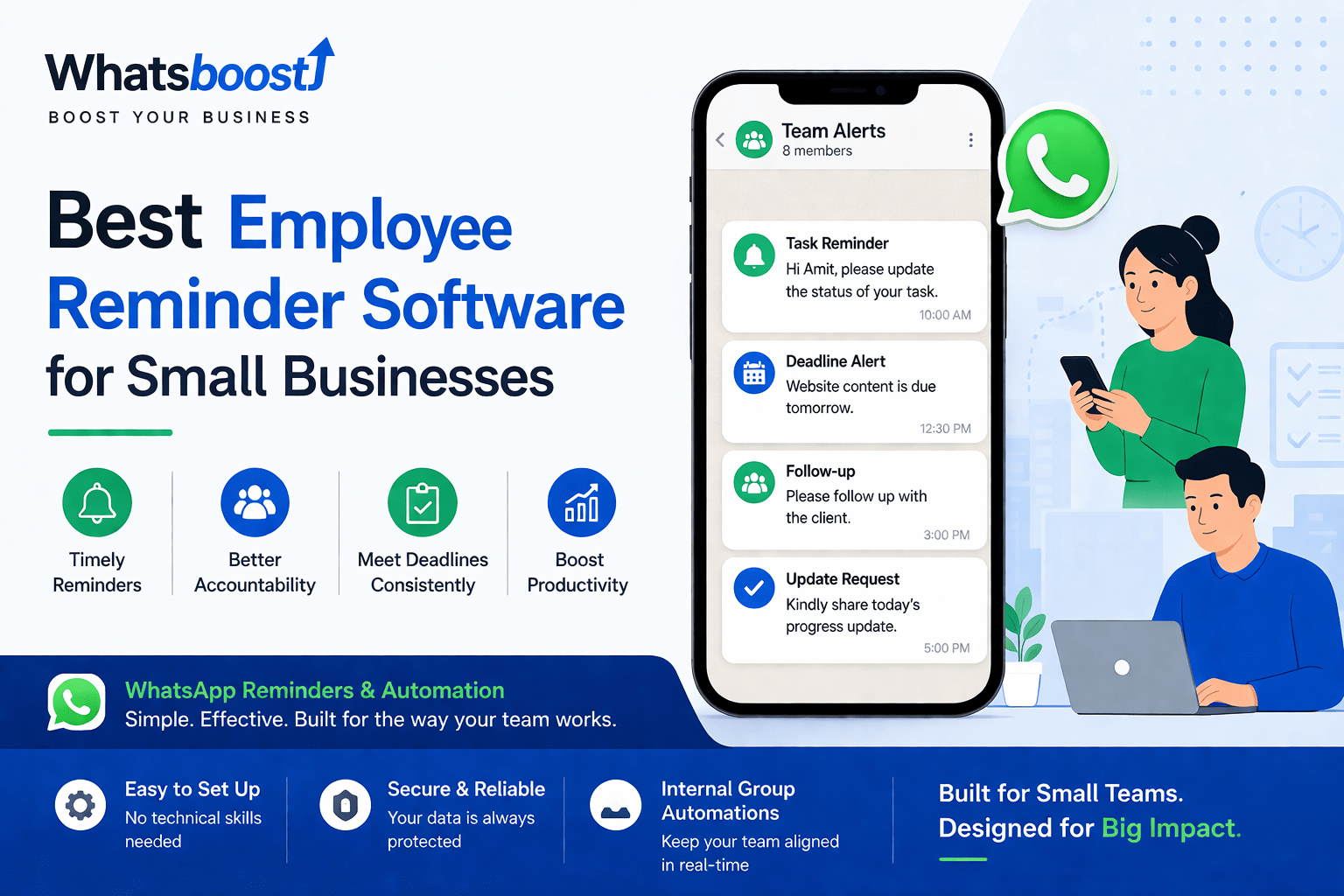
Best Employee Reminder Software for Small Businesses
Struggling with missed tasks and delayed follow-ups? Learn how small businesses are using simple reminder systems and WhatsApp automation to improve accountability, meet deadlines, and keep work moving without constant follow-ups.
Small businesses don’t usually fail because they lack tools.
A task that stayed pending for days.
A deadline that slipped quietly, without a trace.
And most of the time, it’s not negligence.
They fail because things get missed.
A follow‑up that never happened.
It’s just how real teams work—overwhelmed, scattered, and dependent on memory.
That’s why an employee reminder system is becoming essential—not as another piece of “software,” but as a daily operational backbone that keeps work moving without constant chasing.
The real problem: reminders are scattered
In a typical small business, reminders live everywhere:
In someone’s memory
In random WhatsApp chats
In forgotten email threads
In scribbled notes on desks
There’s no single, shared system, so nothing is truly owned—and nothing feels truly urgent.
The result?
Work doesn’t stop, but it slows down.
People start asking, “Did you get that reminder?”
Managers spend more time chasing than managing.
This isn’t a discipline problem.
It’s a systems problem.
What good reminder software actually does
A strong reminder system doesn’t just “notify” people.
It reshapes how work flows.
At its best, it:
Removes dependency on memory – Tasks exist outside anyone’s head.
Ensures follow-ups happen on time – No more “I forgot to send that.”
Makes accountability visible – Everyone can see what’s pending or delayed.
Keeps work moving without chasing – No more “Hey, did that client call happen?”
The real goal isn’t “reminders.”
It’s consistency—where the right action happens at the right time, without nagging.
Types of employee reminder software (and where they fall short)
Let’s be honest about what’s out there.
1. Task management tools
These tools are great for structure.
They help you organize tasks, priorities, and boards.
But they’re terrible for urgency.
Because if people don’t check the board, the reminder never exists.
Over time, boards become digital graveyards—filled with “stuck” tasks that no one looks at.
2. Email reminders
Emails are great for documentation and threads.
They create a paper trail.
But they’re terrible for action.
Most inboxes are cluttered, dragged to read‑later, or ignored entirely.
An email reminder is only useful if someone actually opens it.
3. Calendar reminders
Calendars are ideal for meetings and fixed-time events.
They’re part of almost everyone’s daily rhythm.
But they’re weak for operational work—follow‑ups, approvals, client check‑ins, or task dependencies.
Calendars don’t answer the question: “What’s pending in the workflow?”
4. WhatsApp‑based reminder systems
This is where real teams are shifting.
Why?
Everyone checks WhatsApp
Messages feel immediate and personal
There’s almost no learning curve
Because of this, many small and mid‑sized businesses are now using WhatsApp‑based reminder systems for internal operations instead of relying only on traditional tools.
Why small businesses prefer WhatsApp reminder systems
Small teams have a simple preference:
They want something that works—right now—without complexity.
They don’t want:
Heavy dashboards
Long onboarding sessions
Multiple training calls
They want:
A system that matches real behavior
A tool that people will actually use
And WhatsApp fits that perfectly.
In fact, many businesses using WhatsApp‑based automation for reminders have seen:
Higher response rates
Faster task completion
Reduced manual follow‑ups
This lines up with the kind of practical automation showcased in WhatsBoost’s breakdown of tools for automated appointment reminders and WhatsApp blast campaigns in India, which highlights how reminders can be embedded into everyday workflows without friction. Top Tools in India to Run WhatsApp Blast Campaigns & Automated Appointment Reminders Efficiently – WhatsBoost
What the best employee reminder software should have
Forget the long feature checklist.
Focus on real usability.
1. Timely, balanced reminders
Too many reminders = noise.
Too few = useless.
The right system:
Sends reminders just in time, not minutes before the deadline.
Allows you to pause, adjust, or snooze without deleting the underlying task.
2. Trigger‑based alerts
Manual reminders break under pressure.
Automated triggers keep things on track.
For example:
Task assigned → Reminder sent to the assignee
Deadline near → Alert triggered 1–2 days in advance
No update recorded → Escalation to manager or backup
This is how real workflows behave—not as one‑off notifications, but as connected events.
3. Easy integration with your workflow
The best reminder software doesn’t ask you to change how you work.
It adjusts to you.
It should connect smoothly with:
Your Google Sheets or spreadsheets
Your CRM or job management system
Your existing internal processes
The system should fit your work, not the other way around.
4. Team‑level visibility
Without visibility, reminders are just messages in the dark.
Everyone should be able to see:
What’s pending
What’s done
What’s delayed
Without asking, without chasing, and without digging through chats or emails.
Where most “reminder tools” fall short
Here’s the honest truth:
Most tools focus on “adding reminders”—not on how work actually flows.
They:
Add one more screen to check
Create yet another place where tasks can get lost
Force teams to change old habits for the sake of the tool
So what happens?
Teams start using the tool with enthusiasm.
Then slowly stop checking it.
Then revert back to spreadsheets, WhatsApp groups, and manual follow‑ups.
The gap isn’t in features.
It’s in workflow design.
What actually works in real businesses
From what’s working today—especially in Indian SMEs—the best systems share three traits:
Simple – Easy to understand, easy to use.
WhatsApp‑driven – Leveraging a channel everyone already checks.
Connected to real workflows – Linked to tasks, clients, and internal processes.
Platforms like WhatsBoost are being used not just for sending messages, but for building complete reminder and workflow systems around daily operations. Choosing the Right WhatsApp Automation Service in India: Features & Pricing – WhatsBoost
Examples include:
Task reminders for individual team members
Deadline alerts for projects and deliverables
Follow‑up automation for clients and partners
Internal group updates shared automatically
All of this can be triggered automatically, based on conditions you set.
A simple, real‑world example
Imagine a small team handling client projects.
Here’s how a reminder system works in practice:
No chasing. No guessing.
Just clear, automatic signals that keep everyone informed.
Internal WhatsApp group reminders (an underrated weapon)
Most teams already have WhatsApp groups.
But they use them randomly—tagging everyone, dropping quick updates, and letting things get buried.
Now imagine:
A daily task summary auto‑posted in the group
Missed or delayed deadlines highlighted automatically
Status updates shared without anyone having to ask
This creates:
Alignment without effort
Ownership without friction
Visibility without extra meetings
It’s one of the most powerful—and least talked about—ways to improve operations in small teams.
The biggest benefit no one talks about
It’s not just “productivity.”
It’s accountability.
When reminders are consistent and visible:
People respond faster because it’s part of the system, not a personal chaser.
Work gets completed on time, because deadlines are surfaced before they hit.
Ownership improves because delays are visible to the right people.
Not because of pressure.
Because the system supports it.
Final thought: don’t add another tool, fix the system
Small businesses don’t need more tools.
They need better systems.
A good employee reminder system doesn’t just remind people.
It ensures that nothing important gets missed.
And when that happens:
Communication becomes lighter
Work flows smoother
Teams feel less stressed
Everything else becomes easier.
A simple next step (no pressure)
If you want to implement this, don’t try to fix everything at once.
Start with one thing:
Task reminders
Client follow‑ups
Deadline tracking
Build a small, repeatable pattern.
Then expand it across more workflows.
If you’re curious how this might look in your exact team—using WhatsApp‑based reminders and automation—many businesses explore this by first seeing it in action through a quick demo with platforms like WhatsBoost. How to Choose & Scale No‑Code AI Chatbot Builders in 2026 – WhatsBoost
They don’t do it to buy immediately.
They do it to understand:
What can be automated
What should stay manual
How reminders can naturally fit into daily work
Sometimes, just seeing the system once makes everything clear.
Want to automate WhatsApp for your business?
Set up campaigns, replies, and follow-ups in minutes.