
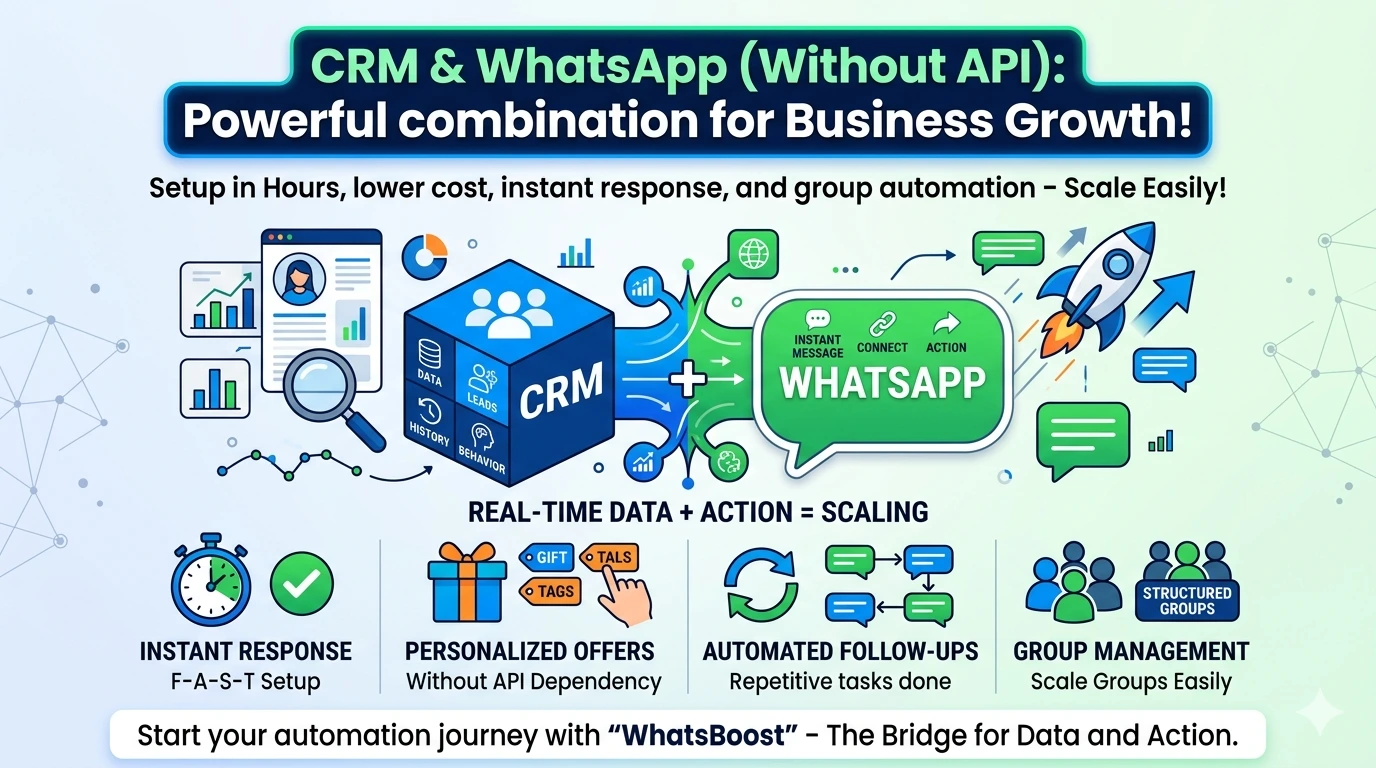
CRM ko WhatsApp ke saath integrate kaise karein (without Business API)
Is guide mein aap seekhenge kaise CRM ko WhatsApp ke saath bina Business API ke integrate karein. Simple automation workflows, group messaging aur real-time engagement ke saath apne business communication ko fast aur efficient banayein.
Aaj ke time par sirf customer data collect karna enough nahi hai. Real value tab create hoti hai jab aap us data ko right time par use karte ho — aur wo bhi us platform par jahan customer already active hai.
Yahin par CRM aur WhatsApp ka combination powerful ban jaata hai. CRM aapko batata hai kaun customer hai, uska behavior kya hai, aur WhatsApp aapko allow karta hai turant communicate karna.
Good news yeh hai ki ab aapko WhatsApp Business API ki dependency nahi rahi. Aap bina API ke bhi automation build kar sakte ho — faster setup ke saath.
CRM–WhatsApp Integration kyun game changer hai
Aaj ka customer expectation clear hai:
Delay nahi chahiye
Generic messages nahi chahiye
Har interaction relevant hona chahiye
Agar aap CRM aur WhatsApp ko connect kar dete ho, to aap:
Lead aate hi instant response bhej sakte ho
Customer ke past behavior ke base par offers personalize kar sakte ho
Follow-ups automate kar sakte ho without manual effort
WhatsApp groups ko structured way mein manage kar sakte ho
Yeh integration basically “data + action” ko ek system bana deta hai.
Pehle kya problem thi (API dependency)
Traditional setup mein WhatsApp automation ke liye Business API required hota tha.
Isme challenges the:
Approval process time-consuming
Setup technical aur complex
Messaging restrictions
Cost high hoti thi
Is wajah se small businesses aur growing teams automation use nahi kar paate the.
Ab kya change hua hai
New-age tools ne pura approach simplify kar diya hai.
Ab aap bina API ke:
CRM ko WhatsApp se directly connect kar sakte ho
Automation workflows create kar sakte ho
Broadcast aur group messaging manage kar sakte ho
Yeh shift important hai kyunki:
Har size ka business automation use kar sakta hai
Setup fast ho gaya hai
Experimentation easy ho gaya hai
Scale karna simple ho gaya hai
WhatsApp Automation bina API ke kaise kaam karta hai
Non-API tools typically ek bridge ki tarah kaam karte hain jo CRM aur WhatsApp ko connect karte hain.
Yeh tools:
CRM contacts ko WhatsApp numbers ke saath sync karte hain
CRM events ko triggers bana dete hain (jaise new lead, payment due)
Automated messages send karte hain based on those triggers
Group automation enable karte hain
Chatbot ya autoresponder setup karne dete hain
Yahan advantage yeh hai ki aapko backend API infrastructure samajhne ki zarurat nahi hoti.
CRM + WhatsApp Integration – Step-by-Step
Step 1: CRM ko WhatsApp tool ke saath connect karo
Aapko apne CRM (jaise Zoho, HubSpot, Salesforce) ko WhatsApp automation platform ke saath integrate karna hota hai.
Is step ke baad:
Contacts automatically sync honge
Data ready hoga automation ke liye
Step 2: Automation workflows design karo
Yeh sabse critical step hai. Yahan aap decide karte ho ki kaunsi action par kaunsa message jaana chahiye.
Practical workflows:
New lead add hua → Instant welcome message
Demo book hua → Confirmation + reminder
Payment due hai → Reminder sequence
Customer inactive hai → Re-engagement message
Group automation example:
Student group join kare → Auto introduction + guidelines message
Loyalty group → Weekly offers auto send
Step 3: Two-way sync enable karo
Sirf messages bhejna enough nahi hai.
Aapko ensure karna hai:
Customer reply CRM mein record ho
Sales ya support team ko full context mile
Conversation history track ho
Yeh step CRM ko actual “single source of truth” banata hai.
Key Benefits (Without API Automation)
1. Faster Implementation
Aapko weeks nahi lagte. Kuch tools mein aap hours mein setup kar sakte ho.
2. Lower Cost Structure
API cost, hosting, aur technical setup ka expense avoid hota hai.
3. Ease of Use
Non-technical teams bhi automation create kar sakti hain.
4. Real-Time Engagement
Customer action ke turant baad message jaata hai — delay nahi hota.
5. Better Group Management
Large groups ko manual handle karne ki need nahi hoti. Automation se consistency aati hai.
WhatsApp Group Automation – Real Use Cases
Education
Institutes daily timetable, assignments, test reminders automate kar sakte hain.
E-commerce
Customer segments ke basis par group bana kar targeted offers bheje ja sakte hain.
Internal Teams
Managers daily updates, targets aur reminders automate kar sakte hain.
Events & Communities
Participants ko onboarding messages aur regular updates automatically milte hain.
FAQs – WhatsApp Group Automation
Final Thoughts
CRM aur WhatsApp automation ka combination aaj ke digital communication ka core ban raha hai.
Without API solutions ne isko democratize kar diya hai — matlab ab sirf large enterprises nahi, balki har business automation use kar sakta hai.
Agar aap smart workflows design karte ho aur CRM data ka sahi use karte ho, to aap:
Faster response de sakte ho
Better engagement create kar sakte ho
Aur apne business ko efficiently scale kar sakte ho
Want to automate WhatsApp for your business?
Set up campaigns, replies, and follow-ups in minutes.