
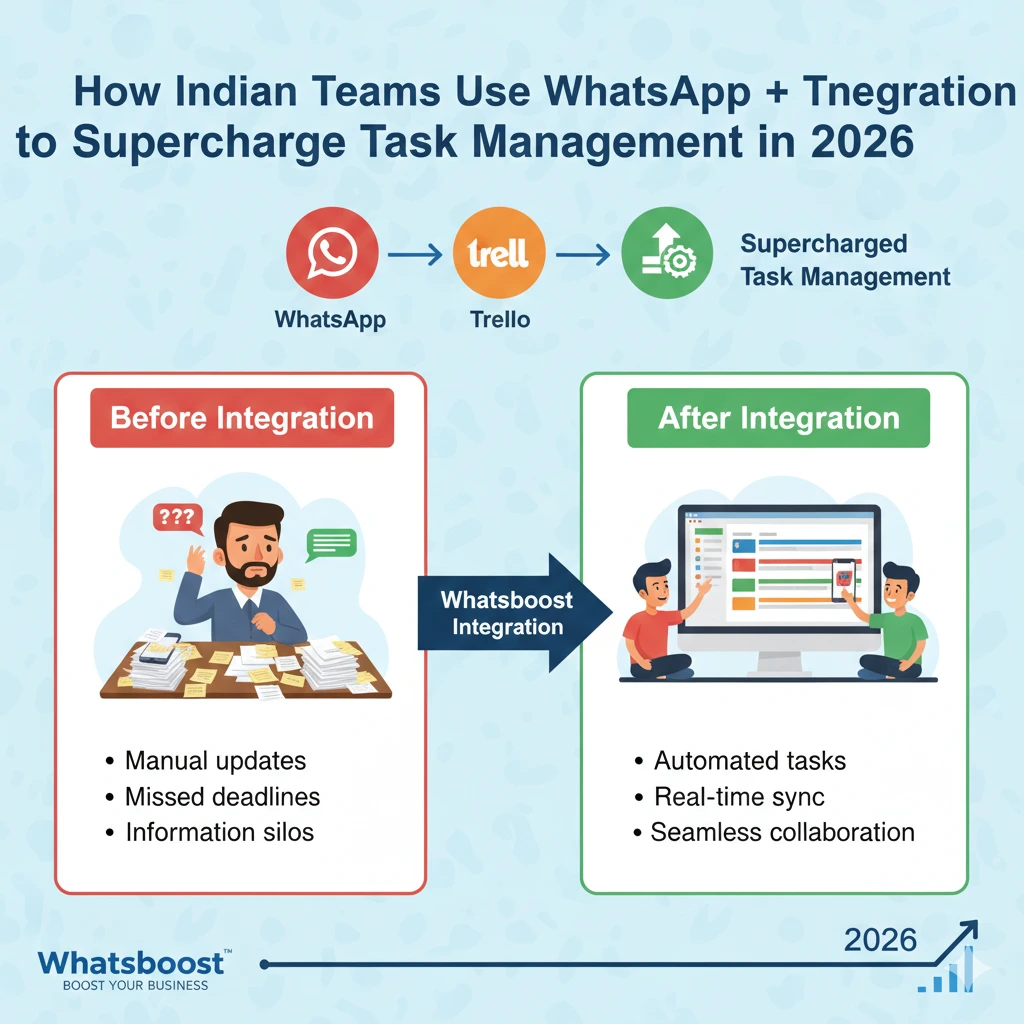
How Indian Teams Use WhatsApp + Trello Integration to Supercharge Task Management in 2026 | Whatsboost
Find out how Indian teams in 2026 are using WhatsApp and Trello integration to supercharge task management. Learn the benefits, setup tips, and how Whatsboost powers smarter team collaboration.
Picture a typical Indian work morning in 2026: a project manager in Pune opens WhatsApp to find automatic task updates, deadline reminders, and client approvals — all triggered by movements on their Trello board overnight. No frantic group chats. No missed action items. Just clean, automated task management running in the background while the team focuses on real work.
This is not a vision of the future. This is how progressive Indian teams are operating right now.
India continues to lead WhatsApp adoption globally, with the platform deeply embedded in professional communication across startups, agencies, and SMEs. Trello remains a go-to project management tool for its intuitive Kanban boards. In 2026, the combination of these two tools — powered by smart automation — is helping Indian teams supercharge task management like never before.
Here is everything you need to know about how this integration works, and how Whatsboost helps you get there.
Why WhatsApp Is Still the Heart of Indian Team Communication in 2026
Despite the rise of dedicated collaboration tools, WhatsApp remains the default communication channel for most Indian professionals. It works seamlessly across all devices, requires zero onboarding, supports voice notes, documents, and images, and reaches team members instantly — whether they are in a Mumbai high-rise or working remotely from a Tier-3 city.
The problem has never been WhatsApp itself. The problem is using it without structure. Tasks buried in group chats, accountability spread thin across threads, and deadlines missed because a message got lost in a sea of memes — these are challenges every Indian team knows well.
Integrating WhatsApp with a structured tool like Trello solves exactly this. It brings organisation to communication and speed to project management — a combination that Indian teams in 2026 cannot afford to ignore.
What WhatsApp + Trello Integration Actually Does
At its core, WhatsApp and Trello integration creates a live communication bridge between your project boards and your team's most-used messaging platform.
In practice, this means your team receives instant WhatsApp notifications when a new Trello card is created or assigned, gets automated reminders when a task deadline is approaching, and sees real-time status updates when cards move across pipeline stages — all without anyone having to manually send a single message.
On the flip side, client or team responses on WhatsApp can trigger actions back into the Trello workflow, closing the loop between communication and execution in a way that email and standalone tools simply cannot match.
4 Reasons Indian Teams Are Embracing This Integration in 2026
1. Notifications Land Where Attention Already Is
In 2026, notification fatigue from emails and app pings is real. WhatsApp cuts through the noise because it is where Indian professionals already spend their attention. Routing Trello updates through WhatsApp means task alerts are seen, acted on, and rarely ignored.
2. Faster Approvals and Client Communication
For Indian digital agencies, IT firms, and e-commerce operations, approval cycles are often the biggest productivity bottleneck. With this integration, a card moved to "Awaiting Approval" can instantly trigger a WhatsApp message to the client with all relevant details. The client responds on WhatsApp and the loop closes — often within minutes rather than days.
3. Built for India's Remote and Hybrid Teams
A significant share of Indian teams in 2026 continue to operate in hybrid or fully remote models. WhatsApp is the common thread across cities, time zones, and internet speeds. Tying it to Trello ensures that remote team members stay aligned on tasks without logging into yet another dashboard.
4. Less Tool-Switching, More Productivity
Every time a team member switches between apps, focus is broken. When Trello updates flow automatically into WhatsApp, teams spend more time executing and less time toggling between platforms — a simple but meaningful productivity gain for lean Indian teams.

How to Set Up the Integration with Whatsboost
The foundation of any WhatsApp + Trello integration is a reliable WhatsApp Business API account. This is where Whatsboost comes in.
Whatsboost is an authorised WhatsApp Business Solution Provider that makes API activation quick and straightforward. Once your API is live through Whatsboost, you can connect it to Trello using automation platforms like Zapier, Make, or Pabbly Connect to build custom workflows — no heavy coding required.
Here is a simple setup path:
Step 1 — Sign up at Whatsboost.in and activate your WhatsApp Business API.
Step 2 — Connect your Trello account to an automation platform like Zapier or Make.
Step 3 — Define your triggers in Trello — such as a new card created, a card moved to a specific list, or a due date approaching.
Step 4 — Set WhatsApp messages as the action, routing through Whatsboost's API to notify the relevant team member or group.
Step 5 — Test, refine, and scale your workflows as your team's needs evolve.
Beyond integration, Whatsboost also gives your team a shared inbox for managing WhatsApp responses, no-code automation for follow-up reminders, broadcast messaging for project-wide announcements, and detailed analytics to track communication performance. Discover everything at Whatsboost.in.
Best Practices for Getting the Most Out of This Integration
Be selective with notifications. Not every Trello update needs to become a WhatsApp message. Focus on high-priority triggers — new assignments, deadline reminders, and status changes — to avoid overwhelming your team.
Keep Trello as the single source of truth. WhatsApp handles communication; Trello handles structure. Train your team to always update Trello officially, with WhatsApp serving as the fast-communication layer on top.
Automate follow-ups, not just alerts. Use Whatsboost's automation to send a follow-up WhatsApp message if a Trello card has not been updated within a defined period, keeping tasks from stalling silently.
Use dedicated WhatsApp groups per project. Route project-specific Trello notifications to relevant WhatsApp groups to keep communication organised and contextual.

FAQs: WhatsApp + Trello Integration for Indian Teams
Q1. Do I need coding skills to integrate WhatsApp with Trello? No. Using automation platforms like Zapier or Make alongside Whatsboost's WhatsApp Business API, you can set up the integration with a no-code, drag-and-drop approach.
Q2. Is this integration suitable for small Indian businesses? Absolutely. Small teams benefit the most — the integration reduces manual follow-ups and improves accountability without requiring additional headcount or expensive project management software.
Q3. Can Trello updates be sent to WhatsApp groups instead of individuals? Yes. Through the WhatsApp Business API activated via Whatsboost, you can route Trello notifications to specific team groups, keeping everyone aligned without individual messages.
Q4. How does this work for remote Indian teams across time zones? Automated WhatsApp notifications are triggered by Trello actions regardless of when they happen, ensuring remote team members never miss updates even when working asynchronously.
Q5. Is WhatsApp secure enough for task and project communication? Yes. WhatsApp uses end-to-end encryption, keeping your task updates, client communications, and project details private and secure at all times.
FAQs: Whatsboost Features
Q1. What is Whatsboost? Whatsboost is an authorised WhatsApp Business Solution Provider that helps businesses activate the WhatsApp Business API and build powerful automation workflows — including integrations with tools like Trello — for smarter team communication and task management.
Q2. Does Whatsboost support webhook and API integrations? Yes. Whatsboost supports webhooks and API connections, making it straightforward to link Trello events to automated WhatsApp messages as part of your workflow.
Q3. Can multiple team members manage WhatsApp conversations through Whatsboost? Yes. Whatsboost's shared team inbox allows multiple agents to handle conversations simultaneously, with chat assignment and internal notes to keep collaboration structured.
Q4. Does Whatsboost have a no-code automation builder? Yes. You can build automated WhatsApp message flows — including task reminders, status updates, and follow-up sequences — without writing any code.
Q5. How do I get started with Whatsboost? Visit Whatsboost.in, create your account, and the Whatsboost team will guide you through API activation, integration setup, and full platform onboarding.
The Smartest Indian Teams Are Already Doing This
In 2026, the gap between teams that work reactively and teams that operate with automated, structured workflows is wider than ever. WhatsApp + Trello integration is not a complex enterprise solution — it is a practical, accessible upgrade that any Indian team can implement quickly.
With Whatsboost as your WhatsApp Business API backbone, you have everything you need to connect your tools, automate your communication, and supercharge the way your team manages tasks every single day.
Visit Whatsboost.in and start building smarter workflows today.
Want to automate WhatsApp for your business?
Set up campaigns, replies, and follow-ups in minutes.