

How to Sync WhatsApp Leads Into Hive Project Pipelines Automatically in 2026 | Whatsboost
Learn how to sync WhatsApp leads into Hive project pipelines automatically in 2026. Discover step-by-step workflows, practical setup tips, and how Whatsboost helps Indian sales and project teams connect WhatsApp lead generation to Hive pipeline management.
How to Sync WhatsApp Leads Into Hive Project Pipelines Automatically in 2026
For Indian businesses that use Hive to manage their project and sales pipelines, WhatsApp is both an asset and a bottleneck. It is an asset because it is where the highest volume and highest quality of lead conversations happen in India — prospects respond to WhatsApp messages faster than emails, engage more genuinely in WhatsApp conversations than web chat, and express buying intent more directly on WhatsApp than on any other channel. It is a bottleneck because none of that lead activity is automatically visible in Hive.
Every WhatsApp lead conversation that is not synced into a Hive project pipeline represents a missed opportunity for structured follow-up, accountable assignment, and measurable conversion tracking. The sales team has the conversations. The pipeline has the structure. But without an automated sync between the two, the data that should connect them stays scattered across individual WhatsApp inboxes — invisible to the project manager, untracked in the pipeline, and immune to the workflow logic that Hive is designed to enforce.
In 2026, automatically syncing WhatsApp leads into Hive project pipelines is a straightforward, high-impact improvement for any Indian business where lead management and project delivery intersect. This blog explains how to build this sync — and how Whatsboost powers the WhatsApp Business API layer that makes it reliable, real-time, and scalable.
Why WhatsApp Lead Data Belongs in Your Hive Pipeline
Hive's pipeline and project management capabilities are built around the principle that every relevant piece of work should be visible, assigned, and progressing through a defined workflow. Lead management is exactly this kind of work — leads need to be assigned to the right team member, progressed through qualification and nurture stages, and tracked against conversion targets with clear accountability.
When WhatsApp lead conversations are not synced into Hive, they operate outside this accountability framework entirely. The sales rep who handles the WhatsApp conversation is both the only person who knows about the lead and the only person tracking its progress — in their own head and in their WhatsApp inbox. This single-point visibility means that leads are dropped when reps are busy, progress is invisible to sales managers, and conversion data is never captured in a format that informs future strategy.
Syncing WhatsApp leads into Hive creates shared pipeline visibility — every lead becomes a Hive action card, every stage progression is tracked, and every conversion or loss is recorded in the pipeline that management, operations, and project teams can all see and act on.
Whatsboost provides the WhatsApp Business API and webhook infrastructure that captures WhatsApp lead conversations in real time and routes them into Hive automatically — without any manual data entry from the sales team. Visit Whatsboost.in to explore the platform.
How WhatsApp to Hive Lead Pipeline Sync Works
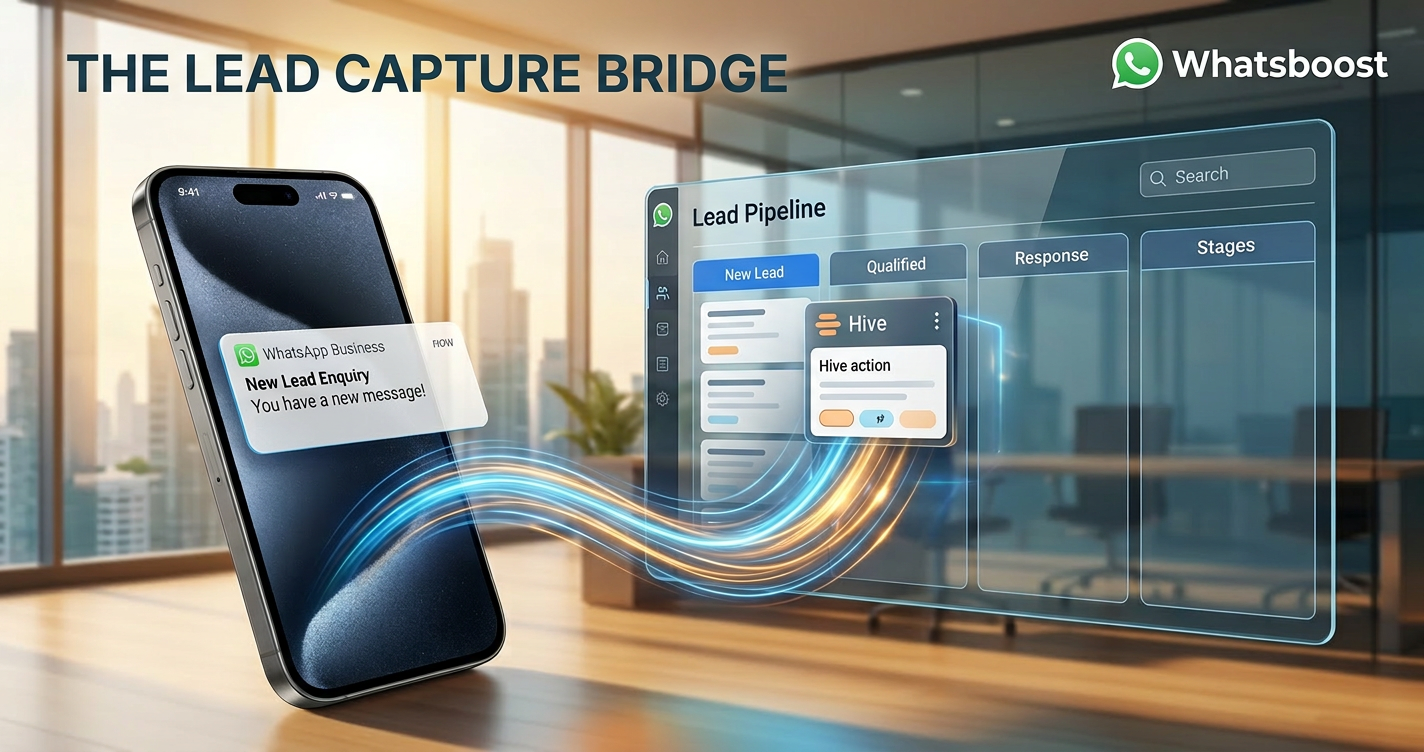
The sync connects three components: Whatsboost capturing every incoming WhatsApp lead conversation via the WhatsApp Business API and firing a structured webhook, an automation platform processing the webhook and applying pipeline creation logic, and Hive receiving the lead data and creating or updating the corresponding pipeline action card.
When a new lead initiates contact on WhatsApp — whether through a Meta Lead Ad, a website WhatsApp link, a referral, or an organic enquiry — Whatsboost captures the conversation in real time and fires a webhook payload containing the lead's phone number, name, first message content, lead source identifier, and timestamp.
The automation platform receives this payload and creates a new Hive action card in the designated lead pipeline project — pre-populated with the lead's details, the source of their enquiry, the full first message content as context, and the assigned sales rep based on your routing rules. The Hive pipeline is updated instantly — no waiting for a manual data entry cycle, no leads sitting in WhatsApp inboxes overnight before being logged.
Building Your WhatsApp to Hive Lead Pipeline Sync With Whatsboost
Step 1: Activate WhatsApp Business API via Whatsboost
Whatsboost activates your WhatsApp Business API as an authorised WhatsApp Business Solution Provider — the essential foundation for real-time lead capture, webhook delivery, and automated Hive sync. Without the API, this automation is not achievable through standard WhatsApp. Start at Whatsboost.in.
Step 2: Set Up Your Hive Lead Pipeline Structure
Before connecting the sync, structure your Hive project workspace to function as a lead pipeline. Create a dedicated Hive project for lead management with action card stages that reflect your actual sales process — "New Lead," "Qualified," "Proposal Sent," "Negotiation," "Won," and "Lost."
Configure action card templates for new leads that include default fields for lead source, contact details, first message content, assigned rep, and qualification status — so every WhatsApp-generated lead card is populated with consistent, comparable data from the moment it is created.
Step 3: Configure Whatsboost Webhooks and Lead Source Tagging
Enable outgoing webhooks in Whatsboost for new conversation events. Configure lead source tagging in Whatsboost using conversation labels — "Facebook Lead Ad," "Google Ads," "Website WhatsApp Link," "Referral," "Organic Enquiry" — so every WhatsApp lead arriving in the shared inbox is tagged with its origin before the webhook fires.
This lead source tag is passed to Hive via the webhook payload — populating the source field on the Hive action card and enabling pipeline analytics that show which WhatsApp lead sources produce the highest conversion rates over time.
Step 4: Build the Hive Lead Card Creation Workflow in Zapier or Make
In Zapier or Make, build the automation that fires when Whatsboost receives a new lead conversation:
Trigger — New contact conversation received in Whatsboost from an unrecognised phone number, or a conversation labelled with a lead source tag.
Action 1 — Check for existing Hive lead card — Search the Hive pipeline project for an existing action card matching the lead's phone number. If found, add the new WhatsApp message as a comment update on the existing card rather than creating a duplicate.
Action 2 — Create the Hive lead action card — For new leads, create a Hive action card in the "New Lead" stage with the lead's name, phone number, lead source, first message content as the card description, and the assigned sales rep determined by your routing rules.
Action 3 — Set due date for first contact — Automatically set a due date on the new Hive action card corresponding to your team's first contact standard — for example, same business day for high-intent leads, next business day for standard enquiries — creating accountability for response time from the moment the lead enters the pipeline.
Action 4 — Notify the assigned rep — Trigger Whatsboost to send a WhatsApp notification to the assigned sales rep with the lead's details, their first message, and a direct link to the Hive action card — so the rep has everything they need to make an informed first contact within minutes of the lead's WhatsApp message arriving.
Action 5 — Send lead acknowledgement — Trigger Whatsboost to send an automated WhatsApp reply to the lead acknowledging their enquiry and confirming that someone from the team will be in touch shortly — opening the conversation thread and managing response time expectations before the rep makes personal contact.
Step 5: Automate Pipeline Stage Progression From WhatsApp Conversations
As lead conversations progress in Whatsboost, configure stage advancement automation that keeps the Hive pipeline current without manual rep updates:
When a rep applies a conversation label in Whatsboost indicating a qualification milestone — "Qualified," "Proposal Discussed," "Verbal Commitment" — the automation updates the corresponding Hive action card stage to match — advancing the lead through the pipeline stages in real time as the WhatsApp conversation progresses.
When a lead confirms purchase intent or a deal is closed in the WhatsApp conversation, the rep applies a "Won" label in Whatsboost, which automatically moves the Hive action card to the "Won" stage and triggers a success notification to the sales manager — ensuring pipeline reporting reflects actual conversation outcomes without rep-dependent manual updates. Visit Whatsboost.in to explore pipeline progression workflow configuration.
Advanced Lead Sync Workflows for Indian Sales Teams
Multi-source lead deduplication — When the same phone number submits a Meta Lead Ad form and also messages your WhatsApp number organically, configure your automation to detect the duplicate phone number and merge the two lead records into a single Hive action card — combining the ad submission data and the organic WhatsApp message as a unified lead profile rather than creating separate cards that fragment the lead's history.
Lead score-based pipeline assignment — For businesses using Whatsboost's qualification chatbot to pre-screen leads before pipeline entry, configure conditional routing that places leads into different Hive pipeline tiers based on their qualification score — high-intent qualified leads enter the priority pipeline with a same-day contact due date, lower-intent leads enter the nurture pipeline with a longer follow-up timeline and a different assigned team member.
Inactivity-based re-engagement trigger — When a Hive lead action card has not had a status update or comment in seven days, configure an automatic WhatsApp re-engagement message sent to the lead via Whatsboost — gently reviving the conversation — and a simultaneous Hive pipeline alert to the assigned rep flagging the stalled lead for review.
Best Practices for WhatsApp to Hive Lead Pipeline Sync
Define your pipeline stages before building the sync. The Hive pipeline structure your sync creates leads in should reflect your actual sales process — not a generic template. Spend time mapping your real qualification stages, conversion milestones, and lost reasons before configuring the Hive project. A well-designed pipeline produces meaningful conversion analytics. A poorly designed pipeline produces confusing data that nobody trusts.
Train your sales reps on the label convention that drives pipeline progression. The quality of your Hive pipeline data depends entirely on how consistently reps apply Whatsboost conversation labels at qualification milestones. Make the five or six key progression labels intuitive, limit them to genuinely distinct stages, and invest in brief training that connects the WhatsApp labelling action to the Hive pipeline update it produces — so reps understand why consistent labelling benefits them as well as the business.
Review pipeline conversion rates by WhatsApp lead source monthly. The most valuable long-term output of the WhatsApp to Hive sync is conversion analytics by lead source. Which WhatsApp lead sources — Facebook Lead Ads, organic enquiries, referrals, website links — produce the highest qualified lead rates and the best conversion-to-won ratios? Monthly pipeline reviews using this data enable smarter lead generation investment decisions and more accurate sales forecasting.
Every WhatsApp Lead Conversation Deserves a Pipeline Record
In 2026, Indian businesses that sync WhatsApp leads into Hive project pipelines automatically operate with a sales pipeline visibility and conversion accountability that untracked WhatsApp conversations can never deliver. Every lead is in the system. Every rep is accountable. Every stage progression is recorded. And every conversion — or loss — is documented in the pipeline data that informs smarter selling next month.
With Whatsboost connecting your WhatsApp Business API to Hive in real time, this pipeline clarity is achievable for any Indian business — from a solo consultant managing ten active leads to a fifty-person sales team running hundreds of WhatsApp conversations simultaneously.
Visit Whatsboost.in and start syncing your WhatsApp leads into Hive project pipelines automatically today.
Want to automate WhatsApp for your business?
Set up campaigns, replies, and follow-ups in minutes.