
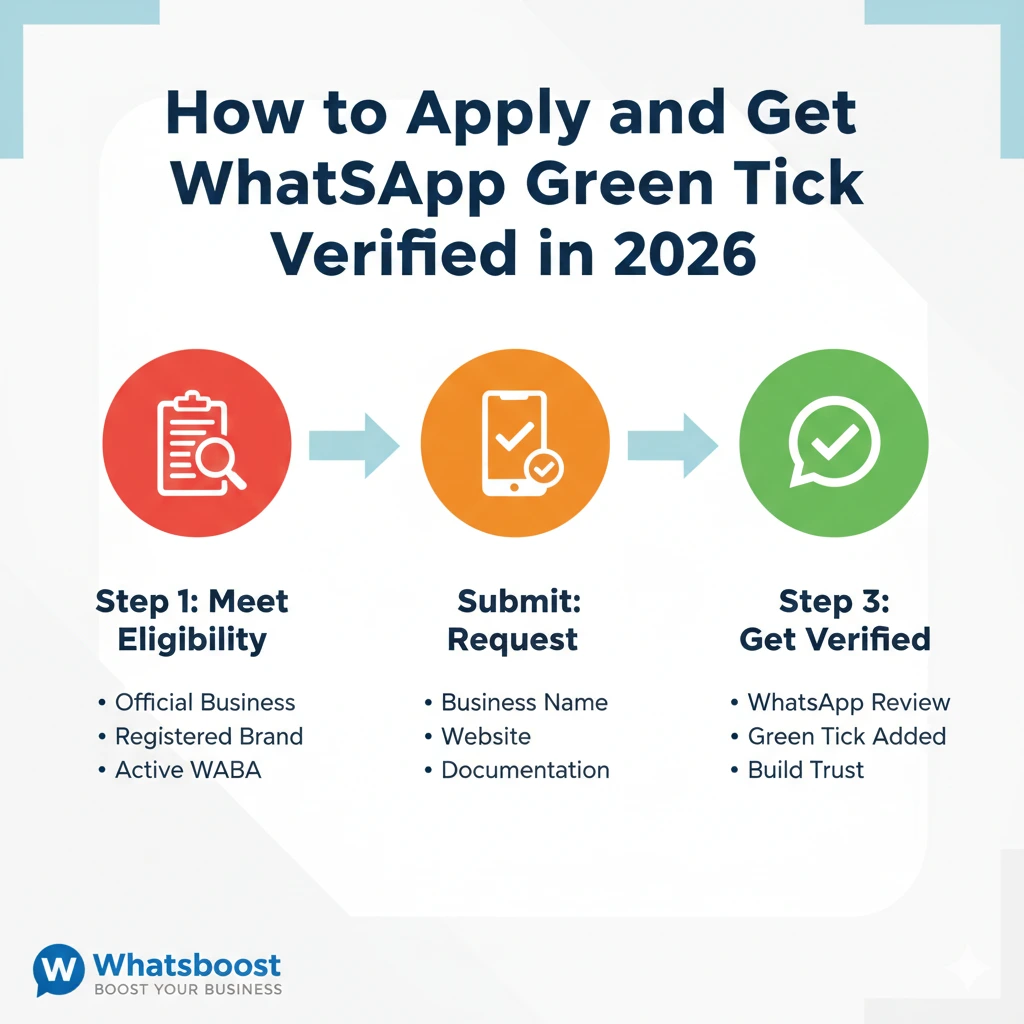
How to Apply and Get WhatsApp Green Tick Verified in 2026 | Whatsboost
Learn how to apply for and get WhatsApp Green Tick verified in 2026. Discover eligibility, step-by-step process, tips to avoid rejection, and how Whatsboost helps you get verified faster.
Customer trust is the foundation of every successful business. On WhatsApp, one of the fastest ways to earn that trust is by getting the WhatsApp Green Tick — the official verification badge that tells your customers they are talking to a legitimate, authentic brand.
This guide covers everything you need to know: what the green tick is, why it matters, how to apply for it, and how Whatsboost can simplify the process.
What Is the WhatsApp Green Tick?
The WhatsApp green tick is a verification badge displayed next to your business name on WhatsApp. It is granted by Meta (WhatsApp's parent company) to businesses that have been reviewed and confirmed as genuine.
When customers see the green tick on your profile, they instantly know they are engaging with an official business — not a scammer or impersonator. Meta introduced WhatsApp business verification to create a safer messaging environment, reduce fraud, and improve the overall customer experience.
4 Key Benefits of Getting WhatsApp Green Tick Verified
1. Builds Credibility and Trust
The green tick signals to customers that your business has been vetted by WhatsApp. This reassurance makes them far more likely to open your messages, respond, and complete purchases.
2. Confirms Your Authenticity
Brand impersonation is a growing problem. The verified badge clearly distinguishes your official account from fake lookalikes, protecting your reputation and your customers.
3. Improves Visibility
Verified WhatsApp business accounts have better discoverability within the platform, making it easier for potential customers to find you when searching for relevant products or services.
4. Adds Professionalism
A green tick makes your business profile look polished and credible — an impression that goes a long way in building long-term customer relationships and attracting business partners.

Who Is NOT Eligible for the WhatsApp Green Tick?
Before you apply for WhatsApp green tick verification, check whether your business falls under Meta's restricted categories. The following types of businesses are not eligible:
Alcohol brands, tobacco products, drugs, gambling businesses, weapons and ammunition, live animals, adult products or services, medical and healthcare products (certain categories), dating services, and cryptocurrencies.
If your business does not fall into any of these categories, you are likely eligible to apply and get WhatsApp green tick verified.
2 Ways to Apply for WhatsApp Green Tick Verification
Method 1: Via Meta Business Manager
This is the direct route through Meta's platform.
Step 1 — Create or log in to your Meta Business Manager account at business.facebook.com.
Step 2 — Link your WhatsApp Business account via the Settings section in Meta Business Manager.
Step 3 — Complete Business Verification by submitting the required documents, such as your business registration certificate or tax identification.
Step 4 — Request Official Business Account (OBA) verification once your business is verified on Meta.
Step 5 — Await Meta's review and approval. If successful, the green tick will appear on your profile.
Method 2: Via a WhatsApp Business Solution Provider Like Whatsboost
For a guided, hassle-free experience, applying through an authorised WhatsApp Business Solution Provider (BSP) like Whatsboost is the smarter choice.
Step 1 — Sign up and create your account on Whatsboost.in.
Step 2 — Set up your WhatsApp Business API with full support from the Whatsboost team.
Step 3 — Submit your green tick application through Whatsboost, which forwards it accurately to Meta.
Step 4 — Await Meta's decision. Once approved, the green tick is applied to your account.
Important: The final decision to grant the WhatsApp green tick rests solely with Meta. Whatsboost, as a BSP, is responsible for submitting your application correctly — not for the outcome, which is determined entirely by Meta.
Using Whatsboost not only streamlines the verification process but also gives you access to powerful WhatsApp automation, broadcast campaigns, and customer management tools to maximise the value of your verified account.
5 Tips to Avoid Rejection When You Apply for WhatsApp Green Tick
1. Keep Business Information Consistent Your business name, address, and contact details must match across your WhatsApp profile, Meta Business Manager, and all submitted documents. Any mismatch is a common cause of rejection.
2. Use a Clear, Professional Profile Picture Upload a high-quality logo or brand image. Avoid generic stock photos or copyrighted imagery that could raise concerns during review.
3. Maintain an Active Business Profile An incomplete or dormant profile signals that your business may not be legitimate. Keep your profile updated with a proper description, website link, and category.
4. Follow WhatsApp's Business Policies Review and comply with WhatsApp's commerce and business policies before applying. Violations — including spammy messaging or misleading content — can lead to rejection or account suspension.
5. Communicate Honestly with Customers Transparent, respectful customer communication builds a positive track record on the platform. Avoid deceptive practices or excessive promotional messaging that could flag your account.

Is the WhatsApp Green Tick Mandatory?
No. Both verified and unverified WhatsApp Business API accounts have access to the same core features — you can still send broadcasts, automate messages, and manage conversations without the green tick.
That said, in a competitive messaging landscape where customers receive messages from dozens of brands, the verified badge can be the deciding factor that gets your message opened and your brand trusted. If you are serious about your WhatsApp presence, applying for the green tick is absolutely worth it.
FAQs About WhatsApp Green Tick Verification
Q1. How long does it take to get WhatsApp green tick verified? The review process typically takes a few days to several weeks, depending on Meta's queue and the accuracy of your application.
Q2. What happens if my green tick application is rejected? Meta usually provides a reason for rejection. You can correct the issue and reapply after a waiting period.
Q3. Does applying for the green tick cost money? The application itself is free, but you need an active WhatsApp Business API account, which has associated costs.
Q4. Can the green tick be revoked? Yes. If your account violates WhatsApp's policies or your business details become inconsistent, Meta can remove the verification badge.
Q5. Is the green tick the same as the blue tick on WhatsApp? No. The green tick indicates a verified official business account. The blue tick (double ticks) simply means a message has been read — these are two completely different features.
FAQs About Whatsboost Automation
Q1. What is Whatsboost? Whatsboost is an authorised WhatsApp Business Solution Provider that helps businesses activate the WhatsApp Business API, automate conversations, run broadcast campaigns, and manage customer relationships — all from one platform.
Q2. Does Whatsboost offer a no-code chatbot builder? Yes. Whatsboost's no-code chatbot builder lets you create automated conversation flows, answer FAQs, qualify leads, and route queries — without any technical skills required.
Q3. Can I send bulk WhatsApp broadcasts through Whatsboost? Absolutely. Whatsboost allows personalised broadcast messaging to large customer lists, with smart segmentation to ensure the right message reaches the right audience.
Q4. Does Whatsboost support multiple agents? Yes. The shared team inbox allows multiple agents to manage customer conversations simultaneously, with chat assignment, private notes, and seamless team collaboration built in.
Q5. How do I get started with Whatsboost? Visit Whatsboost.in, create your account, and the team will guide you through API setup, green tick application, and full platform onboarding.
Start Your WhatsApp Verification Journey Today
The WhatsApp green tick is more than a badge — it is a trust signal that drives real business results. If you are ready to apply for WhatsApp green tick verification and build a credible, high-performing presence on WhatsApp, Whatsboost is your ideal partner.
Visit Whatsboost.in to get started today.
Want to automate WhatsApp for your business?
Set up campaigns, replies, and follow-ups in minutes.