
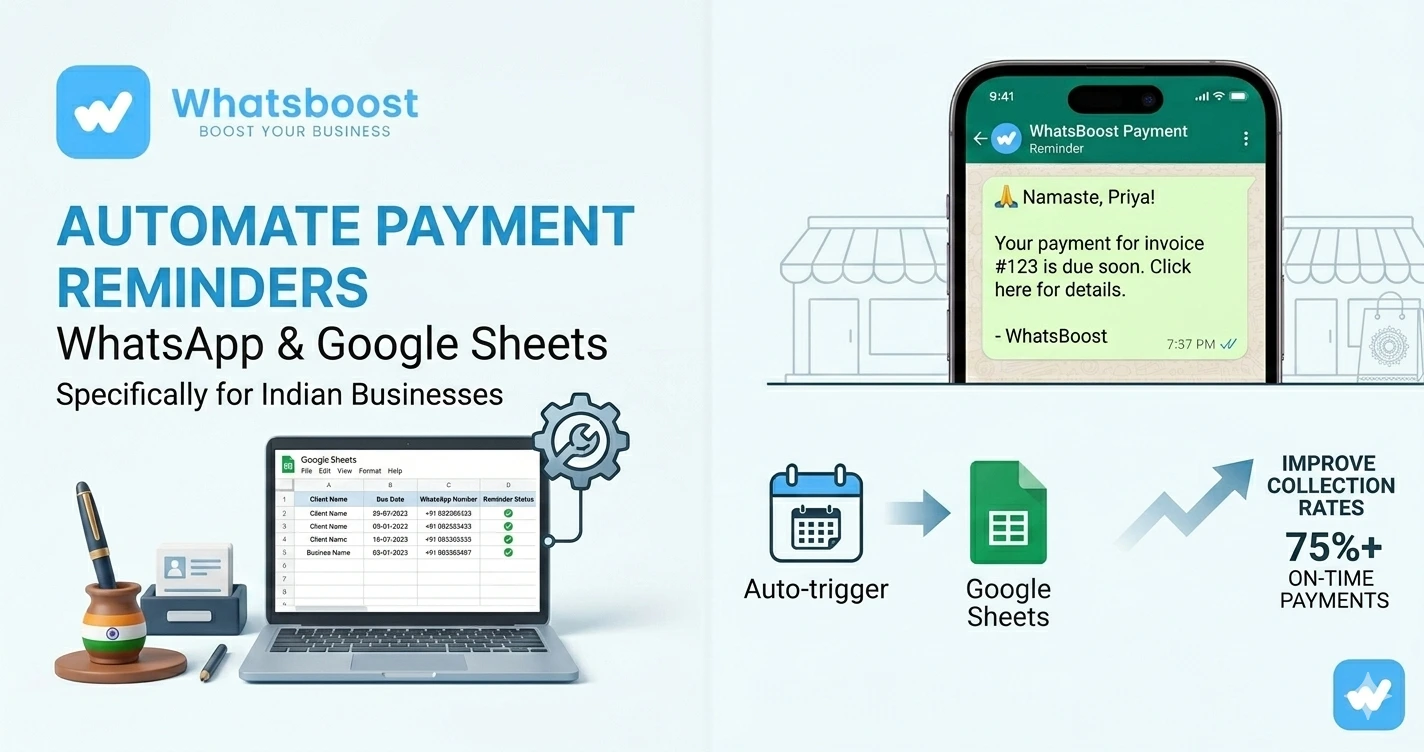
How to Automate Payment Reminders Using WhatsApp and Google Sheets
जानिए WhatsApp और Google Sheets का use करके payment reminders कैसे automate करें। Learn WhatsBoost workflows, reminder sequences, CRM tracking, follow-ups और no-API automation systems for Indian businesses.
Payment Follow-Up करना Businesses के लिए इतना Stressful क्यों होता है? 😓
हर business owner यह problem face करता है:
- invoice भेज दिया
- client ने “sure” कहा
- payment due date निकल गई
- फिर reminders शुरू…
और फिर:
❌ awkward follow-ups
❌ ignored emails
❌ delayed payments
❌ manual tracking
❌ missed invoices
❌ cash flow issues
Small businesses, agencies, educators, consultants और service providers के लिए यह daily struggle बन जाता है।
सबसे बड़ी problem?
👉 Manual payment reminders scale नहीं करते।
यहीं WhatsApp + Google Sheets automation game changer बनता है। (whatsboost.in)
Why WhatsApp Payment Reminders इतना Better Perform करते हैं? 📱
Emails अक्सर ignore हो जाते हैं।
SMS impersonal लगता है।
लेकिन WhatsApp:
✅ instantly visible होता है
✅ high open rates देता है
✅ conversational feel करता है
✅ payment links support करता है
✅ quick replies allow करता है
WhatsBoost guides के अनुसार WhatsApp reminders businesses को faster responses और better payment consistency देने में मदद करते हैं।
WhatsApp + Google Sheets Automation आखिर है क्या? 🤔
Simple explanation:
Google Sheets आपका payment tracker बनता है।
WhatsBoost उस sheet को read करके:
- due dates check करता है
- pending invoices identify करता है
- automatic WhatsApp reminders भेजता है
मतलब:
Google Sheet → automation trigger → WhatsApp reminder
without manual messaging.
Businesses अभी भी Manual Payment Follow-Ups क्यों करते हैं? ❌
क्योंकि उन्हें लगता है automation setup complicated होगा।
लेकिन modern no-code systems काफी simple हो चुके हैं।
Traditional problems:
| Manual Method | Problem |
| Calling customers | Time waste |
| Email reminders | Low response |
| Excel tracking | Messy workflows |
| Manual WhatsApp messages | Not scalable |
| No reminder schedule | Missed follow-ups |
WhatsBoost इस Process को कैसे Simplify करता है? 🚀
WhatsBoost businesses को WhatsApp automation workflows create करने देता है using:
- Google Sheets
- reminder triggers
- scheduling
- CRM workflows
- broadcasts
- no-API systems
without heavy technical setup.
Step-by-Step: WhatsApp Payment Reminders कैसे Automate करें
Step 1: Google Sheet Create करें
सबसे पहले payment tracking sheet बनाएं।
Recommended columns:
| Column | Purpose |
| Customer Name | Client identification |
| Phone Number | WhatsApp number |
| Invoice Amount | Due payment |
| Due Date | Reminder trigger |
| Status | Paid / Pending |
| Reminder Sent | Tracking |
WhatsBoost guides इसी structured setup recommend करते हैं।
Step 2: WhatsBoost से Connect करें
अब Google Sheets को WhatsBoost workflows के साथ connect करें।
Guide:
WhatsApp integration without API guide
Step 3: Reminder Triggers Set करें
Examples:
✅ 7 days before due date
✅ 3 days before
✅ due date
✅ 3 days overdue
✅ final reminder
यह पूरा workflow automated हो सकता है।
Step 4: Personalized Templates Create करें
Example:
“Hi Rahul 👋
आपका ₹5,000 payment 10 Feb को due है.
Kindly payment complete करें.
UPI Link: xyz”
Personalized messages ज्यादा effective होते हैं।
Step 5: Payment Status Update करें
जब payment receive हो जाए:
- status = Paid
- reminders automatically stop
यह unnecessary follow-ups avoid करता है।
Best Payment Reminder Templates 💬
Friendly Reminder
“Hi {{Name}}, आपका payment {{Date}} को due है 😊 Kindly payment complete कर दें.”
Due Date Reminder
“Hi {{Name}}, आज आपका ₹{{Amount}} payment due है. Payment link: {{Link}}”
Overdue Reminder
“Hi {{Name}}, आपका payment pending है since {{Date}}. Kindly complete at the earliest.”
Thank You Message
“Payment received successfully ✅ Thank you!”
WhatsApp Payment Automation किन Businesses के लिए Most Useful है?
Coaching Institutes 🎓
Use cases:
- tuition fees
- installment reminders
- batch payments
Guide:
Education fee reminder automation guide
Freelancers & Agencies 💼
Useful for:
- retainers
- milestone payments
- client invoices
Ecommerce Businesses 🛒
Automation examples:
- COD reminders
- pending payments
- subscription renewals
Guide:
Subscription reminder automation guide
Real Estate Businesses 🏢
Useful for:
- rent reminders
- booking balance payments
- EMI follow-ups
Guide:
Real estate payment reminder workflows
Travel Agencies ✈️
Use cases:
- balance dues
- booking confirmation payments
- trip installment reminders
Guide:
Travel payment reminder automation guide
Advanced Payment Reminder Workflows 🔥
CRM + Payment Automation
Modern businesses combine:
- payment tracking
- CRM
- WhatsApp workflows
- follow-ups
Guide:
CRM WhatsApp integration guide
Lead Qualification + Payments
Businesses now automate:
lead → proposal → invoice → payment follow-up
Guide:
AI-Based Reminder Systems 🤖
AI workflows can help with:
- smart follow-ups
- customer routing
- overdue escalation
- payment support
Guide:
Gemini WhatsApp integration guide
Google Sheets + WhatsApp क्यों Powerful Combination बन चुका है? ⚡
क्योंकि almost हर SMB already Google Sheets use करता है।
Benefits:
✅ low cost
✅ simple setup
✅ flexible workflows
✅ easy editing
✅ scalable automation
और WhatsBoost इसे WhatsApp workflows से connect कर देता है।
Common Mistakes Businesses करते हैं ❌
1. Aggressive Reminder Tone
Payment reminder helpful होना चाहिए, threatening नहीं।
2. No Segmentation
VIP customers और overdue accounts same treatment नहीं होने चाहिए।
3. Manual Tracking Continue करना
Growth eventually impossible हो जाता है।
4. No Reminder Schedule
Random follow-ups inefficient होते हैं।
5. CRM Visibility Ignore करना
Without tracking:
- invoices miss होते हैं
- collections messy हो जाती हैं
- follow-ups टूटते हैं
Guide:
Conversation tracking platforms guide
Best Practices for Payment Reminder Automation ✅
Keep Messages Short
WhatsApp users quick communication prefer करते हैं।
Payment Links Include करें
UPI/payment links friction reduce करते हैं।
Proper Timing रखें
Best timings:
- 10 AM – 6 PM
- weekdays
- avoid late-night reminders
Friendly Tone Maintain करें
Good reminder ≠ aggressive collection
Human Escalation रखें
Automation useful है।
लेकिन sensitive payment issues humans handle करें।
Why Businesses Are Moving Toward WhatsApp-Based Collections 📈
Businesses realize कर रहे हैं:
📧 Email open rates low हैं
📞 Calls time-consuming हैं
📱 WhatsApp responses faster हैं
और यही reason है कि WhatsApp collections systems तेजी से popular हो रहे हैं।
Final Conclusion
Payment reminders manually manage करना:
- stressful
- time-consuming
- inconsistent
हो सकता है।
लेकिन WhatsApp + Google Sheets + WhatsBoost workflows businesses को help करते हैं:
✅ reminders automate करने में
✅ follow-ups structure करने में
✅ payment consistency improve करने में
✅ operational time save करने में
✅ customer communication simplify करने में
without API complexity.
2026 में smart businesses सिर्फ invoices नहीं भेज रहे।
वे automated collection systems build कर रहे हैं।
और यही चीज cash flow को predictable बनाती है।
Want to automate WhatsApp for your business?
Set up campaigns, replies, and follow-ups in minutes.