
How to Automate Wedding Guest Communication Using WhatsApp Flows (2026 Guide)
Learn how to automate wedding guest communication using WhatsApp Flows, AI automation, RSVP systems, reminders, guest segmentation, and WhatsApp workflows for weddings and events.
How to Automate Wedding Guest Communication Using WhatsApp Flows
Wedding planning looks exciting on Instagram.
But behind the scenes?
It’s usually chaos.
❌ Guests asking for venue location repeatedly
❌ Family members forgetting event timings
❌ Vendors waiting for confirmations
❌ RSVP tracking happening in spreadsheets
❌ Last-minute guest changes creating confusion
❌ Hundreds of manual WhatsApp replies every day
Most wedding planners, event managers, and families don’t struggle because weddings are difficult.
They struggle because communication becomes impossible to manage manually.
And when guest count increases…
Everything becomes harder.
That’s where WhatsApp Flows automation changes everything.
Instead of manually handling every guest interaction, businesses and wedding organizers can automate:
✔ Invitations
✔ RSVP collection
✔ Event reminders
✔ Venue sharing
✔ Guest segmentation
✔ Meal preferences
✔ Vendor coordination
✔ Follow-up communication
All directly inside WhatsApp.
👉 The result?
Smoother wedding operations, fewer missed communications, and a much better guest experience.
Why Manual Wedding Communication Fails
Traditional wedding communication systems break very quickly.
Especially for Indian weddings where:
- Multiple events happen across days
- Hundreds or thousands of guests are involved
- Families coordinate from different cities
- Vendors constantly require updates
- Guests need repeated reminders
Most people still manage this using:
- Excel sheets
- Phone calls
- Broadcast lists
- Individual replies
- Family group coordination
This creates operational overload.
Common Wedding Communication Problems
| Problem | What Happens |
| Manual RSVP tracking | Guests get missed or duplicated |
| Last-minute updates | Guests don’t receive important changes |
| Too many enquiries | Families spend entire day replying |
| Venue confusion | Guests repeatedly ask for directions |
| Event timing confusion | People arrive late or miss functions |
| Vendor communication gaps | Delays and coordination issues happen |
The bigger the wedding…
The bigger the communication problem becomes.
That’s why more event businesses are moving toward automated WhatsApp systems.
What Are WhatsApp Flows?
WhatsApp Flows allow businesses to create interactive customer journeys directly inside WhatsApp.
Instead of guests typing random messages…
They can interact using structured forms and automated workflows.
For example:
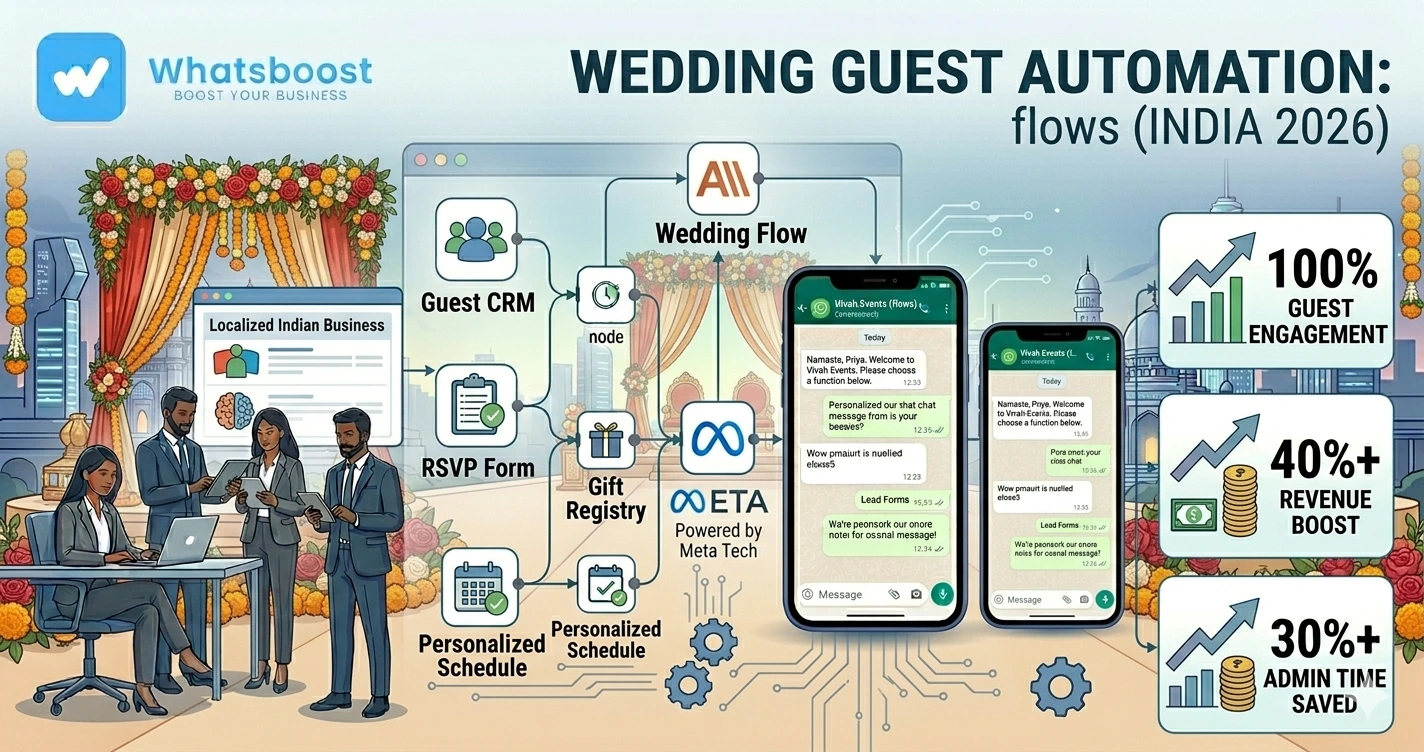
Guest receives invitation → Opens RSVP Flow → Selects attendance → Adds meal preference → Receives confirmation → Reminder triggered automatically
Everything happens inside WhatsApp itself.
No apps.
No complicated forms.
No manual tracking.
If you are new to WhatsApp automation infrastructure, you can also read:
- How to Integrate WhatsApp Without WhatsApp Business API
- What is Meta Coexistence
These systems help businesses scale communication without creating operational chaos.
Why WhatsApp Works Better for Wedding Communication
Most guests already use WhatsApp daily.
That’s why response rates become significantly higher compared to:
❌ Emails
❌ SMS
❌ Traditional RSVP websites
❌ Phone calls
WhatsApp creates:
✔ Faster responses
✔ Higher RSVP completion
✔ Better visibility
✔ Real-time engagement
✔ Easier reminders
This is similar to why businesses are increasingly shifting customer communication toward WhatsApp automation systems.
You can also explore:
- Your Customers Are Ghosting Emails and Calls — Why WhatsApp Follow-Ups Work
- How to Scale WhatsApp Outreach Safely to 10,000+ Contacts
The same psychology applies to wedding communication too.
How Wedding WhatsApp Automation Works
Here’s a simple workflow structure.
Basic Wedding Communication Workflow
Invitation Sent → Guest Opens WhatsApp Flow → RSVP Submitted → Guest Segmented → Reminder Sequence Triggered → Event Updates Sent Automatically
Real Workflow Example
Example: Wedding RSVP Automation
Step 1: Guest Receives Invitation
The guest receives a personalized WhatsApp invitation.
Example:
“Hi Rahul 👋
We’re excited to invite you to our wedding celebration.”
Buttons:
- Confirm Attendance
- Maybe
- Cannot Attend
Step 2: WhatsApp Flow Opens
The flow collects:
- Number of attendees
- Meal preferences
- Accommodation needs
- Travel details
- Event selection
No manual conversation required.
Step 3: Data Gets Stored Automatically
Using:
- Google Sheets
- CRM
- Airtable
- Event management software
The guest database updates automatically.
This is similar to systems used in:
- How to Build a WhatsApp Lead Tracking System Using Claude AI and Google Sheets
- How to Automate WhatsApp Replies From Google Forms
Step 4: Smart Guest Segmentation Happens
Guests can automatically be categorized as:
✔ Family
✔ Friends
✔ VIP Guests
✔ Vendors
✔ Outstation Guests
✔ Reception-only attendees
Different communication sequences can now be triggered automatically.
Step 5: Reminder Automations Start
Guests automatically receive:
- Venue maps
- Event reminders
- Dress code instructions
- Parking information
- Accommodation details
- Live event updates
Without anyone manually sending messages.
Tools Commonly Used for Wedding WhatsApp Automation
| Tool | Purpose |
| WhatsApp API | Communication channel |
| WhatsBoost | Automation workflows |
| n8n | Workflow automation |
| Google Sheets | Guest database |
| Claude AI | Smart replies & classification |
| Airtable | Event coordination |
| CRM | Guest management |
WhatsApp + n8n + AI automation
to manage operations at scale.
Related reading:
- n8n WhatsApp Integration Without API
- Building an AI WhatsApp Coach Using Claude AI and n8n
- WhatsApp + n8n + Claude Automation Ideas
Why Event Businesses Need Automation
Wedding planners and event agencies lose massive time in repetitive communication.
Before Automation
❌ Calling guests manually
❌ Tracking RSVPs in spreadsheets
❌ Repeating the same answers daily
❌ Sending reminders one-by-one
❌ Handling vendor confusion manually
After Automation
✔ Automated guest workflows
✔ Instant RSVP collection
✔ Auto reminders
✔ Smart segmentation
✔ Centralized communication system
Advanced WhatsApp Wedding Automation Ideas
1. AI Guest Support Bot
Guests can ask:
- Venue location
- Timing
- Parking details
- Accommodation queries
- Dress code questions
AI responds automatically.
2. Auto Venue Map Sharing
If a guest clicks:
“Need Directions”
The system instantly sends:
- Google Maps link
- Parking details
- Contact information
3. Vendor Coordination Automation
Vendors can automatically receive:
✔ Setup timings
✔ Delivery reminders
✔ Checklist updates
✔ Event changes
This reduces operational confusion significantly.
4. Automated Media Sharing
After the wedding:
- Photos
- Videos
- Albums
- Thank-you messages
can be distributed automatically via WhatsApp.
Using WhatsApp Flows With Google Sheets
One of the easiest setups is:
WhatsApp Flow → Google Sheets → Automated Follow-Ups
This allows:
- Real-time RSVP tracking
- Attendance dashboards
- Automated reminders
- Vendor management
- Guest analytics
This setup is extremely useful for:
- Wedding planners
- Event agencies
- Banquet businesses
- Destination wedding organizers
You can also explore:
- Free Google Sheets to WhatsApp Group Messaging Automations
- Best Platforms to Track Conversations and Deal Progress
Common Mistakes Businesses Make
1. Sending Too Many Messages
Overmessaging guests creates irritation.
Keep communication relevant.
2. Not Segmenting Guests
Different guests require different information.
VIP guests should not receive generic workflows.
3. No Reminder System
Guests forget timings very easily.
Automated reminders are critical.
4. No Centralized Communication
Using multiple people to coordinate communication creates confusion.
Automation centralizes operations.
Before vs After WhatsApp Wedding Automation
| Before | After |
| Manual RSVP collection | Automated RSVP system |
| Repetitive guest replies | AI-based responses |
| Spreadsheet confusion | Centralized dashboard |
| Missed updates | Automated reminders |
| Coordination chaos | Structured workflows |
How WhatsBoost Helps Wedding & Event Businesses
WhatsBoost helps businesses automate:
✔ Wedding guest communication
✔ RSVP workflows
✔ Event reminders
✔ AI-based support systems
✔ Vendor coordination
✔ WhatsApp follow-ups
✔ Multi-event communication systems
Using:
- WhatsApp automation
- AI workflows
- CRM integrations
- n8n automations
- Google Sheets workflows
Businesses can manage large-scale event communication without operational overload.
Future of Wedding Communication
Wedding communication is becoming more automated every year.
Especially for large Indian weddings.
Instead of manually managing:
- Calls
- Excel sheets
- Group messages
- Reminder coordination
Businesses are moving toward:
✔ AI workflows
✔ WhatsApp Flows
✔ Smart reminders
✔ Automated guest journeys
✔ Real-time coordination systems
The future of event management is operational automation.
And WhatsApp is becoming the center of that communication layer.
Final Conclusion
Most wedding communication problems happen because manual coordination does not scale.
As guest count increases:
❌ Communication becomes slower
❌ Guests miss updates
❌ Families get overwhelmed
❌ Event coordination becomes chaotic
That’s why more wedding planners, event agencies, and organizers are moving toward automated WhatsApp workflows.
Using WhatsApp Flows, AI automation, Google Sheets, CRMs, and workflow systems like n8n…
Businesses can automate guest communication from invitation to post-event engagement.
👉 The future is: WhatsApp + AI + Automation = Scalable Business Operations 🚀
Want to automate WhatsApp for your business?
Set up campaigns, replies, and follow-ups in minutes.