
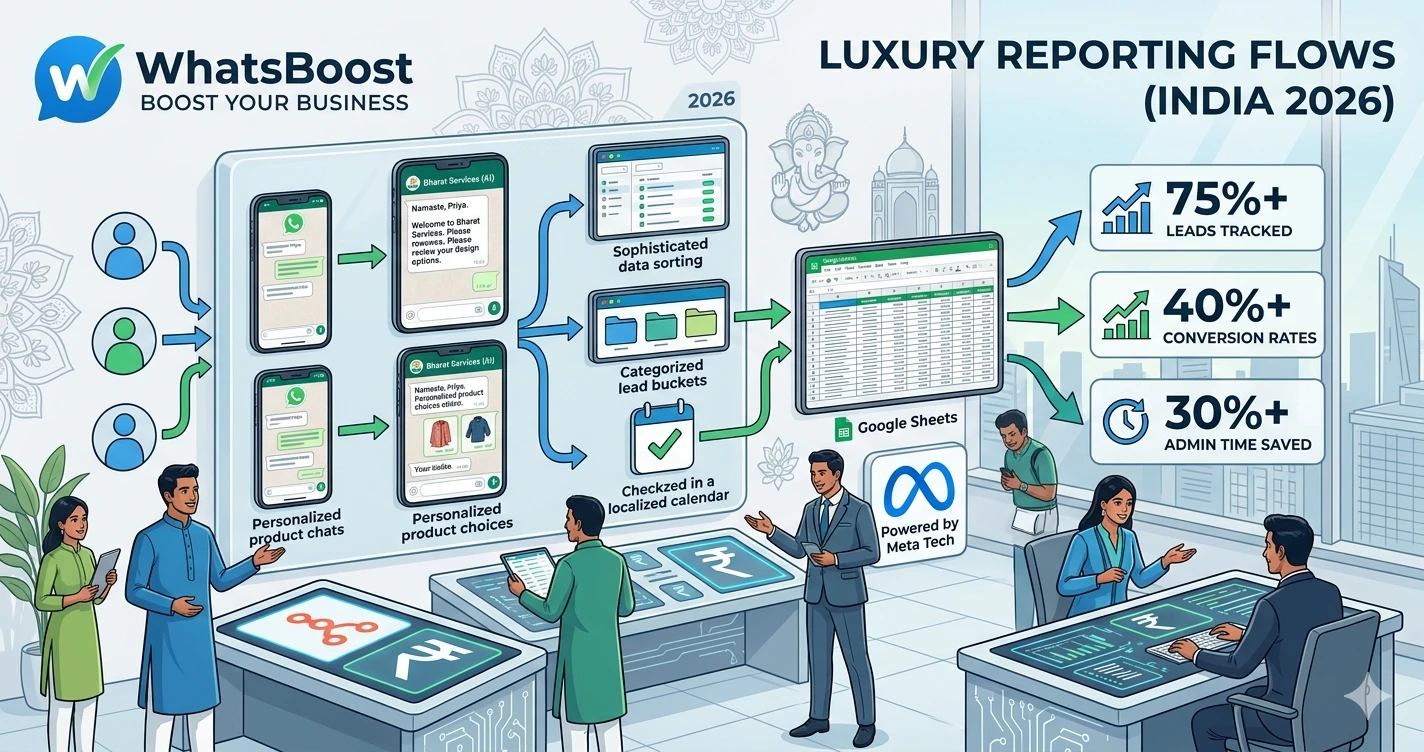
How to Automatically Save WhatsApp Conversations to Google Sheets for Reporting
Learn how to automatically save WhatsApp conversations to Google Sheets for reporting, lead tracking, customer support monitoring, and business analytics using WhatsApp automation, Google Sheets, n8n, and CRM integrations.
How to Automatically Save WhatsApp Conversations to Google Sheets for Reporting
Most businesses use WhatsApp every day.
For:
- Lead generation
- Customer support
- Sales enquiries
- Appointment bookings
- Client communication
- Internal coordination
But there's a problem.
Once conversations start piling up, valuable information becomes difficult to track.
As a result:
❌ Lead data gets lost
❌ Sales conversations become difficult to monitor
❌ Reporting becomes inaccurate
❌ Customer interactions are hard to analyze
❌ Managers lack visibility
The reality is simple.
If important business conversations only exist inside WhatsApp chats, you're sitting on valuable data that isn't being used effectively.
That's why many businesses automatically save WhatsApp conversations to Google Sheets.
👉 When conversation data is organized properly, it becomes a powerful source of business insights.
Why Businesses Need WhatsApp Reporting
Imagine receiving hundreds of WhatsApp messages every week.
Questions start appearing:
- How many leads came in this month?
- Which sales representative handled them?
- How quickly were customers contacted?
- What products are customers asking about?
- Which marketing campaigns generated enquiries?
Without reporting, it's difficult to answer these questions.
Businesses often discover that their biggest challenge isn't generating conversations—it's organizing them.
This is one reason many companies implement structured systems similar to this WhatsApp lead tracking framework using Claude AI and Google Sheets, allowing them to transform conversations into actionable business data.
Why Google Sheets Is Still a Powerful Reporting Tool
While many businesses eventually adopt advanced CRM platforms, Google Sheets remains one of the most flexible reporting tools available.
Benefits include:
✔ Easy access
✔ Real-time collaboration
✔ Custom reporting dashboards
✔ No technical expertise required
✔ Simple integrations with automation platforms
For many small and medium-sized businesses, Google Sheets serves as the first step toward data-driven decision-making.
What Information Can Be Saved From WhatsApp?
Businesses commonly track:
- Customer name
- Phone number
- Message content
- Date and time
- Lead source
- Sales representative
- Enquiry type
- Product interest
- Status updates
This information can then be used for reporting, forecasting, and performance analysis.
Common Business Use Cases
Lead Tracking
Every incoming enquiry is automatically logged.
This allows teams to monitor:
- Lead volume
- Lead sources
- Response times
- Conversion rates
Businesses focused on improving lead quality often combine reporting with strategies similar to these WhatsApp lead qualification workflows that improve CRM conversions.
The result is better visibility into the sales funnel.
Customer Support Reporting
Support teams can automatically track:
- Ticket volume
- Common issues
- Resolution times
- Escalation trends
Instead of manually reviewing conversations, managers can analyze data directly from Google Sheets.
Sales Performance Monitoring
Sales teams often use WhatsApp for prospect communication.
Saving conversations to Google Sheets helps track:
✔ Follow-up activity
✔ Sales opportunities
✔ Customer responses
✔ Conversion performance
This creates accountability and improves reporting accuracy.
Campaign Tracking
Many businesses run:
- WhatsApp campaigns
- Meta Ads
- Google Ads
- LinkedIn campaigns
Automatically saving enquiries helps identify which campaigns generate the most conversations.
This makes marketing performance easier to evaluate.
How the Automation Workflow Works
A typical workflow looks like this:
Customer Sends WhatsApp Message → Automation Captures Data → Google Sheet Updated → Team Notified → Reporting Dashboard Updated
The process happens automatically.
No manual data entry required.
Using WhatsBoost to Capture WhatsApp Conversations
As conversation volume grows, manually copying messages into spreadsheets becomes impossible.
WhatsBoost helps businesses automate:
✔ Lead capture
✔ Conversation logging
✔ Contact tracking
✔ Customer engagement
✔ Follow-up workflows
Instead of relying on manual processes, every important interaction can be recorded automatically.
This creates a reliable reporting foundation.
Connecting WhatsApp and Google Sheets Using n8n
To automate reporting, businesses often use workflow automation platforms.
One of the most flexible options is n8n.
Using workflows similar to this WhatsApp and n8n integration setup, businesses can automatically transfer conversation data into Google Sheets whenever specific events occur.
Examples include:
- New lead enquiry
- Customer support request
- Appointment booking
- Sales conversation
- Follow-up activity
The process runs continuously in the background.
Adding CRM Visibility
While Google Sheets is excellent for reporting, many businesses eventually need a centralized customer management system.
That's why many companies combine reporting with CRM integration.
By implementing workflows similar to this guide on integrating CRM systems with WhatsApp automation, businesses can ensure conversation data appears in both reporting dashboards and customer records.
This creates a complete operational view.
Using AI to Categorize Conversations Automatically
As message volume increases, manually categorizing conversations becomes difficult.
AI can help classify:
- Sales enquiries
- Support requests
- Product questions
- Billing issues
- Appointment requests
Businesses exploring advanced automation often adopt concepts similar to this guide on building AI-powered WhatsApp assistants with Claude and n8n.
This improves reporting quality while reducing manual effort.
Example Reporting Dashboard
A Google Sheet can track:
| Metric | Example |
| Total Messages | 2,450 |
| New Leads | 320 |
| Support Requests | 185 |
| Appointments Booked | 72 |
| Qualified Leads | 96 |
| Conversion Rate | 18% |
With automated updates, reporting becomes almost effortless.
Real Workflow Example
Customer Sends WhatsApp Message → WhatsBoost Captures Data → n8n Processes Conversation → AI Categorizes Request → Google Sheet Updated → CRM Record Created → Team Notification Sent
This creates a complete reporting ecosystem.
Before vs After WhatsApp Reporting Automation
| Before Automation | After Automation |
| Manual data entry | Automatic conversation logging |
| Incomplete reports | Real-time visibility |
| Missed customer insights | Organized analytics |
| Spreadsheet updates by hand | Automated reporting |
| Limited operational visibility | Centralized business intelligence |
Who Benefits From This Setup?
This reporting system is ideal for:
- Agencies
- Coaches
- Consultants
- Educational institutions
- Healthcare providers
- Real estate businesses
- Customer support teams
- Sales organizations
- Service-based businesses
Any business using WhatsApp regularly can benefit from better reporting.
How WhatsBoost Helps Automate WhatsApp Reporting
WhatsBoost helps businesses automate:
✔ Conversation logging
✔ Lead tracking
✔ Customer communication
✔ Reporting workflows
✔ CRM integrations
✔ Team notifications
✔ Google Sheets updates
Combined with Google Sheets, n8n, CRM systems, and AI workflows, businesses gain greater visibility into customer interactions and operational performance.
Final Conclusion
Most businesses already have valuable customer data inside WhatsApp conversations.
The problem is that the data remains trapped inside chats.
Without reporting:
❌ Trends are missed
❌ Opportunities are overlooked
❌ Performance becomes difficult to measure
❌ Decision-making suffers
By automatically saving WhatsApp conversations to Google Sheets, businesses can create structured reporting systems that improve visibility, accountability, and operational efficiency.
Using WhatsBoost, Google Sheets, CRM integrations, AI categorization, and n8n automation workflows, organizations can turn everyday conversations into meaningful business intelligence.
👉 The future is: WhatsApp + AI + Automation = Scalable Business Operations 🚀
Want to automate WhatsApp for your business?
Set up campaigns, replies, and follow-ups in minutes.