
How to Collect Payments on WhatsApp Without Sending Bank Details
Accept payments on WhatsApp without exposing your bank details using UPI links, Razorpay/PayU payment links, and automated reminders for overdue invoices.
WhatsApp is no longer just a chat app. For Indian businesses, it’s quickly becoming the primary touchpoint for orders, inquiries, and payments—all inside a single conversation.
Yet many entrepreneurs still hesitate to share their full bank account number or IFSC on WhatsApp, worrying about security, privacy, and miscommunication. The good news: you can collect payments on WhatsApp without ever exposing your bank details, using UPI links, payment‑gateway integrations, and automation tools.
This guide shows you how to safely collect money on WhatsApp, what competitors are doing, and how to structure your content and workflows so it converts like a pro.
Why WhatsApp Works for Payments Without Sharing Bank Details
Indian businesses are already using WhatsApp for orders, quotes, and follow‑ups, so it feels natural to move payments into the same channel.
What users and customers expect today
No back‑and‑forth on bank account numbers or IFSC.
Instant payment options (UPI, cards, or links) inside the chat.
Clear, clean messages that don’t feel “salesy” or spammy.
This is exactly why forward‑thinking brands are integrating WhatsApp with payment gateways like Razorpay, PayU, and PhonePe, and then sending payment links or UPI QRs instead of raw bank details.
You can learn how to tie these gateways into WhatsApp workflows by exploring an article on website integration with Indian payment platforms that shows end‑to‑end payment flows.
5 Ways to Collect Payments on WhatsApp (Without Sharing Bank Details)
These methods are widely used by Indian small businesses, D2C brands, and service providers.
1. Send a UPI Payment Link or QR (Most Common)
Instead of typing your bank name, account number, and IFSC, you can:
Generate a UPI payment link (e.g.,
upi://pay?pa=...) from your payment dashboard or accounting tool.Paste that link directly into the WhatsApp chat.
Or export a UPI QR code and send it as an image.
Customers simply tap the link or scan the QR, confirm the amount, and pay via their UPI app (PhonePe, Google Pay, Paytm, etc.). Their bank sees only your UPI ID, not your full account number.
WhatsApp itself supports UPI‑based payments in India, so you can even use WhatsApp Pay / UPI features to receive money as long as you’re on a supported plan.
2. Embedded Payment Links from Gateways (Razorpay, PayU, Instamojo, etc.)
Instead of sharing any bank details, you can:
Create an online invoice or payment request in your gateway dashboard.
Copy the payment link (short URL).
Paste it into WhatsApp inside a clean, branded message.
The customer lands on a secure payment page, completes the transaction, and the system updates your accounting or CRM.
This is the same logic used in WhatsApp automation tools that embed auto payment links into reminder messages, turning chats into a direct revenue channel.
3. Automated Payment Reminders with Built‑In UPI or Razorpay Links
Manual reminders are inconsistent and time‑consuming. Many Indian businesses now:
Connect WhatsApp to their CRM or accounting system.
Automatically trigger pre‑due, due‑date, and overdue payment reminders.
Include dynamic UPI or Razorpay links that change per invoice (amount, ID, customer name).
For example, instead of typing:
“Please transfer ₹5,000 to HDFC A/C 123… with IFSC …”
You can send:
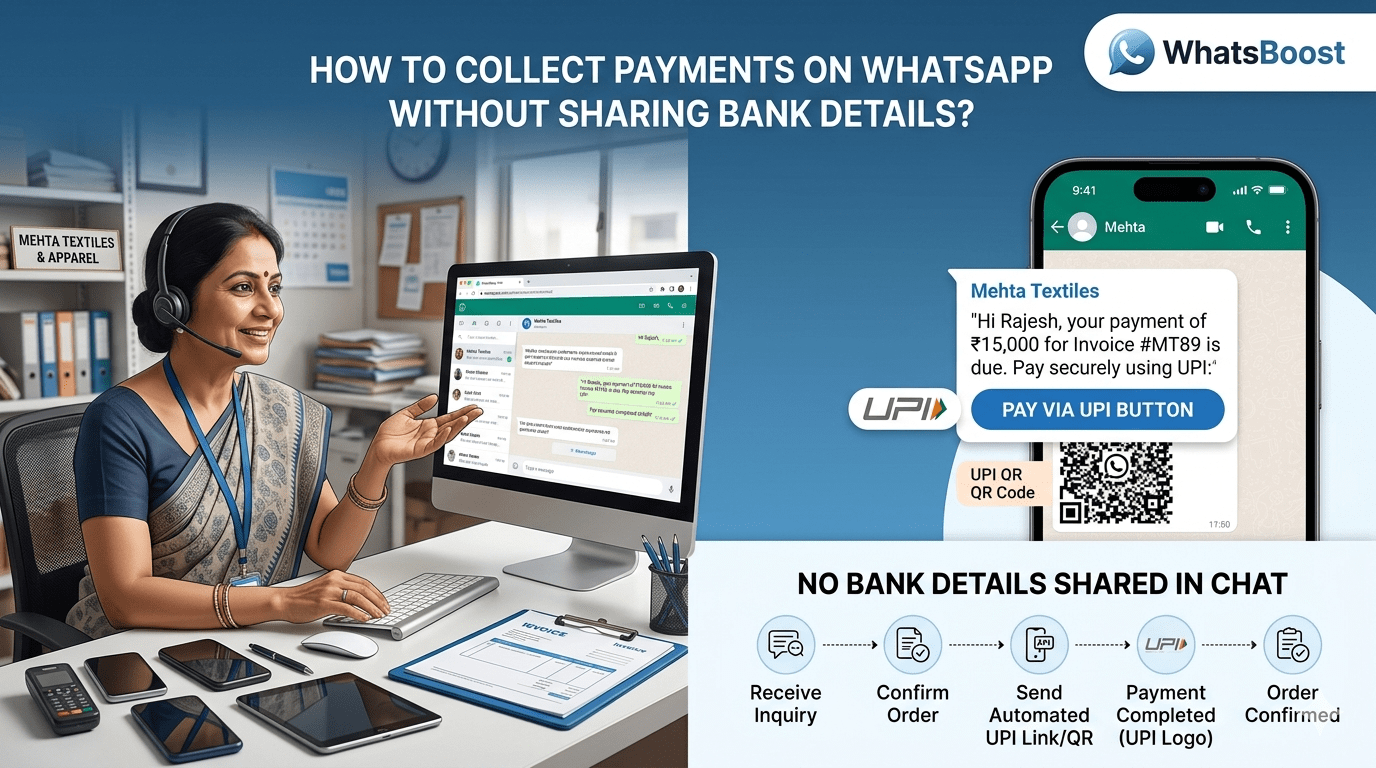
“Hi {{name}}, your payment of ₹{{amount}} is due on {{date}}. Pay securely here: {{payment_link}}.”
This keeps your bank details out of the chat and still makes paying frictionless.
If you want to see how this looks in practice, see a detailed guide on how to send automated payment reminder messages on WhatsApp for Indian businesses.
4. “One‑Click” Reorder Flows with Instant UPI Links
Some local brands (boutiques, clinics, coaching institutes) skip websites entirely and use WhatsApp as their catalog + checkout. After confirming an order in chat, they:
Trigger a WhatsApp‑compatible UPI link or payment request automatically.
Encourage the customer to pay inside the same app.
This approach is especially popular in service‑based and reorder‑heavy businesses, where repeat customers already trust the brand.
For a deeper dive into how local brands are using WhatsApp to skip websites and still collect payments, read a guide on how local brands use WhatsApp for reorders and payment links.
5. Integrate WhatsApp with Your CRM + Payment System (No Manual Copy‑Paste)
The most advanced setups use:
A CRM or billing system (Tally, Zoho, QuickBooks, etc.).
A payment gateway (Razorpay, PayU, Stripe, Cashfree, PhonePe Business).
A WhatsApp automation platform like Whatsboost that sits between them.
Workflows look like this:
Customer goes overdue in your accounting software.
Zap/IoT or automated job triggers a WhatsApp payment reminder.
Message includes a pre‑filled UPI or Razorpay link.
Payment success → WhatsApp sends a thank‑you + confirmation.
This is exactly how many Indian SMBs are making payment cycles shorter and reducing “manual chasing” calls.
Example Workflow: From Inquiry to Payment (Inside WhatsApp)
Imagine a coaching institute or boutique that sells monthly packages via WhatsApp. Here’s how they can collect payments without sharing bank details:
Lead / Inquiry
Customer messages via WhatsApp (or from a website’s “WhatsApp chat” button).
Quote & Confirmation
Staff sends a small invoice via chat (PDF or structured text).
Payment Link Sent
Automation or staff pastes a UPI / Razorpay link directly below the quote.
Payment Completion
Customer clicks the link, pays via UPI or card, and receives an instant confirmation.
Follow‑Up
Automated thank‑you and onboarding message via WhatsApp about next steps.
How to Protect Your Privacy and Avoid Sharing Bank Details
Here’s what you should never do inside WhatsApp:
Type your full bank account number, IFSC, and branch name in plain text.
Screenshot or forward your net‑banking dashboard.
Share OTPs or card‑on‑file details in chat.
Instead, lean on:
UPI IDs (e.g.,
xyz@okicici) instead of account numbers.Payment links from reputed gateways.
Automated systems that hide your backend details and only expose clean, branded links.
Want to automate WhatsApp for your business?
Set up campaigns, replies, and follow-ups in minutes.