
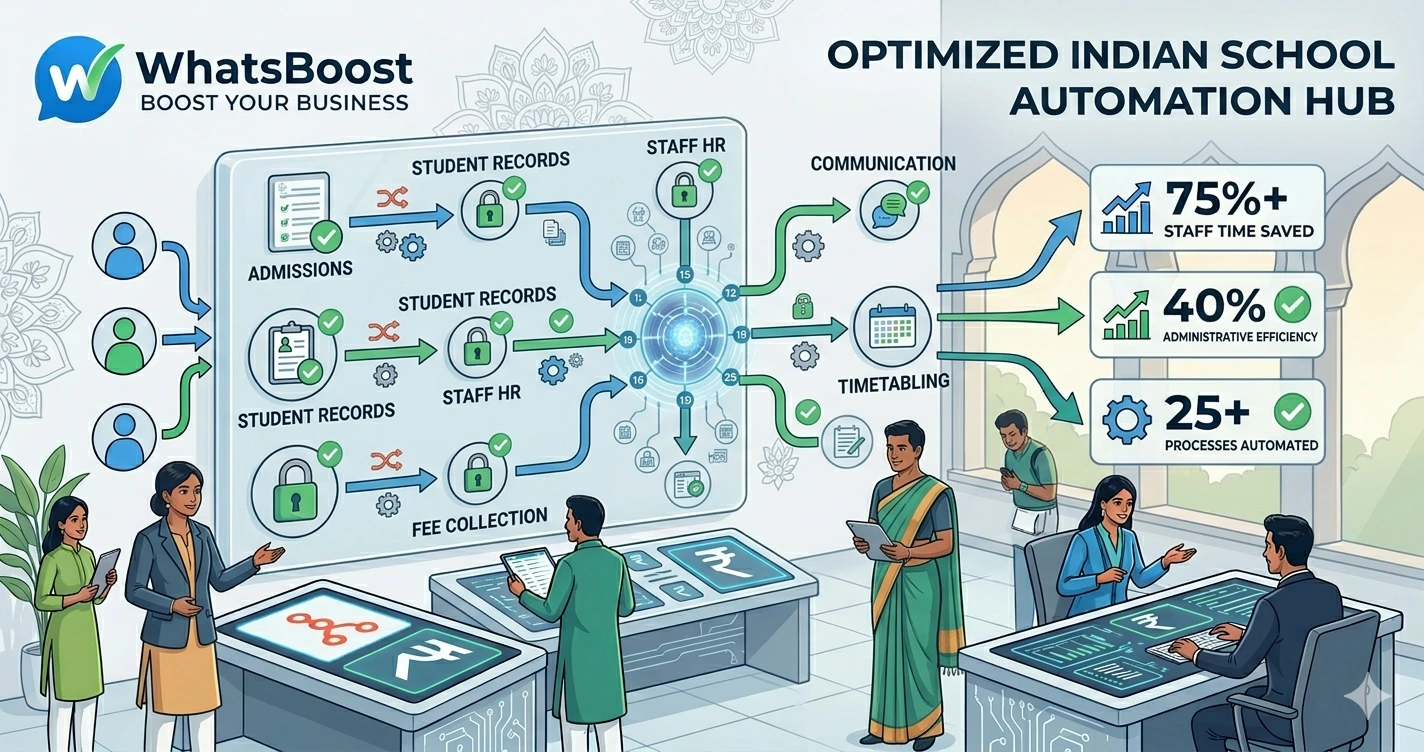
School Workflow Automation Checklist: 25 Processes Every School Should Automate
Discover 25 school workflows that can be automated using WhatsApp, CRM systems, Google Sheets, AI, and workflow automation tools. Reduce administrative workload, improve parent communication, and streamline school operations.
School Workflow Automation Checklist: 25 Processes Every School Should Automate
Running a school today involves much more than education.
Schools manage:
- Admissions
- Parent communication
- Fee collection
- Attendance
- Student records
- Staff coordination
- Event management
- Academic reporting
As student numbers increase, administrative work grows rapidly.
The result?
❌ Staff spend hours on repetitive tasks
❌ Important updates get delayed
❌ Parents miss communications
❌ Administrative costs increase
❌ School operations become difficult to scale
The good news is that many of these activities can be automated.
Modern schools are increasingly using WhatsApp, CRM systems, Google Sheets, AI tools, and workflow automation platforms to reduce manual work and improve operational efficiency.
👉 Schools that automate routine processes free up more time to focus on students, teachers, and learning outcomes.
Why Schools Need Workflow Automation
Many school processes still depend on:
- Manual phone calls
- Excel spreadsheets
- Paper records
- Individual staff follow-ups
While these methods work initially, they become difficult to manage as enrollment grows.
Schools often face challenges such as:
- Missed follow-ups
- Delayed fee collections
- Inconsistent parent communication
- Manual reporting
- Administrative bottlenecks
This is why many institutions are adopting automation frameworks similar to How Small Businesses Can Automate Operations Without Hiring More Staff, replacing repetitive operational work with automated systems.
The School Workflow Automation Checklist
Below are 25 processes every school should consider automating.
Admissions & Enrollment Automation
1. Admission Enquiry Collection
Automatically capture enquiries from:
- Website forms
- Social media campaigns
- Education fairs
Instead of manually tracking enquiries, schools can build systems similar to How to Build a WhatsApp Lead Tracking System Using Claude AI and Google Sheets.
2. Admission Follow-Up Sequences
Automatically send:
- Information brochures
- Admission deadlines
- Campus visit invitations
- Application reminders
This ensures every prospective parent receives timely communication.
3. Application Status Updates
Notify parents automatically when:
- Applications are received
- Documents are verified
- Interviews are scheduled
- Admissions are confirmed
4. Campus Visit Scheduling
Allow parents to book visits through automated scheduling workflows instead of manual coordination.
5. Admission Document Collection
Automate reminders for missing:
- Birth certificates
- Academic records
- Identity documents
- Transfer certificates
Parent Communication Automation
6. School Announcements
Automatically broadcast:
- Holiday notices
- Schedule changes
- Important updates
- Emergency communications
Schools managing large parent groups can benefit from strategies outlined in WhatsApp Community Message Automation Guide.
7. Parent Meeting Reminders
Send reminders before:
- PTM sessions
- Academic reviews
- School events
8. Event Invitations
Automatically invite parents to:
- Sports days
- Annual functions
- Graduation ceremonies
- School exhibitions
9. Feedback Collection
Request feedback after:
- Events
- Parent meetings
- Academic sessions
10. Survey Automation
Collect parent opinions using automated WhatsApp workflows.
Fee Collection Automation
11. Fee Due Date Reminders
Automatically notify parents before due dates.
Schools looking to streamline collections should implement systems similar to WhatsApp Payment Automation for Educational Institutions.
12. Overdue Fee Notifications
Send follow-up reminders for unpaid balances.
13. Payment Confirmation Messages
Automatically confirm successful payments.
14. Digital Receipt Delivery
Share receipts instantly after payment completion.
15. Finance Team Alerts
Notify staff when payments are received.
Workflows inspired by Automated Employee Alerts via WhatsApp can help finance teams stay updated in real time.
Student Management Automation
16. Attendance Notifications
Automatically notify parents about:
- Absences
- Late arrivals
- Attendance concerns
17. Academic Progress Updates
Share performance reports automatically.
18. Homework Reminders
Send reminders for assignments and submissions.
19. Exam Schedule Notifications
Keep students and parents informed about upcoming examinations.
20. Result Announcements
Notify families when results are published.
Staff & Internal Operations Automation
21. Staff Task Assignments
Automatically distribute administrative tasks.
Schools often improve accountability through systems similar to Why Businesses Need Smarter Task Follow-Up Systems.
22. Leave Request Approvals
Automate approval workflows for teachers and staff.
23. Internal Staff Notifications
Send updates regarding:
- Meetings
- Policy changes
- Urgent announcements
24. Inventory and Resource Requests
Track classroom supply requests automatically.
25. Reporting and Dashboard Updates
Automatically update reports for:
- Admissions
- Attendance
- Fee collections
- Student performance
Schools can create reporting systems similar to WhatsApp + Google Sheets + Looker Studio: The Ultimate Reporting Stack for Businesses, giving administrators real-time visibility into operations.
The Ideal School Automation Workflow
A modern school workflow may look like this:
Admission Enquiry → Parent Follow-Up → Enrollment Confirmation → Fee Reminder → Attendance Tracking → Academic Updates → Parent Communication → Reporting Dashboard
Each step happens automatically.
This reduces administrative workload while improving communication.
Using AI in School Operations
AI is becoming increasingly useful for schools.
It can help:
✔ Answer admission questions
✔ Provide fee information
✔ Handle parent enquiries
✔ Share schedules
✔ Route requests to staff
Schools exploring AI-powered communication often adopt concepts similar to Building an AI WhatsApp Coach Using Claude AI and n8n, adapting them for educational environments.
This improves responsiveness while reducing manual effort.
Before vs After School Automation
| Before Automation | After Automation |
| Manual follow-ups | Automated communication |
| Repetitive administrative work | Streamlined workflows |
| Delayed parent updates | Real-time notifications |
| Paper-based tracking | Digital visibility |
| Limited reporting | Automated dashboards |
| Scaling challenges | Efficient operations |
How WhatsBoost Helps Schools Automate Operations
WhatsBoost helps educational institutions automate:
✔ Parent communication
✔ Admission follow-ups
✔ Fee reminders
✔ Attendance alerts
✔ Event notifications
✔ Staff communication
✔ Reporting workflows
✔ CRM integrations
Combined with Google Sheets, CRM systems, AI assistants, and automation platforms, schools can build a connected operational ecosystem.
Final Conclusion
Schools are under increasing pressure to manage more students, more communication, and more administrative work without significantly increasing staff.
Manual processes eventually become bottlenecks.
Without automation:
❌ Communication delays increase
❌ Administrative workload grows
❌ Operational visibility decreases
❌ Scaling becomes difficult
By automating admissions, fee collection, attendance, reporting, parent communication, and internal workflows, schools can operate more efficiently while improving experiences for students, parents, and staff.
The schools that thrive in the coming years won't simply have better facilities.
They'll have better systems.
👉 The future is: WhatsApp + AI + Automation = Scalable Business Operations 🚀
Want to automate WhatsApp for your business?
Set up campaigns, replies, and follow-ups in minutes.