
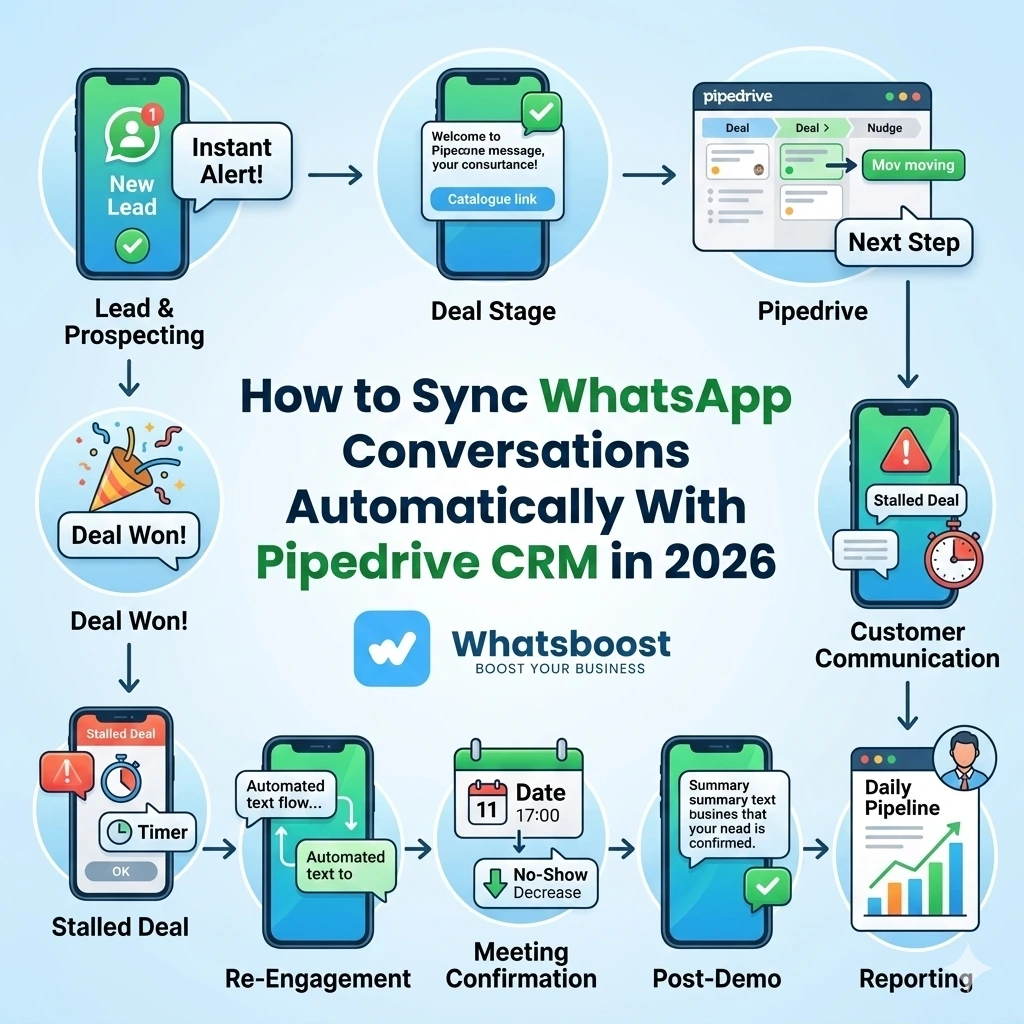
How to Sync WhatsApp Conversations Automatically With Pipedrive CRM in 2026 | Whatsboost
Learn how to automatically sync WhatsApp conversations with Pipedrive CRM in 2026. Discover step-by-step setup, key benefits, practical workflows, and how Whatsboost makes WhatsApp and Pipedrive work as one seamless sales system.
Every sales team using Pipedrive knows the feeling: a promising deal sits in the pipeline, the last contact note says "called — no answer" from three weeks ago, and nobody can remember what was actually discussed on WhatsApp. The conversation happened. The context existed. But it never made it into the CRM.
This is one of the most common and costly gaps in modern sales operations. WhatsApp is where real sales conversations happen — requirements are clarified, objections are raised, pricing is negotiated, and buying signals are given. Yet if those conversations are not captured in Pipedrive, your CRM is an incomplete record of your pipeline, and your sales team is making decisions based on partial information.
Syncing WhatsApp conversations automatically with Pipedrive CRM solves this entirely. In 2026, with Whatsboost powering your WhatsApp Business API, this synchronisation is not just possible — it is straightforward to implement and immediately impactful for any sales team.
Why Automatic WhatsApp to Pipedrive Sync Matters for Sales Teams
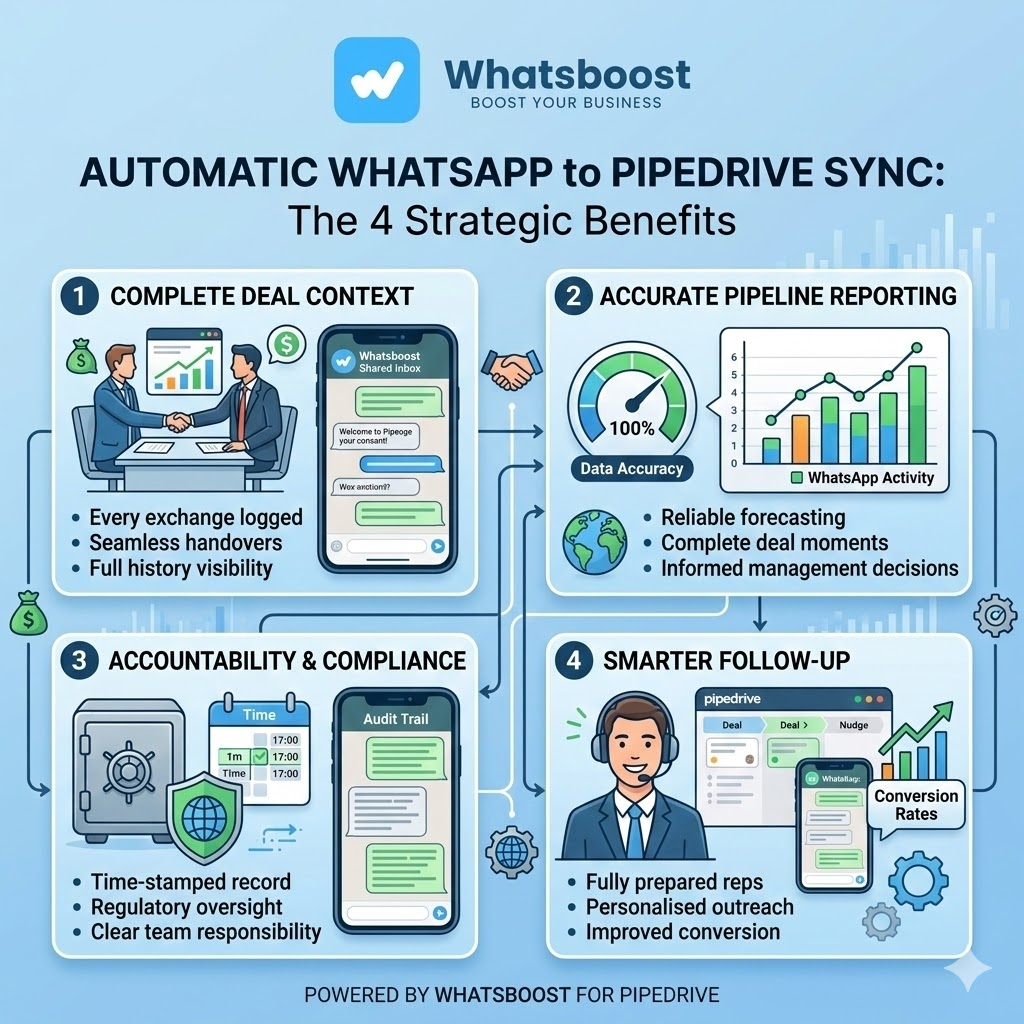
The case for syncing WhatsApp conversations with Pipedrive goes beyond convenience. It directly affects the quality of your sales process in four meaningful ways.
Complete deal context at all times — When every WhatsApp exchange is logged against the relevant Pipedrive deal, any sales rep can pick up a conversation with full context — even if they were not the one who last spoke to the prospect. Handovers become seamless. Account coverage improves. No deal suffers because of a team member being unavailable.
Accurate pipeline reporting — Sales managers making pipeline decisions based on Pipedrive data need that data to be complete. If WhatsApp conversations — where critical deal moments happen — are not reflected in the CRM, pipeline reports are unreliable and forecasting is guesswork.
Accountability and compliance — For sales teams in regulated industries or businesses with quality oversight requirements, having a complete, time-stamped record of every customer conversation in Pipedrive provides the audit trail and accountability structure that scattered WhatsApp chats simply cannot.
Smarter follow-up by the sales team — When a sales rep can see exactly what was said in the last WhatsApp conversation before making a follow-up call, they are infinitely better prepared. The prospect feels remembered. The conversation picks up where it left off. Conversion rates improve.
How WhatsApp Conversation Sync With Pipedrive Works
The sync between WhatsApp and Pipedrive is built on three components working together: Whatsboost's WhatsApp Business API, a data-routing automation layer, and Pipedrive's notes and activities API.
Here is the end-to-end flow:
Step 1 — WhatsApp Message Is Sent or Received via Whatsboost Every WhatsApp conversation managed through Whatsboost's shared team inbox is captured in real time — both inbound messages from prospects and outbound messages sent by your sales reps.
Step 2 — Whatsboost Fires a Webhook With Conversation Data When a message is sent or received, Whatsboost fires a webhook containing the conversation data — sender, recipient, message content, timestamp, and any associated tags or labels applied by the sales rep.
Step 3 — Automation Platform Routes Data to Pipedrive An automation platform — Zapier, Make, or Pabbly Connect — receives the webhook, matches the WhatsApp contact to the relevant Pipedrive deal or contact record using the phone number, and creates a note or activity entry in Pipedrive with the conversation content and timestamp.
Step 4 — Pipedrive Deal Record Is Updated in Real Time The Pipedrive deal timeline is updated with the WhatsApp conversation — logged as a note, an activity, or a custom field entry — so any team member viewing the deal sees a complete, chronological record of all communication, including WhatsApp exchanges.
Step 5 — Sales Rep and Manager Have Full Visibility The sales rep sees the complete conversation history in Pipedrive without switching to WhatsApp. The manager sees the same. Pipeline reviews, handovers, and follow-ups are all informed by the full picture of every deal's communication history.
Setting Up WhatsApp to Pipedrive Automatic Sync With Whatsboost
Getting this system live is more accessible than most sales teams expect. Here is the practical path.
Step 1: Activate WhatsApp Business API via Whatsboost
Whatsboost is an authorised WhatsApp Business Solution Provider that activates your WhatsApp Business API with full onboarding support. This is the non-negotiable foundation — without the API, automated conversation capture and sync is not possible. Start at Whatsboost.in.
Step 2: Set Up Whatsboost Shared Team Inbox
Migrate your sales team's WhatsApp communication to Whatsboost's shared team inbox. This centralises all conversations — from all reps — in one platform, making automated capture and sync possible across the entire team rather than from individual devices.
Step 3: Configure Whatsboost Webhook Output
In your Whatsboost settings, enable outgoing webhooks that fire on new incoming and outgoing messages. Configure the webhook payload to include the contact phone number, message content, timestamp, and rep identifier.
Step 4: Build the Pipedrive Sync Workflow in Zapier or Make
Create an automation that receives the Whatsboost webhook, searches Pipedrive for a matching contact or deal using the phone number, and creates a note or logs an activity against that record with the message content. Include error handling for cases where no matching Pipedrive record exists — such as creating a new contact automatically for first-time WhatsApp contacts.
Step 5: Test With Real Conversations and Validate
Send test messages through Whatsboost and confirm they appear correctly in the relevant Pipedrive deal timeline. Validate that the phone number matching works reliably, that timestamps are accurate, and that message content is captured completely before rolling out to your full sales team.
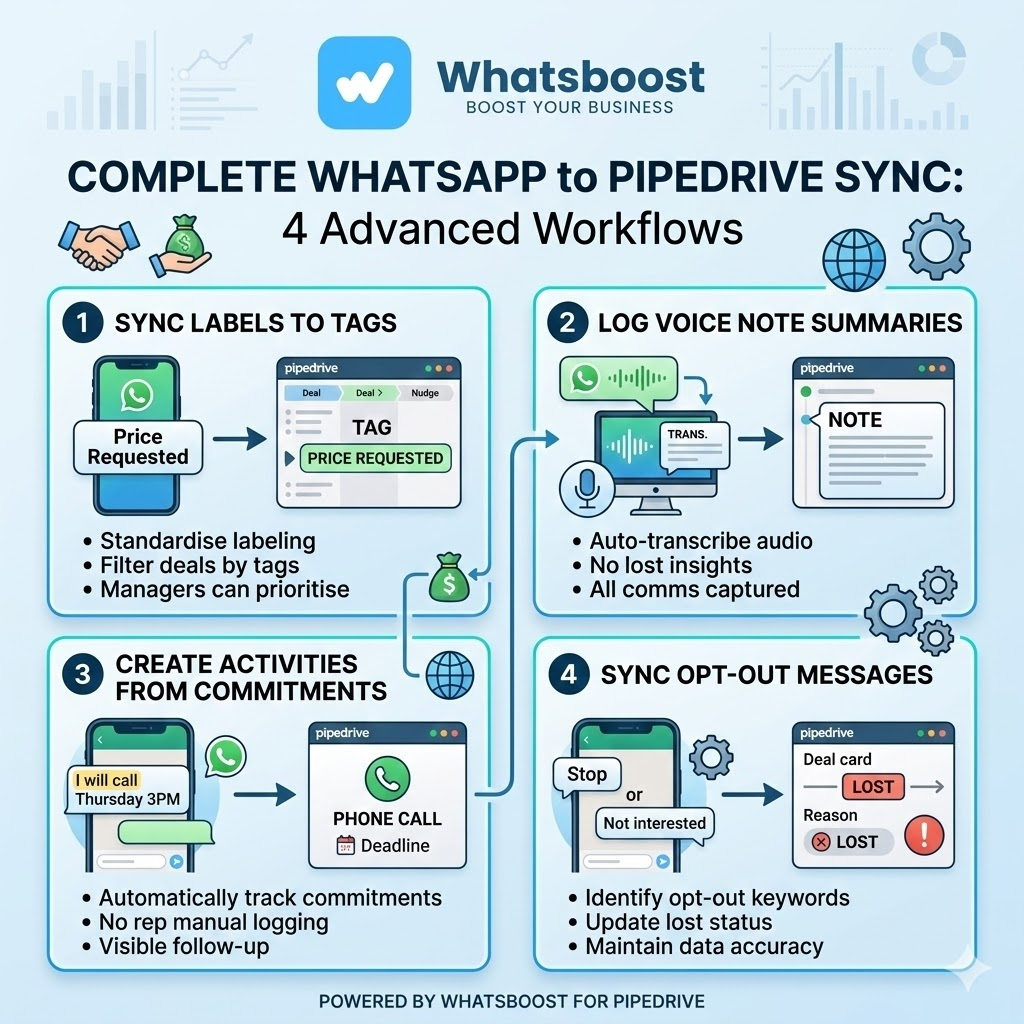
4 Advanced Sync Workflows for Sales Teams
Sync WhatsApp Message Labels to Pipedrive Deal Tags
When a Whatsboost message label is applied — such as "Hot Lead," "Price Requested," or "Ready to Close" — the automation syncs this label as a tag on the corresponding Pipedrive deal. Sales managers can then filter the Pipedrive pipeline by these WhatsApp-derived tags for instant prioritisation.
Log WhatsApp Voice Note Summaries in Pipedrive
When a voice note is received from a prospect on WhatsApp, the automation can transcribe the audio using a connected transcription service and log the text summary as a Pipedrive note — so even voice-based WhatsApp exchanges are captured in the CRM record.
Create Pipedrive Activities From WhatsApp Commitments
When a sales rep sends a WhatsApp message confirming a specific action — "I will call you Thursday at 3 PM" — a keyword trigger in the automation creates a corresponding activity in Pipedrive, ensuring the commitment is tracked and visible to the manager without the rep manually logging it.
Sync WhatsApp Opt-Out Messages to Pipedrive
If a prospect replies "Stop," "Not interested," or a similar opt-out phrase on WhatsApp, the automation updates the Pipedrive deal status to "Lost" and records the opt-out reason — maintaining CRM accuracy without requiring any manual update from the sales rep. Whatsboost supports keyword detection in incoming messages that makes this trigger straightforward to configure.
Best Practices for WhatsApp Pipedrive Conversation Sync
Standardise how your sales team uses Whatsboost labels. The sync is only as useful as the data it captures. Train your team to consistently apply message labels in Whatsboost so that the Pipedrive records are enriched with meaningful categorisation, not just raw message content.
Sync selectively for high-volume teams. If your sales team handles hundreds of WhatsApp messages daily, syncing every single message to Pipedrive can create noise. Configure the sync to capture only substantive exchanges — such as messages tagged as "Important" or conversations in specific Whatsboost inbox categories.
Audit the sync monthly. Run a monthly check to confirm that the phone number matching between WhatsApp contacts and Pipedrive records is working accurately. Over time, as your contact database grows, occasional mismatches need to be identified and corrected to maintain data integrity.
Combine sync with automated follow-up triggers. Use the synced data in Pipedrive to trigger further WhatsApp automations — for example, if a note logged from a WhatsApp conversation indicates the prospect requested a proposal, automatically trigger a WhatsApp follow-up from Whatsboost three days later to check if the proposal has been reviewed. Learn more about this capability at Whatsboost.
A Complete CRM Is a More Powerful CRM
Pipedrive is only as valuable as the data inside it. When your most active sales communication channel — WhatsApp — is disconnected from your CRM, your pipeline data is always incomplete and your sales decisions are always made with less information than they should be.
Syncing WhatsApp conversations automatically with Pipedrive through Whatsboost closes that gap permanently. Every conversation is captured. Every deal record is complete. Every sales rep and manager works from the full picture — and more deals get closed as a result.
Visit Whatsboost.in and start syncing your WhatsApp conversations with Pipedrive today.
Want to automate WhatsApp for your business?
Set up campaigns, replies, and follow-ups in minutes.