
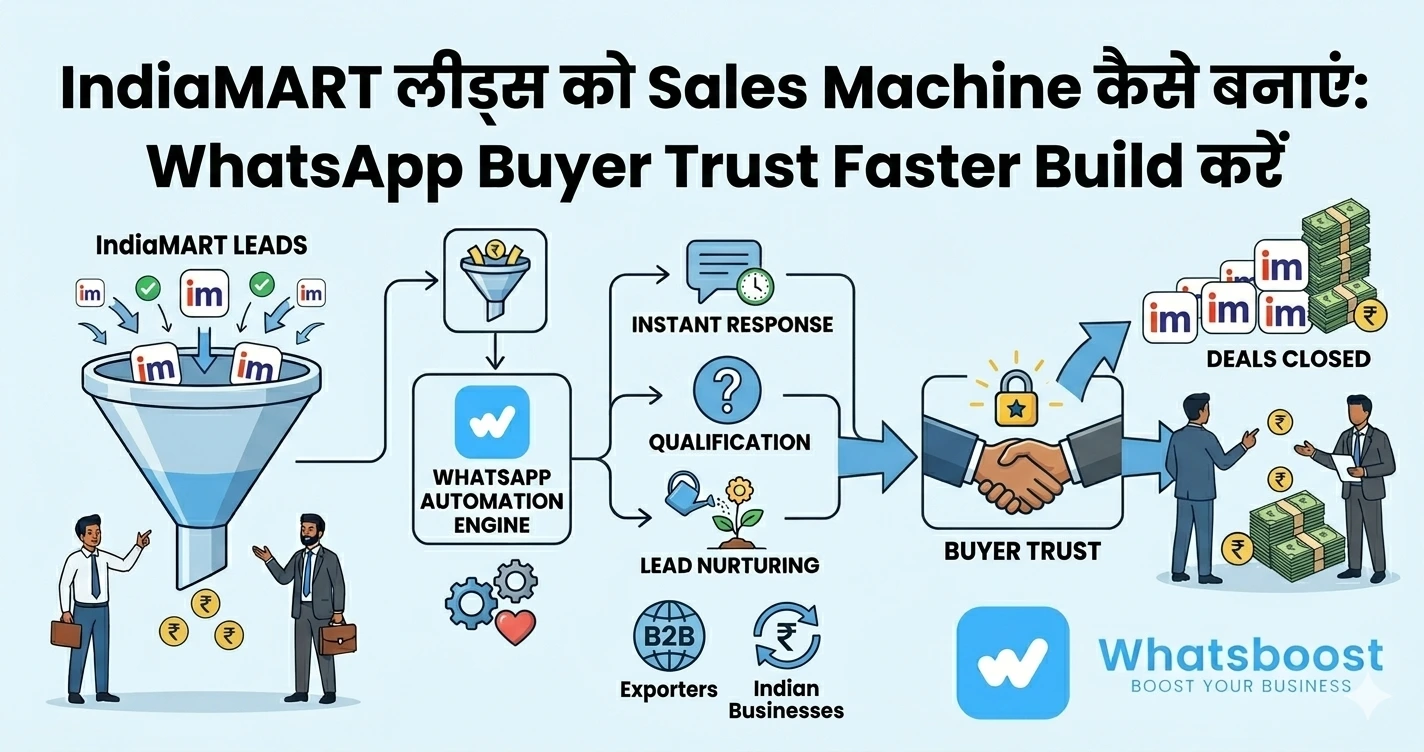
IndiaMART Lead Automation for Exporters: WhatsApp से Buyer Trust Faster Build करें
जानें कैसे exporters WhatsApp automation की मदद से IndiaMART leads को instantly respond करके buyer trust build कर सकते हैं और conversions बढ़ा सकते हैं।
Exporters के लिए सबसे बड़ा challenge क्या है? Leads नहीं — Trust
अगर आप IndiaMART से export enquiries लेते हैं, तो आपने यह जरूर notice किया होगा:
- Buyer enquiry करता है
- आप reply करते हैं
- लेकिन response नहीं आता
👉 Problem price नहीं है
👉 Problem है trust + speed + clarity
Export buyers usually:
- 5–10 suppliers को contact करते हैं
- First clear response वाले supplier को shortlist करते हैं
👉 मतलब:
Speed = Trust = Conversion
Export Buyers Trust क्यों नहीं करते?
Export business में buyers hesitate करते हैं क्योंकि:
- Supplier unknown होता है
- Response slow या generic होता है
- कोई clear process नहीं होता
- Follow-ups inconsistent होते हैं
👉 Trust सिर्फ pricing से नहीं बनता
👉 Trust बनता है:
✔ Speed
✔ Clarity
✔ Professional communication
WhatsApp क्यों Export Sales के लिए सबसे powerful tool है
Email vs WhatsApp समझें:
Email:
❌ Slow
❌ Formal
❌ Low response
WhatsApp:
✔ Instant delivery
✔ High open rate
✔ Conversational feel
✔ Easy document sharing
👉 WhatsApp enquiry और confidence के बीच gap को bridge करता है
👉 WhatsApp automation basics समझने के लिए पढ़ें:
https://whatsboost.in/blog/the-complete-guide-to-whatsapp-marketing-automation-in-2026-master-the-art-with-whatsboost
Problem: Manual WhatsApp Handling क्यों fail होता है?
बहुत exporters WhatsApp use करते हैं — लेकिन manually
Issues:
- Leads miss हो जाते हैं
- कोई standard reply नहीं होता
- Time zone issues
- Follow-ups inconsistent होते हैं
👉 Manual system scale नहीं करता, especially global business में
Solution: IndiaMART Lead Automation + WhatsApp
अब imagine करें:
👉 Enquiry आते ही WhatsApp message चला जाए
👉 Buyer automatically qualify हो जाए
👉 सही info सही time पर मिले
👉 Follow-ups auto हो
👉 यही है WhatsApp automation for exporters
WhatsApp Automation Workflow (Exporters के लिए)
1. Instant First Response (सबसे important)
जैसे ही enquiry आए:
"Hi {{Name}}, आपकी enquiry मिली है. हम export supplier हैं. Details share कर रहा हूँ."
👉 First impression = trust signal
👉 Instant reply drop-off drastically reduce करता है
2. Automated Buyer Qualification
Automation पूछ सकता है:
- Quantity
- Country
- Timeline
- Certification needs
👉 इससे:
✔ Serious buyers identify होते हैं
✔ Time waste नहीं होता
3. Trust-Building Content Delivery
Buyer को automatically भेजें:
- Product catalog
- Factory videos
- Export certifications
- Client references
👉 यह सब context-based होना चाहिए (spam नहीं)
4. Time-Zone Friendly Follow-ups
Export business में biggest challenge = time zones
Automation:
- 24/7 follow-ups भेजता है
- किसी भी lead को miss नहीं करता
👉 इससे global buyers handle करना आसान हो जाता है
5. Smart Lead Routing
- High-value buyer → sales team
- Low intent → nurture flow
👉 इससे efficiency बढ़ती है
WhatsApp Automation Trust कैसे Build करता है?
Human vs Automation समझें:
Human:
- Delay possible
- Mood-dependent
- Inconsistent
Automation:
- Instant
- Consistent
- Structured
👉 Buyers trust those suppliers:
✔ जो तुरंत reply करते हैं
✔ Clear information देते हैं
✔ Consistent रहते हैं
Export Credibility WhatsApp से कैसे Show करें
Automation workflows में include करें:
- Company introduction
- Years of experience
- Export certifications
- Client portfolio
👉 इससे buyer hesitation reduce होता है
IndiaMART Leads Automation Setup (Step-by-Step)
Step 1: WhatsBoost Setup करें
- WhatsApp number connect करें
- API या QR method
Step 2: IndiaMART Integration Enable करें
- Leads automatically capture हों
👉 Detailed setup guide पढ़ें:
https://whatsboost.in/blog/automating-indiamart-follow-ups-on-whatsapp-using-whatsboost-full-guide
Step 3: Message Templates बनाएं
- Welcome message
- Product details
- Follow-ups
- Trust content
Step 4: Automation Workflow Design करें
Example:
- Instant reply
- 1-hour follow-up
- 24-hour reminder
- 3-day nurture
👉 Structured flow conversion increase करता है
Step 5: Track & Optimize करें
- कौन reply कर रहा है
- कौन drop हो रहा है
- कौन convert हो रहा है
WhatsBoost कैसे Exporters के लिए Game-Changer है
WhatsBoost एक export-focused WhatsApp automation platform है
यह आपको देता है:
🚀 Instant Lead Capture
IndiaMART enquiry → WhatsApp
🤖 Smart Automation Flows
- Qualification
- Follow-ups
- Nurturing
👥 Lead Routing
Serious buyers → sales team
📊 Analytics
- Engagement tracking
- Conversion insights
👉 इससे WhatsApp सिर्फ messaging tool नहीं —
👉 एक trust-building system बन जाता है
Real Use Cases (Export Industry)
B2B Manufacturers
Bulk RFQs जल्दी convert करना
Trading Companies
Low-quality leads filter करना
SME Exporters
Big players से compete करना
Multi-Country Sellers
Global enquiries manage करना
Without Automation vs With Automation
| Factor | Without Automation | With Automation |
|---|---|---|
| Response Time | Hours | Seconds |
| Trust Level | Low | High |
| Follow-ups | Inconsistent | Automated |
| Conversion | Low | High |
👉 Automation clearly advantage देता है
Common Mistakes (Avoid करें)
❌ Late response
❌ Generic replies
❌ No follow-up
❌ No trust signals
❌ Over messaging
👉 ये mistakes buyer trust destroy करती हैं
Pro Tips (Expert Strategy)
Speed is everything
पहला reply = पहला impression
Clarity जरूरी है
Confusing message = lost buyer
Proof share करें
Certificates + videos = trust boost
Automation + Human balance रखें
Bot qualify करे, human close करे
Final Conclusion
Export business में जीत किसकी होती है?
👉 जो cheapest नहीं
👉 जो fastest + clearest + trustworthy होता है
अगर आप अभी भी manual process use कर रहे हैं:
❌ Leads lose होंगी
❌ Buyers trust नहीं करेंगे
लेकिन WhatsApp automation के साथ:
✔ हर lead instantly handle होगी
✔ हर buyer engage रहेगा
✔ हर conversation structured होगी
👉 यही difference है supplier और trusted export partner के बीच 🚀
Want to automate WhatsApp for your business?
Set up campaigns, replies, and follow-ups in minutes.