How to Lower Meta CAC by Converting Facebook Ad Clicks Directly into WhatsApp Chats
Cut Meta ad CAC by sending Facebook clicks straight to WhatsApp chats. Learn setup, the 72-hour free window, automation and Conversions API tracking.
Most Meta ad accounts don't have a traffic problem. They have a leak between the click and the customer. You pay for the click, then lose people to a slow landing page, an unfinished form, or a sales callback that arrives hours later. The ones who do buy on cash on delivery often come back as returns. Your cost per customer climbs even when your cost per click holds steady.
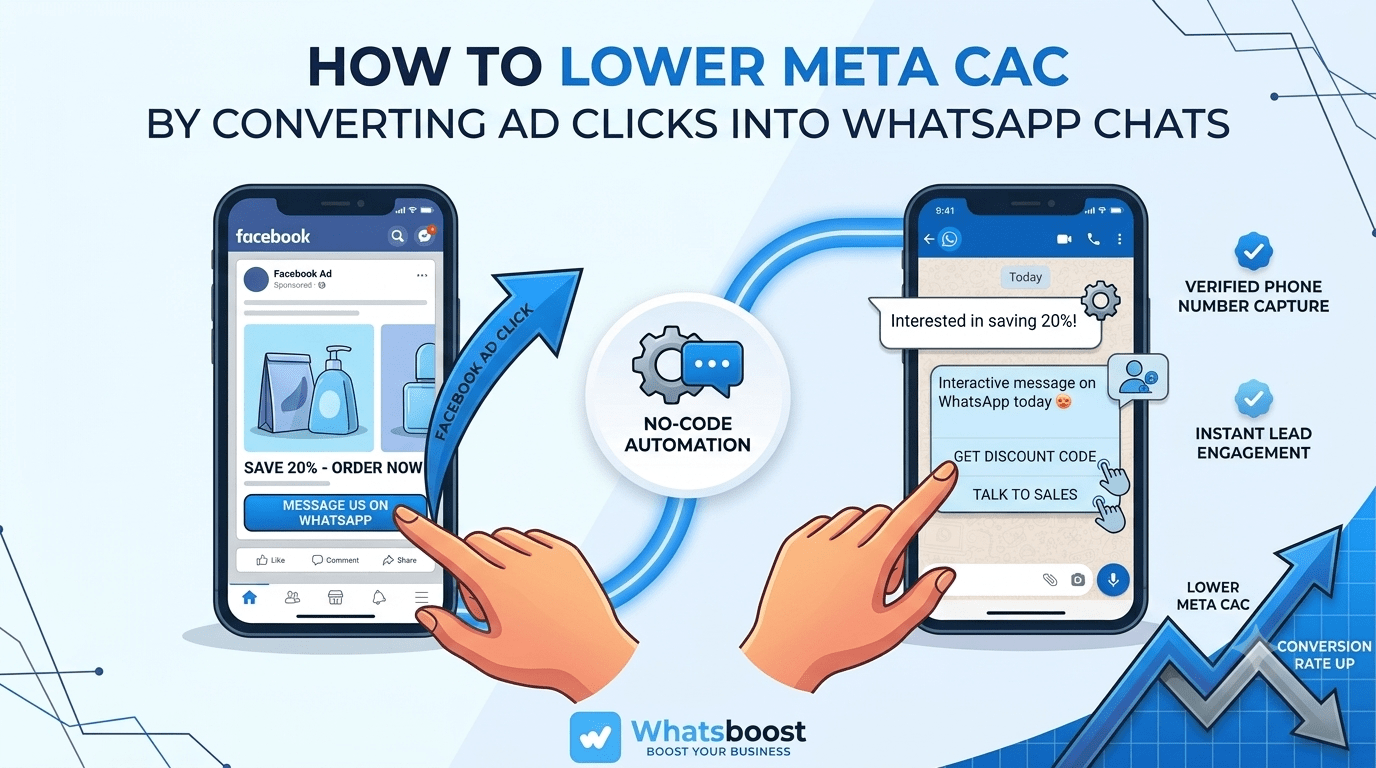
Click-to-WhatsApp ads close that leak at the source. Instead of sending the click to a page, the ad opens a WhatsApp chat with your business, where you can answer in seconds and close the order. This guide covers how to set that up, how to measure whether it's lowering your CAC, and what to automate so it stays profitable as spend grows.
In short
- CAC falls when more of the people you pay for become paid, delivered orders.
- Chat-first ads cut drop-off, speed up replies and open Meta's 72-hour free messaging window.
- Optimise for purchases by sending order data back to Meta, not just for conversations started.
Where Meta CAC Actually Leaks Between the Click and the Customer
Customer acquisition cost is your total ad spend divided by the new customers you win. Most teams try to lower it by tweaking creatives and audiences. The bigger gains usually sit after the click, in four places where people you've already paid for drop out:
- Click to first contact: the page loads slowly, the form is long, or the shopper gives up.
- First contact to first reply: the lead waits for a callback or an email.
- Reply to order: questions about size, price or delivery go unanswered, so the shopper buys elsewhere.
- Order to delivery: a COD order is never confirmed and ends up as a return.
Here is how the two funnels compare at each stage:
| Stage | Landing-page funnel | Click-to-WhatsApp funnel |
|---|---|---|
| Click to first contact | Page load, scrolling, form fill | One tap opens a chat with a message pre-filled |
| First response | Callback or email, often hours later | Automated reply within seconds |
| Questions and objections | Wait for the team, or leave | Answered in the same chat |
| Payment and confirmation | Separate steps, COD unverified | Payment link or COD confirmation in the chat |
| Follow-up | Email or SMS with no easy reply path | Same thread, free inside the 72-hour window |
Why Sending Facebook Ad Clicks to WhatsApp Lowers Your Customer Acquisition Cost
You Remove the Landing Page Drop-Off
Someone scrolling Facebook on their phone has a few seconds of intent. Every extra step between the tap and the conversation costs you people you've already paid for. A chat opens inside an app they use all day, with no page to load and no form to fill, and they can type a question the way they would to a shop owner.
For D2C products this matters even more. The questions that block a purchase are usually small ones: does this come in my size, is COD available at my pincode, when will it arrive. A chat answers them in the moment.
You Reply in Seconds, Not Hours
Intent fades quickly. A shopper who messages you about a kurta set at 9 pm is ready to buy at 9 pm, not after tomorrow's callback. With automation answering instantly, every click gets a response whether your team is online or not. A human steps in only once the shopper is qualified.
Meta's 72-Hour Free Window Cuts Follow-Up Costs
When someone messages you from a Click-to-WhatsApp ad, Meta opens a 72-hour free entry point window. Messages you send inside it, including approved templates, aren't billed, as long as you respond promptly (reply within the first 24 hours). That gives you three days of free follow-up: a reminder, a restock note, a prepaid offer.
Two cautions apply. Free-form messages still depend on the customer having messaged you recently, and once the window closes, standard per-message rates apply. Meta has revised its pricing several times in 2026, so check its pricing page for the current rules.
How to Set Up Facebook Ads That Open WhatsApp Chats
If you're new to the format, our guide to what Click-to-WhatsApp ads are and how to set one up covers the basics. These are the settings that affect CAC:
- Connect your WhatsApp number to your Facebook Page. Use a number on the WhatsApp Business Platform through a provider, so automation can reply instantly.
- Set WhatsApp as the conversation destination in Ads Manager. Meta renames campaign objectives from time to time, so check that the destination is WhatsApp rather than relying on the objective's name.
- Put the offer and a reason to chat in the creative. "Not sure of your size? Message us for a fit check" beats a generic "Send Message" button.
- Use a pre-filled message that names the product or campaign. Every chat then arrives with context, and your automation can tag it by ad automatically.
- Keep prospecting and retargeting in separate campaigns. That lets you compare CAC by audience instead of blending it.
What to Automate in the First 60 Seconds After the Click
The ad gets the chat started. Automation decides whether it turns into an order. A good first-minute flow looks like this:
- Greet by product. Reference what they clicked, so the reply doesn't feel like a template.
- Ask two or three quick questions. Size or shade, delivery pincode, COD or prepaid.
- Send the answer and the next step. Share product details and a payment link, with a small prepaid incentive if margins allow.
- Confirm COD orders before dispatch. A one-tap Confirm or Cancel message screens out low-intent orders before you pay for shipping.
- Hand off to a human when it matters. Route high-value or complex chats to your team, and tag every chat by campaign and ad set.
Tagging and routing are what stop leads from slipping away unnoticed. Our post on how to avoid lead leakage between CTWA ads and your CRM covers that in detail.
Optimise for Purchases, Not Conversations: Feed Sales Data Back to Meta
By default, Meta only knows that a chat started. If you optimise for conversations started, it finds more people who message, including the curious and the low-intent. Your dashboard looks healthy while your CAC doesn't improve.
The fix is Meta's Conversions API for business messaging. It lets you send events like Lead and Purchase from your WhatsApp conversations back to Meta, matched to the click through the ID Meta attaches to ad-originated chats. Meta supports purchase optimisation for click-to-message campaigns, so it can learn which clicks turn into buyers.
Start by optimising for conversations to build volume, then switch to purchase events once you have enough for Meta to learn from. Your automation platform or CRM has to send these events, so ask your provider whether it supports the Conversions API before you commit.
A Worked Example: How Fewer Returns Lower Your True CAC
The numbers below are illustrative, not benchmarks. Swap in your own.
Say you spend ₹1,00,000 on Meta ads and get 200 orders, 60% of them COD. Your dashboard CAC is ₹500. Industry sources put COD return rates at roughly 25–30% and prepaid at 2–3%, so use 25% and 2.5%:
- 120 COD orders × 25% returned = 30 returns
- 80 prepaid orders × 2.5% returned = 2 returns
- Delivered orders = 168
- True CAC = ₹1,00,000 ÷ 168 ≈ ₹595
Now suppose confirming COD orders on WhatsApp brings your COD return rate down to 15%, which sources describe as the mark of a well-run operation:
- 120 COD orders × 15% returned = 18 returns
- Delivered orders = 180
- True CAC = ₹1,00,000 ÷ 180 ≈ ₹556
Ad spend didn't change. CAC fell because more of the orders you paid to win were delivered. Measure cost per delivered, paid order, not cost per conversation.
Mistakes That Push Click-to-WhatsApp Costs Up
- Judging success by cost per conversation. A cheap chat that never buys isn't cheap.
- Replying only in business hours. Set an automated after-hours reply so late-night intent isn't lost.
- Sending every chat the same pitch. Segment by ad, so a chat from a skincare ad gets skincare answers.
- Skipping COD confirmation. Unconfirmed COD orders quietly inflate your true CAC.
- Not tagging by campaign. Without tags, you can't tell which creative produces buyers.
How WhatsBoost Helps You Turn Ad Clicks Into Paid, Delivered Orders
WhatsBoost is the no-code layer between your Meta ads and your store. It captures each Click-to-WhatsApp chat the moment it starts, replies instantly, qualifies the shopper, tags the lead by campaign and routes it to your team. It also handles COD confirmations, cart recovery and follow-ups straight from your eCommerce store. Explore our Click-to-WhatsApp lead capture feature, or see how it fits the full funnel in our 2026 WhatsApp marketing blueprint for Indian D2C brands.
Conclusion
Lowering Meta CAC is mostly about keeping more of the people you've already paid for. Chat-first ads remove the drop-off after the click, instant replies keep intent alive, and COD confirmation protects you from returns. Feed purchase data back to Meta so it finds more buyers. Measure the result as cost per delivered order.
Want to automate WhatsApp for your business?
Set up campaigns, replies, and follow-ups in minutes.