
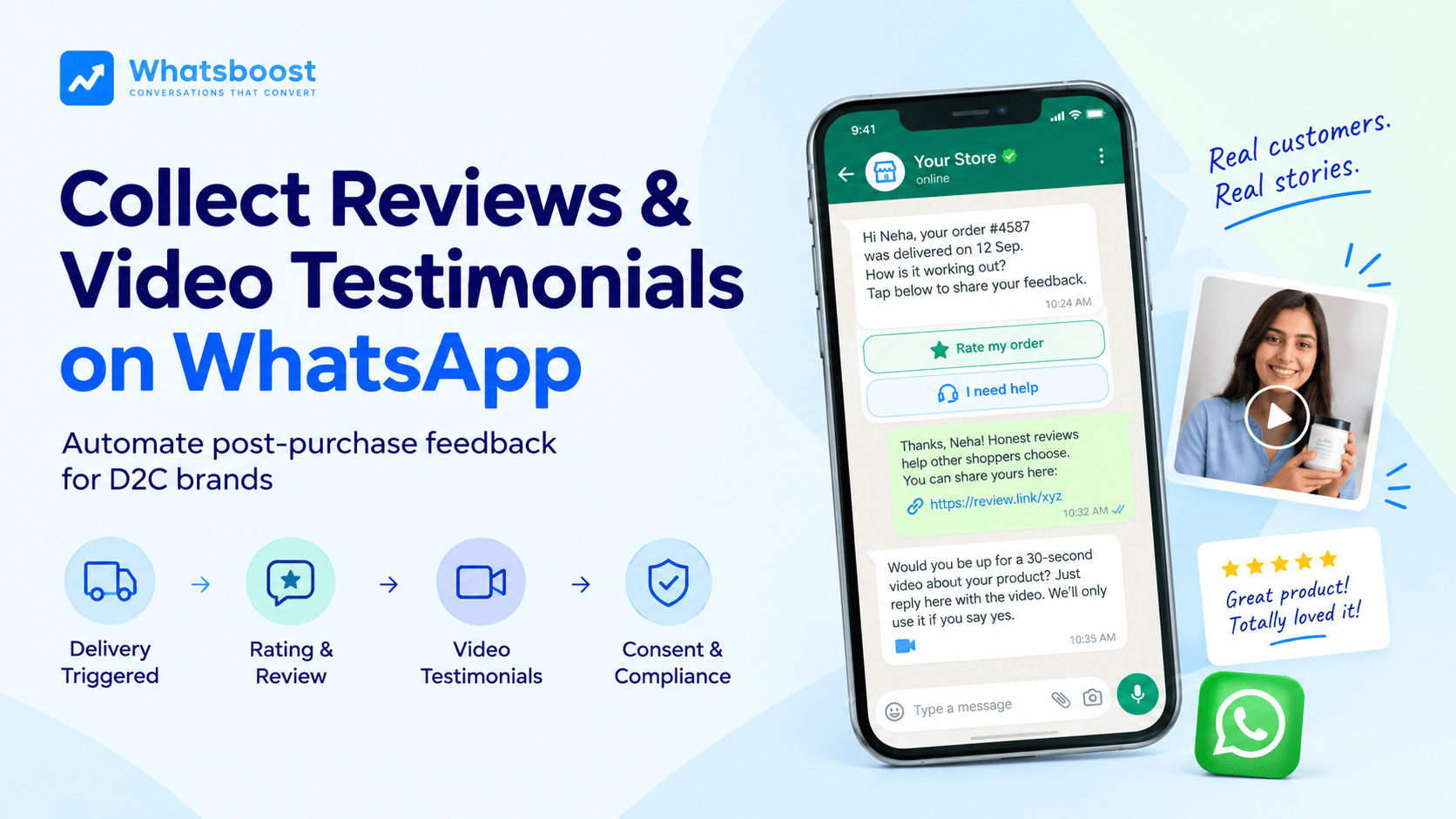
How to Automate Product Review and Video Testimonial Collection on WhatsApp After Delivery
Discover how Indian D2C brands use automated WhatsApp triggers after delivery to collect authentic text reviews and high-converting video testimonials effortlessly.
A product page with no reviews makes every rupee of ad spend work harder than it should. Most D2C stores know this and still collect reviews badly. The request is a generic email sent days after the order, if it goes out at all, and the few reviews that arrive come from customers who already feel strongly one way or the other.
WhatsApp fixes the timing and the effort. The customer is asked at the right moment, in a chat they already open every day, and can answer with a tap, a typed line or a 30-second video. This guide covers the whole automation: when to trigger it, what to send, how to collect video testimonials, and how to stay on the right side of Google, Meta and Indian data rules.
In short
Trigger the request from the delivered status, not from dispatch, and set the wait by product type.
Ask everyone for a review. Never route only happy customers to your public review page.
Ask for video separately, get consent in the chat, and keep the incentive and privacy rules in mind.
Why Review and Video Collection Belongs on WhatsApp, Not Email
Reviews move sales. Northwestern University's Spiegel Research Center found that a product with five reviews was 270% more likely to be purchased than one with none. The same study found purchase likelihood peaked at average ratings of roughly 4.0 to 4.7, not at a perfect 5.0. It's a 2017 study of online retailers, but the pattern is widely cited and still holds up in practice.
The hard part is getting customers to write the review. Email asks them to leave the chat they're in, open a tab, log in and type. WhatsApp removes most of that. The rating happens inside the message, the review link opens in one tap, and a customer who would never write a paragraph will often record a short video, because replying with media is something they do all day.
When to Send the Request: Trigger on Delivery, Not on Dispatch
The most common mistake is asking too early. A shopper can't review a product that is still on a truck, and a request that arrives before the parcel does teaches them to ignore your messages.
Trigger the sequence from your store's delivered status, then wait. The right gap depends on how long it takes to judge the product. These are starting points to test, not fixed rules:
Product type | Suggested wait after delivery | Why |
Snacks, drinks, quick-use items | 2–3 days | They can judge it almost immediately |
Apparel and footwear | 5–7 days | After the first wear or wash |
Electronics and appliances | 7–10 days | Enough time to set up and use it |
Skincare and supplements | 14–21 days | Results take time, so send a check-in earlier |
If you want one default, three days works for most categories. Then adjust by product.
Build in three suppression rules: skip orders that were returned or never delivered, hold the request for customers with an open complaint, and cap it at one reminder. Hold means delay, not exclude. Once the issue is resolved, that customer gets asked like everyone else.
If you're shipping festive orders now, switch this on before the delivery wave starts, so the first deliveries already trigger requests.
The 3-Step Flow: Rate, Review, Video
Step 1: Send a One-Tap Rating Message
Start with a short, order-specific template that gives the customer two clear options.
Hi {{1}}, your order #{{2}} ({{3}}) was delivered on {{4}}. How is it working out? Tap below to share your feedback.
[Rate my order] [I need help]
Keep it to one question. The "I need help" button matters: a customer with a problem gets a human without writing a complaint, and your team hears about it before it becomes a public review.
Step 2: Turn the Rating Into a Public Review
When someone rates their order, send everyone the same next step: a link to the exact product review form.
Thanks, {{name}}! Honest reviews from real customers help other shoppers choose. You can share yours here: {{review_link}}
Everyone who rates gets this link. A low rating can add a support offer ("Sorry it wasn't perfect, want our team to help?"), but it must never remove the public link. Don't script what they should say, and don't ask for five stars.
Step 3: Invite a Short Video Testimonial
A video testimonial is different from a review. It's marketing content you curate for your own site and social channels, so it's reasonable to invite the customers who were clearly happy, for example those who rated 4 or 5. Send the ask while they're still in the chat:
Would you be up for a 30-second video about your {{product}}? A short clip filmed on your phone, in portrait, works best. Just reply here with the video. We'll only use it if you say yes.
Three practical points:
Keep it short. WhatsApp caps video at around 16 MB (MP4 or 3GP), so a 30–45 second phone clip fits. If a file is too large, ask for a shorter one.
Capture consent in the chat. When the video arrives, ask: "Thank you! May we feature this on our website and social channels? [Yes, you may] [No, keep it private]". Store the answer with the date and the customer's number, and tell them they can withdraw by replying "remove my video".
Review before you publish. A person should watch every clip for quality, accuracy of claims and brand fit. Download the file to your own storage soon after it arrives, because WhatsApp's media links are temporary.
How to Handle Negative or Mixed Feedback Without Gating
Customers who had a bad experience will tell you, and how you respond decides whether it stays private. Use the same flow for everyone, alert your team when someone taps "I need help" or gives a low rating, and respond fast. Fix the problem, then let the customer decide whether to update their review. Never ask them to remove or change it in exchange for something.
It's tempting to keep every rating at five stars. Resist it. As the Spiegel finding suggests, shoppers trust a 4.4 more than a flawless 5.0, and a few honest critical reviews make the rest more believable.
Template Categories and Cost: Keep the Request Utility Where You Can
Meta prices a template by its category. Its guidelines say a feedback survey tied to a specific recent order can qualify as a utility template, a generic feedback request will not, and any promotional content turns the template into marketing. So a message that asks for a review and offers a discount is a marketing message.
The gap is large. In India, Meta's rates since January 2026 are about ₹0.115 for a utility message and about ₹0.86 for a marketing one, before GST. Write the rating request around the specific order, keep promotions out of it, and expect that Meta decides the final category. When a customer taps a button, a 24-hour window opens in which you can reply with free-form messages. Check Meta's pricing page for the current rules, since they've changed several times this year.
Review Incentives and Consent: What Indian Brands Need to Get Right
Don't pay for reviews
Google lets you ask customers for reviews but prohibits offering incentives, review gating (soliciting only customers you expect to be positive), and, since an April 2026 update, asking customers to include specific content or staff names. "Rate us and get 10% off your next order" breaks the first rule.
India has its own benchmark. IS 19000:2022, a standard from the Bureau of Indian Standards and the Department of Consumer Affairs, covers how online reviews are collected, moderated and published, and it expects paid or sponsored reviews to be disclosed. It started as voluntary, and the government has since discussed making it mandatory, so check its current status and how it applies to the review widget on your own store.
If you reward video testimonials, treat them as paid content: disclose the reward wherever you publish the clip, don't make the reward depend on positive sentiment, and keep those clips away from Google.
Get consent before you use someone's face and voice
A video shows a person's face and voice, which is personal data. India's DPDP Rules were notified in November 2025 with phased implementation over roughly 18 months, and they require specific, informed consent and an easy way to withdraw. Confirm the timeline with your legal adviser, but the practical habit is simple: ask clearly, record the answer, and honour a removal request quickly.
The same logic applies to the messages themselves. Send review requests only to customers who have opted in to WhatsApp messages. Our guide to a simple consent preference system on WhatsApp shows how to set that up. This section is general information, not legal advice.
How to Measure Whether It's Working
Track a handful of numbers monthly instead of a dozen:
Rating response rate: the share of requests that get a rating.
Review completion rate: the share of raters who publish a review.
Video opt-in and consent rates: how many agree to record, and how many say yes to publishing.
Help-request response time: how fast your team answers the "I need help" taps.
Products with fewer than five reviews: your priority list, given the Spiegel finding.
Don't chase benchmarks from other brands. Compare your own numbers month over month, and test the wait time by product type first.
How WhatsBoost Automates Review and Video Collection
WhatsBoost is the no-code layer that connects your store to this flow. You connect your Shopify store to WhatsBoost (WooCommerce works the same way), then use the workflow builder to trigger the sequence from the delivered status, set the wait for each product type, add the reply buttons and tag each customer by what they did. Help requests go to your shared inbox so your team can step in, and replies, including videos, arrive in the conversation where your team can review them.
The review sequence is one part of the wider post-purchase journey. See our guide to the full post-purchase WhatsApp sequence, and the 2026 WhatsApp marketing blueprint for Indian D2C brands for how it connects to COD confirmation, cart recovery and repeat orders.
Conclusion
The best review system is simple: a well-timed ask, one tap to rate, one link to review, and a separate invitation for video. Build it around the delivered status, keep it fair to every customer, and respect consent. Your product pages get the reviews and videos that make shoppers trust the next order, and your team hears about problems early.
Want to automate WhatsApp for your business?
Set up campaigns, replies, and follow-ups in minutes.