
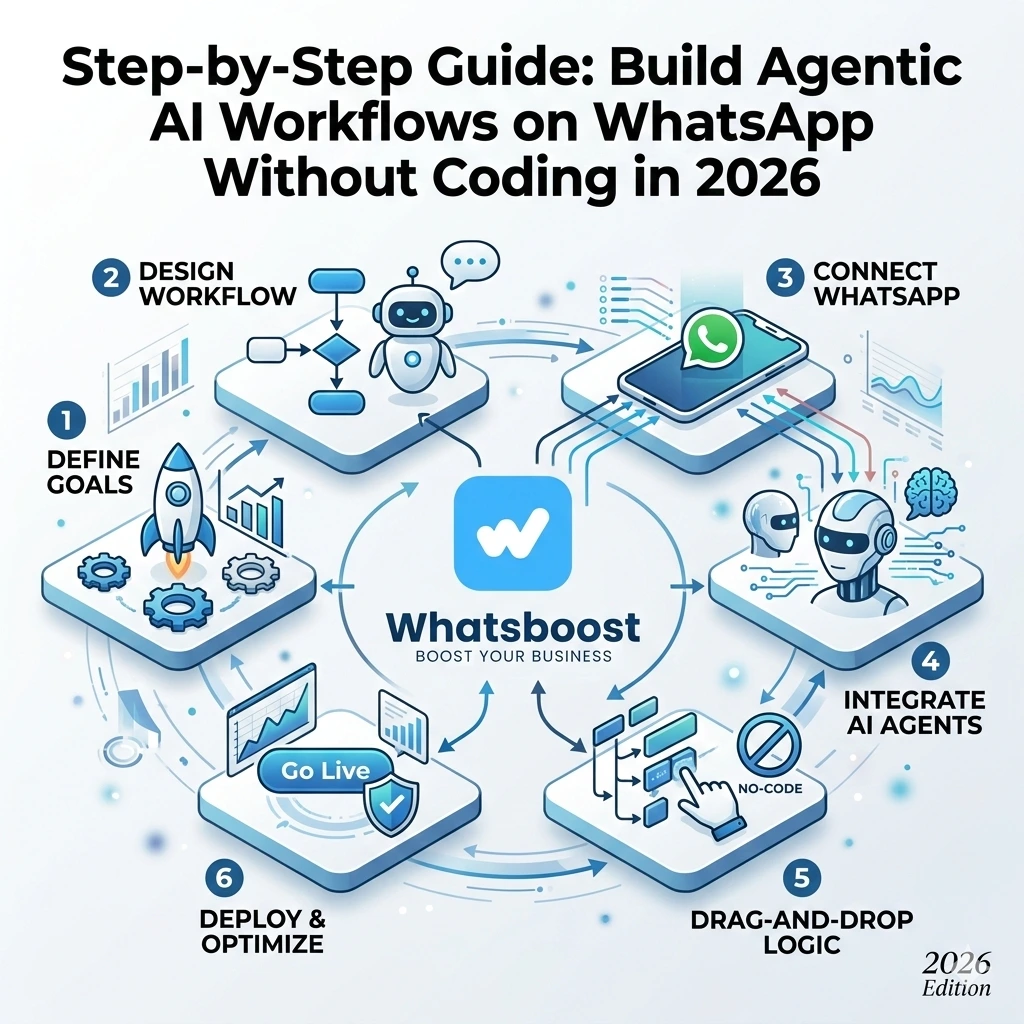
Step-by-Step Guide: Build Agentic AI Workflows on WhatsApp Without Coding in 2026 | Whatsboost
Learn how to build agentic AI workflows on WhatsApp without coding in 2026. Follow our step-by-step guide to automate lead qualification, customer support, and sales follow-ups using Whatsboost's no-code WhatsApp automation platform.
Artificial intelligence is no longer reserved for enterprise tech teams with large engineering budgets. In 2026, any Indian business owner, marketer, or sales manager can build agentic AI workflows on WhatsApp — without writing a single line of code.
But what exactly is an agentic AI workflow? And how is it different from a simple chatbot? This guide answers both questions, then walks you through building your first agentic AI workflow on WhatsApp step by step — using Whatsboost's no-code platform to bring it all to life.
What Is an Agentic AI Workflow on WhatsApp?
A traditional chatbot follows a fixed script. It presents options, responds to keywords, and routes users down pre-defined paths. Useful — but limited.
An agentic AI workflow is different. It can understand context, make decisions based on customer responses, take actions autonomously — such as qualifying a lead, booking an appointment, updating a CRM, or escalating to a human agent — and adapt its behaviour based on what the conversation requires. It does not just respond; it acts.
On WhatsApp, agentic AI workflows mean your business can engage hundreds of customers simultaneously, handle complex multi-step interactions, and deliver personalised experiences at scale — all without a human agent involved at every step.
For Indian businesses in 2026, this is the difference between a WhatsApp presence that merely exists and one that actively drives revenue.
Why WhatsApp Is the Right Platform for Agentic AI in India
WhatsApp has over 500 million active users in India. It is the platform where customers are most responsive, most comfortable, and most likely to engage in a genuine conversation with a business. Unlike email or web chat, WhatsApp feels personal — which makes it the ideal environment for agentic AI to operate.
When AI workflows run on WhatsApp through Whatsboost, they inherit that personal, conversational quality. Customers do not feel like they are interacting with a system — they feel like they are being helped. And that perception directly translates into higher engagement, faster qualification, and better conversion rates.

Step-by-Step Guide: Build Agentic AI Workflows on WhatsApp Without Coding
Step 1 — Activate Your WhatsApp Business API via Whatsboost
The WhatsApp Business API is the foundation every agentic AI workflow on WhatsApp runs on. Without it, automated, programmable messaging at scale is not possible.
Whatsboost is an authorised WhatsApp Business Solution Provider that activates your API quickly and reliably with full onboarding support. Visit Whatsboost to get started — the setup is guided and straightforward, even for non-technical users.
Step 2 — Define the Goal of Your AI Workflow
Before building anything, get clear on what you want the workflow to achieve. The most effective agentic AI workflows on WhatsApp are built around one specific goal, such as:
- Lead qualification — Ask incoming leads a set of questions and route high-quality prospects to a sales agent automatically.
- Customer support — Resolve common queries, provide order status, and escalate unresolved issues to a human agent.
- Appointment booking — Collect availability, confirm slots, and send reminders without human involvement.
- Post-purchase follow-up — Collect feedback, offer upsells, and request reviews after a transaction.
Choosing one clear goal ensures your workflow is focused, effective, and easy to optimise over time.
Step 3 — Map Your Conversation Flow
This is the thinking stage — and it is the most important one. Sketch out the conversation your AI workflow will have with a customer. Think of it as a decision tree:
- What is the opening message?
- What question does the AI ask first?
- What are the possible customer responses?
- What does the AI do differently based on each response?
- At what point does a human agent need to take over?
Keep each step purposeful and the language natural. The best agentic AI conversations feel like a helpful colleague — not a bureaucratic form. On Whatsboost's no-code builder, this conversation map becomes the visual structure of your workflow.
Step 4 — Build the Workflow in Whatsboost's No-Code Builder
Whatsboost provides a no-code visual workflow builder specifically designed for WhatsApp automation. Here is how to build your workflow:
Create your trigger — Define what starts the workflow. This could be an inbound WhatsApp message containing a specific keyword, a new lead arriving from a Facebook ad via LeadsBridge, or a Webflow form submission.
Add your message nodes — For each step in your conversation map, create a message node. These can include text responses, buttons for customers to tap, list menus for multiple options, or media messages with images and documents.
Set conditional branches — This is where the agentic intelligence lives. Based on a customer's response, the workflow branches to a different path. A customer who says their budget is above ₹50,000 gets routed to a senior sales agent. A customer who asks about a specific product gets sent the relevant catalogue. A customer who selects "I need help" is connected to a support agent.
Integrate external actions — Whatsboost supports webhook triggers that can push data to your CRM, update a Google Sheet, create a ClickUp task, or notify a sales agent on WhatsApp — all triggered automatically within the conversation flow.
Set human handoff rules — Define the conditions under which the AI workflow escalates to a human agent in Whatsboost's shared team inbox. This keeps the experience smooth for customers who need personalised human attention.
Step 5 — Test Your Workflow Thoroughly
Before going live, test your agentic AI workflow by running through every possible conversation path. Check that conditional branches route correctly, that external integrations fire as expected, and that the human handoff triggers at the right moment. Whatsboost's platform makes it easy to run test conversations without impacting live customer interactions.
Step 6 — Launch and Monitor Performance
Once tested, activate your workflow. From day one, use Whatsboost's analytics dashboard to monitor key metrics — workflow completion rates, drop-off points, human handoff frequency, and conversion rates. This data tells you exactly where to refine your workflow for maximum performance.
The best agentic AI workflows are never fully finished — they improve continuously based on real conversation data.

3 High-Impact Agentic AI Workflow Ideas for Indian Businesses
Lead Qualification Workflow for Real Estate and EdTech
A prospect messages your WhatsApp number after seeing a Facebook ad. The agentic AI workflow asks their name, budget range, preferred location or course, and timeline. Based on the responses, it automatically routes high-intent leads to a senior sales agent with a fully pre-populated lead brief — while nurturing lower-intent leads with automated follow-up messages.
Customer Support Workflow for E-Commerce
A customer messages asking about their order status. The agentic AI asks for their order number, looks it up via a connected API, and provides a real-time update — all without human involvement. If the query is a complaint that cannot be resolved automatically, the workflow escalates instantly to a human support agent in Whatsboost's shared inbox.
Appointment Booking Workflow for Service Businesses
A potential client enquires about a consultation. The agentic AI collects their preferred date and time, checks availability, confirms the booking, sends a WhatsApp confirmation message, and schedules an automated reminder 24 hours before the appointment — a complete booking experience with zero manual effort.
Best Practices for Building Agentic AI Workflows on WhatsApp
Start with one workflow and do it well. The temptation is to automate everything at once. Resist it. Build one focused, well-tested workflow first — prove its value — then expand.
Write conversational messages, not corporate copy. Customers on WhatsApp expect a natural tone. Short sentences, friendly language, and clear options perform far better than formal, jargon-heavy messages.
Always offer a human escalation path. Even the best agentic AI workflow will encounter situations it cannot handle. Make it easy for customers to reach a human agent at any point — this builds trust and prevents frustration.
Use Whatsboost analytics to drive continuous improvement. The data from your live workflow tells you where customers drop off, which paths they prefer, and where the AI needs refining. Review it weekly and make targeted improvements.
FAQs: Building Agentic AI Workflows on WhatsApp Without Coding
Q1. What is an agentic AI workflow and how is it different from a standard WhatsApp chatbot? A standard chatbot follows fixed, pre-scripted paths. An agentic AI workflow can understand context, make conditional decisions, take autonomous actions — such as updating a CRM or routing a lead — and adapt based on each customer's unique responses. It is a significantly more intelligent and flexible system.
Q2. Do I really need no technical skills to build these workflows on Whatsboost? Yes. Whatsboost's no-code visual builder is designed for business users, marketers, and sales managers — not developers. If you can map out a conversation on paper, you can build it in Whatsboost without writing any code.
Q3. Can agentic AI workflows on WhatsApp handle multiple customers simultaneously? Yes. The WhatsApp Business API through Whatsboost is built for scale. Your agentic AI workflows can run thousands of simultaneous conversations without any degradation in response time or quality.
Q4. What happens when the AI workflow cannot resolve a customer's query? You can configure human handoff rules within Whatsboost so that when the workflow reaches a query it cannot resolve, the conversation is automatically escalated to a human agent in the shared team inbox — with the full conversation history visible for immediate context.
Q5. Can agentic AI workflows integrate with my CRM or Google Sheets? Yes. Whatsboost supports webhook and API integrations that allow your WhatsApp AI workflow to push data to your CRM, update Google Sheets, create tasks in ClickUp, and trigger actions in other connected business tools — all within the conversation flow.
Q6. How long does it take to build and launch a first agentic AI workflow on WhatsApp? With a clear conversation goal and Whatsboost's no-code builder, most businesses can design, test, and launch their first agentic AI workflow within a few days. More complex multi-branch workflows with external integrations may take a week to configure and test thoroughly.
FAQs: Whatsboost Features
Q1. What is Whatsboost and how does it enable agentic AI on WhatsApp? Whatsboost is an authorised WhatsApp Business Solution Provider that gives businesses access to the WhatsApp Business API and a no-code automation platform — including a visual workflow builder, conditional branching, webhook integrations, and a shared team inbox — everything needed to build and run agentic AI workflows on WhatsApp without coding.
Q2. Does Whatsboost's no-code builder support conditional branching for agentic workflows? Yes. Whatsboost's workflow builder supports multi-level conditional branching, allowing you to create intelligent conversation paths that respond differently based on each customer's input — the core capability that makes workflows truly agentic.
Q3. Can Whatsboost handle human handoffs from AI workflows? Yes. Whatsboost's shared team inbox is designed to receive escalations from AI workflows seamlessly. When a conversation is handed off to a human agent, the full conversation history is visible immediately — ensuring a smooth, context-aware transition for the customer.
Q4. Does Whatsboost support external integrations within AI workflow steps? Yes. Whatsboost supports webhooks that can trigger external actions — such as CRM updates, Google Sheet entries, ClickUp task creation, or LeadsBridge lead sync — directly from within a WhatsApp AI workflow step.
Q5. Does Whatsboost provide analytics to measure AI workflow performance? Yes. Whatsboost's analytics dashboard tracks workflow completion rates, drop-off points, message delivery, response rates, and human handoff frequency — giving you the data needed to continuously refine and improve your agentic AI workflows.
Q6. How do I get started building agentic AI workflows with Whatsboost? Visit Whatsboost, sign up for your account, and the Whatsboost team will guide you through WhatsApp Business API activation, workflow builder onboarding, and your first agentic AI workflow setup — step by step, without any coding required.
The Future of WhatsApp Automation Is Agentic — and It Starts Today
In 2026, the businesses that stand out on WhatsApp are not the ones sending the most broadcasts — they are the ones having the most intelligent conversations at scale. Agentic AI workflows let your business do exactly that: engage every customer personally, qualify every lead efficiently, and close more deals without adding headcount.
With Whatsboost, building these workflows requires no coding, no developer, and no heavy investment — just a clear goal, a well-designed conversation flow, and the right platform to bring it to life.
Visit Whatsboost and build your first agentic AI workflow on WhatsApp today.
Want to automate WhatsApp for your business?
Set up campaigns, replies, and follow-ups in minutes.