
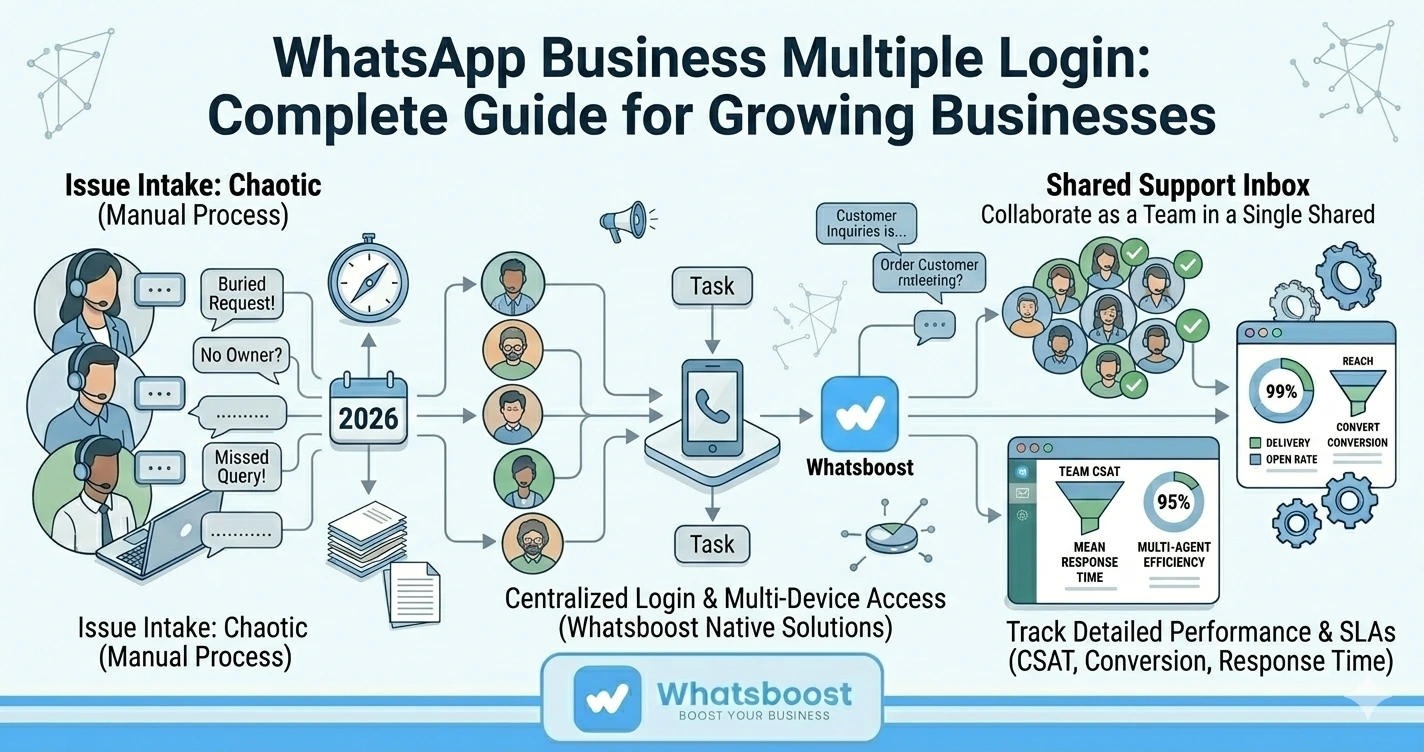
WhatsApp Business Multiple Login: Complete Guide for Growing Businesses
Learn how WhatsApp Business Multiple Login works for growing businesses. Discover how WhatsApp Automation and Whatsboost help teams manage conversations, collaborate, and scale customer communication.
WhatsApp has become one of the most powerful communication tools for modern businesses. From handling customer inquiries and sales conversations to sending updates and support responses, many companies rely heavily on WhatsApp Business to stay connected with customers.
However, as businesses grow and customer inquiries increase, a major operational challenge emerges: How can multiple team members access and manage the same WhatsApp Business account efficiently?
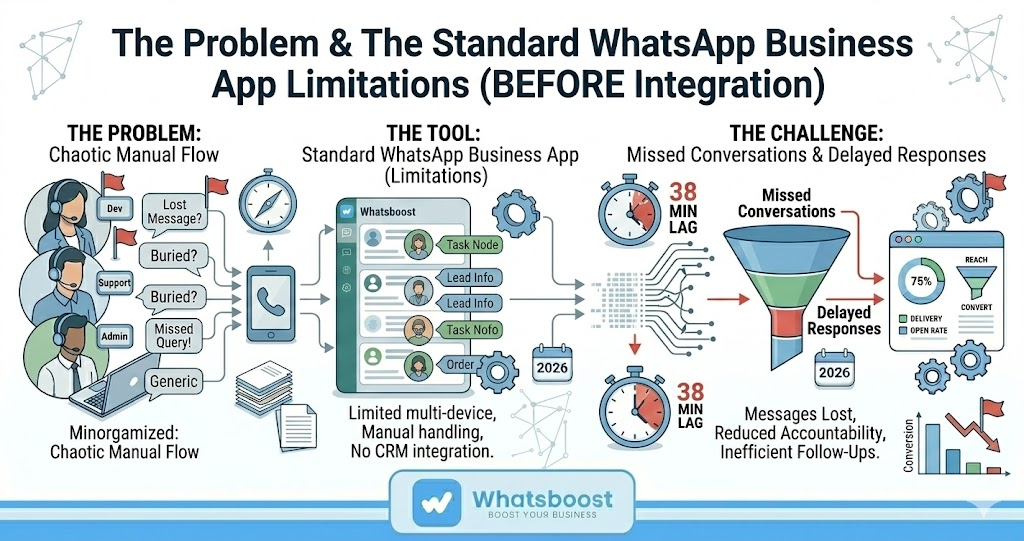
The standard WhatsApp Business app is typically designed for small-scale usage, which can create limitations when multiple employees need access simultaneously. For growing businesses, this often leads to delayed responses, missed conversations, and inefficient communication workflows.
To solve this challenge, companies are increasingly exploring WhatsApp Business Multiple Login solutions combined with WhatsApp Automation platforms like Whatsboost to enable team collaboration and improve customer communication.
This guide explains how multiple login works, why it is important for growing businesses, and how automation tools can help manage conversations effectively.
Why Growing Businesses Need WhatsApp Business Multiple Login
In the early stages of a business, a single person may handle all WhatsApp messages. But as operations expand, customer communication becomes more complex and requires multiple team members to manage conversations.
Allowing multiple users to log in and access WhatsApp Business can help businesses:
Respond to customers faster
Distribute workloads among team members
Provide round-the-clock support
Improve collaboration between departments
Maintain consistent customer communication
Without a proper multi-user system, teams often struggle to manage conversations efficiently.
Common Problems Without Multiple Login
Delayed Customer Responses
When only one person has access to the WhatsApp Business account, response times increase significantly during busy periods.
Shared Device Limitations
Some businesses share a single phone among team members, which leads to inefficiency and confusion.
Lack of Visibility
Managers and other team members cannot monitor ongoing conversations or support agents effectively.
Risk of Missed Messages
Customer queries may be overlooked if the responsible person is unavailable.
These challenges make WhatsApp Business Multiple Login capabilities essential for scaling customer communication.
Understanding WhatsApp Business Multiple Login
WhatsApp Business Multiple Login allows multiple team members to access and manage a single WhatsApp Business account simultaneously.
Instead of relying on one device, businesses can enable several users to handle customer conversations through connected platforms or dashboards.
With a proper multi-user setup, teams can:
View all incoming messages in one place
Assign conversations to specific agents
Monitor response times and performance
Maintain organized customer communication
However, achieving this requires the right tools and infrastructure.
Limitations of the Standard WhatsApp Business App
While the WhatsApp Business application is useful for small businesses, it has several limitations when it comes to team collaboration.
Limited Multi-Device Access
Although WhatsApp supports multiple devices, the functionality is still limited for large support teams.
No Conversation Assignment
There is no built-in feature to assign chats to different team members.
Lack of Workflow Automation
Customer messages must be handled manually without automation support.
No Advanced Analytics
Managers cannot easily monitor support performance or response times.
These limitations often push growing businesses to adopt WhatsApp Automation platforms that support multi-user collaboration.
How WhatsApp Automation Supports Multiple Login Systems
WhatsApp Automation enhances WhatsApp Business by enabling businesses to manage conversations through centralized dashboards and automated workflows.
Automation tools provide features that allow teams to collaborate efficiently while maintaining organized communication.
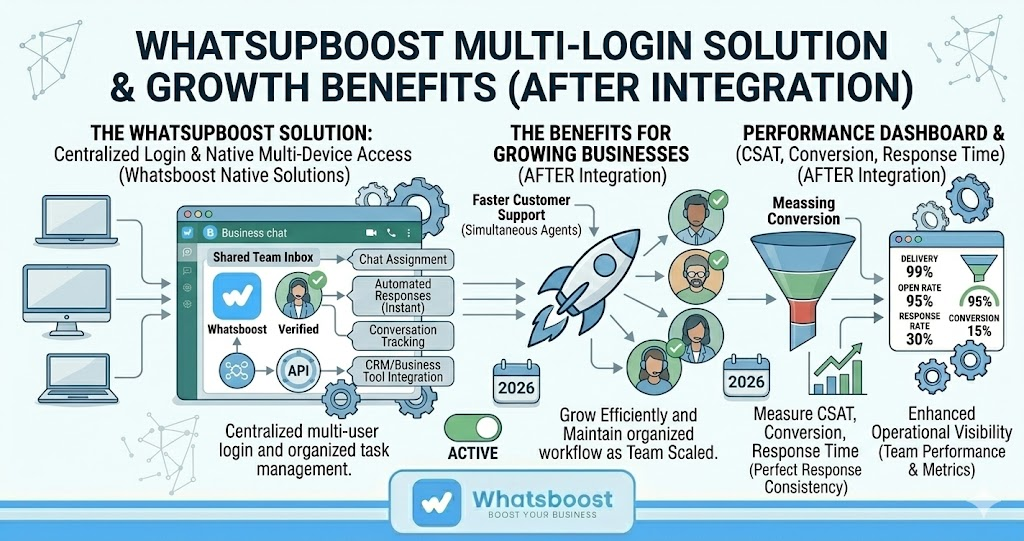
Shared Team Inbox
A shared inbox allows multiple agents to access and respond to customer messages from a single dashboard.
Chat Assignment
Incoming messages can be assigned to specific team members based on expertise or workload.
Automated Responses
Automation helps answer frequently asked questions instantly, reducing agent workload.
Conversation Tracking
Managers can monitor conversations and track support performance.
Integration With Business Tools
Automation platforms can connect WhatsApp with CRM systems and helpdesk platforms.
Together, these capabilities allow growing businesses to handle higher communication volumes without losing efficiency.
How Whatsboost Enables WhatsApp Business Multiple Login
For businesses looking to implement WhatsApp Business Multiple Login, platforms like Whatsboost offer advanced collaboration and automation features.
Whatsboost is designed to help teams manage WhatsApp communication at scale while maintaining organized workflows.
Shared Team Dashboard
Whatsboost allows multiple users to access the same WhatsApp Business account through a centralized dashboard.
This ensures that all conversations are visible and manageable by the support team.
Smart Chat Assignment
Customer conversations can be automatically assigned to the appropriate team member.
Automated Workflows
Routine messages such as greetings, FAQs, and follow-ups can be automated to save time.
CRM Integration
Whatsboost integrates with CRM systems to store customer information and conversation history in one place.
Team Performance Monitoring
Managers can track response times, conversation volumes, and agent productivity.
Businesses can explore more about these capabilities at
https://whatsboost.in
Best Practices for Implementing WhatsApp Business Multiple Login
To successfully implement a multi-user WhatsApp system, businesses should follow several best practices.
Establish Clear Roles
Assign specific responsibilities to support agents to avoid confusion.
Use Conversation Tags
Categorizing conversations helps prioritize urgent requests.
Implement Automation
Automated replies and workflows reduce manual effort and improve response time.
Monitor Performance Metrics
Tracking metrics such as response time and resolution rate helps improve customer support quality.
Maintain Internal Collaboration
Teams should communicate internally to resolve complex issues quickly.
By combining these strategies with automation tools, businesses can ensure that their WhatsApp communication remains organized and scalable.
Benefits for Growing Businesses
When implemented correctly, WhatsApp Business Multiple Login provides several advantages for growing companies.
Faster Customer Support
Multiple agents can respond to inquiries simultaneously.
Improved Team Collaboration
Teams can work together efficiently on customer conversations.
Better Customer Experience
Customers receive quicker responses and consistent communication.
Scalable Communication Infrastructure
Businesses can handle increasing message volumes without operational issues.
Enhanced Operational Visibility
Managers gain insights into team performance and conversation metrics.
These benefits make multi-user WhatsApp systems an essential component of modern business communication.
Want to automate WhatsApp for your business?
Set up campaigns, replies, and follow-ups in minutes.