
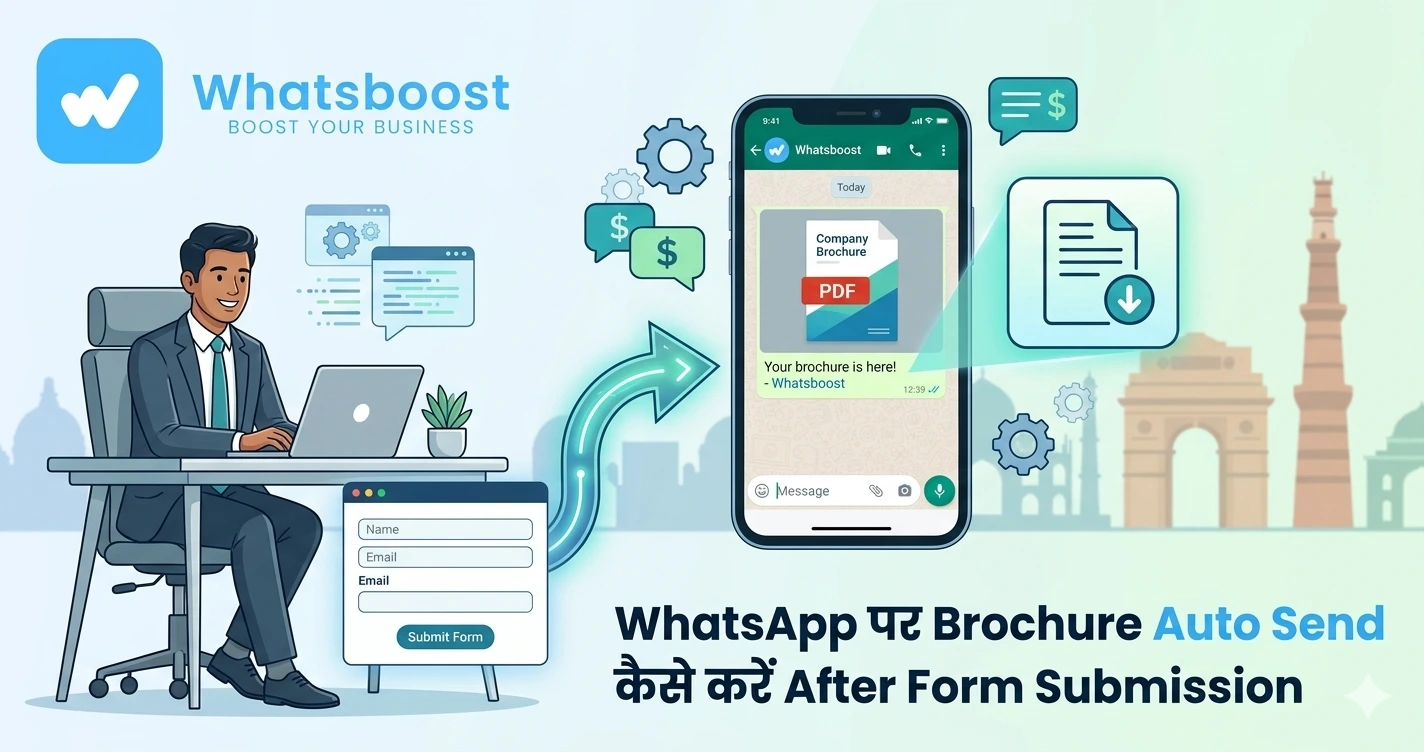
WhatsApp पर Brochure Auto Send कैसे करें After Form Submission
जानें कैसे form submission के तुरंत बाद WhatsApp पर brochure, catalog या PDF automatically भेजें और lead conversion 2X–3X बढ़ाएं — बिना delay के।
Lead ने Form भरा… लेकिन Brochure देर से भेजा?
यह सबसे common mistake है जो businesses करते हैं 👇
👉 User ने interest दिखाया
👉 Brochure माँगा
👉 और आप 2–3 घंटे बाद भेजते हैं
👉 Result:
❌ Lead interest गिर जाता है
❌ Competitor पहले connect कर लेता है
❌ Deal lost
👉 Reality:
जब lead brochure मांगता है, तब उसका intent highest होता है
Problem: Email से Brochure भेजना क्यों fail हो रहा है?
Traditional तरीका:
- Email attachment
- Manual sending
- Delay
👉 Issues:
❌ Email open नहीं होता
❌ PDF buried हो जाता है
❌ No conversation शुरू होती
👉 WhatsApp यहाँ game बदल देता है 👇
Solution: WhatsApp Auto Brochure Delivery System
अब imagine करें:
👉 User ने form submit किया
👉 5 seconds के अंदर WhatsApp message आया
👉 PDF brochure attach या link के साथ
👉 और user तुरंत reply करता है:
“Price?”
👉 यही है Instant Asset Delivery System
WhatsApp क्यों Email से बेहतर है PDF भेजने के लिए
📱 Instant Preview
WhatsApp PDF preview दिखाता है — professional feel देता है
⚡ Instant Engagement
User तुरंत देख सकता है और reply कर सकता है
🔁 Conversation शुरू होती है
Email one-way है
WhatsApp two-way
📈 Higher Conversion
PDF सिर्फ file नहीं — conversation starter बन जाता है
👉 WhatsApp automation basics समझने के लिए पढ़ें:
https://whatsboost.in/blog/the-complete-guide-to-whatsapp-marketing-automation-in-2026-master-the-art-with-whatsboost
System कैसे काम करता है (Simple Flow)
यह पूरा system 3 steps में काम करता है:
Step 1: Form Submission Trigger
- Google Form / Website Form / Ads Form
- User submit करता है
👉 System trigger activate करता है
Step 2: Data Capture
- Name
- Phone number
- Requirement
👉 WhatsBoost यह data instantly capture करता है
Step 3: WhatsApp Auto Delivery
👉 WhatsApp message भेजा जाता है:
- Greeting
- Context
- PDF brochure link
👉 पूरा process seconds में होता है
Step-by-Step: WhatsApp पर Brochure Auto Send कैसे करें
Step 1: Brochure Host करें
आपको PDF upload करना है:
- Google Drive
- Dropbox
- Website
👉 Link public होना चाहिए
Step 2: Form Setup करें
Fields include करें:
- Name
- Phone number (with country code)
- Product interest
Step 3: WhatsBoost Connect करें
- Form → WhatsBoost
- WhatsApp Web / API connect
👉 No coding required
Step 4: Auto Message Template बनाएँ
Example:
“Hi {{name}}, आपने {{product}} के बारे में पूछा था. यहाँ आपका brochure है: [PDF Link]”
Step 5: Follow-up Trigger सेट करें
- Day 1 → Reminder
- Day 2 → Pricing
- Day 3 → Offer
👉 इससे conversion बढ़ता है
👉 Follow-up automation detail:
https://whatsboost.in/blog/how-to-automate-indiamart-with-whatsapp-for-auto-follow-ups
Advanced Strategy: Smart PDF Delivery
🎯 Conditional Logic
Form में अगर options हैं:
- Product A → PDF A
- Product B → PDF B
👉 WhatsBoost automatically correct brochure भेजता है
👉 “One form → multiple catalogs” possible है
🧠 Behavior-Based Automation
- High intent → तुरंत call trigger
- Low intent → nurture messages
👉 Deep dive करें:
https://whatsboost.in/blog/tracking-buyer-intent-from-indiamart-leads-using-whatsapp-chatbot
Best Use Cases
🏭 Manufacturers & Exporters
Technical catalogs instantly share
🏢 Real Estate
Project brochure + floor plans
🎓 Education
Course brochure + details
💻 SaaS / Tech
Case studies + whitepapers
👉 Real example:
Different time zones वाले buyers को instantly catalog मिल जाता है — wait नहीं करना पड़ता
Best Practices (Pro Tips)
📄 PDF Size Optimize करें
5MB से कम रखें
👉 Large files → slow load → drop-off
🏷️ Professional File Name रखें
❌ final_v2.pdf
✅ Brand_Product_Catalog_2026.pdf
💬 CTA जरूर add करें
End में question डालें:
👉 “Kya aap pricing details chahte hain?”
👉 इससे reply rate बढ़ता है
🔁 Follow-up जरूरी है
First message enough नहीं होता
👉 Reminder + nudges = conversion
Manual vs Automation (Reality Check)
Manual तरीका:
❌ Delay
❌ Human dependency
❌ Missed leads
Automation तरीका:
✔ Instant delivery
✔ 24/7 system
✔ Zero lead loss
👉 Result:
Same leads → more conversions
WhatsBoost कैसे help करता है
🚀 Instant Delivery
Form submit → PDF send
🤖 Automation Workflows
- Conditional logic
- Follow-ups
- Lead qualification
📊 Tracking
- कौन brochure देखा
- कौन reply किया
👥 Team Handoff
Hot leads → sales team
👉 इससे WhatsApp बन जाता है:
👉 Sales + engagement engine
Final Conclusion
2026 में speed ही सबसे बड़ा advantage है
अगर आप:
❌ Email से brochure भेज रहे हैं
❌ Manual process use कर रहे हैं
तो:
👉 Leads lose होंगी
लेकिन WhatsApp automation के साथ:
✔ Instant delivery
✔ Instant engagement
✔ Faster conversions
👉 यही difference है
👉 delay vs deal closing system 🚀
Want to automate WhatsApp for your business?
Set up campaigns, replies, and follow-ups in minutes.