
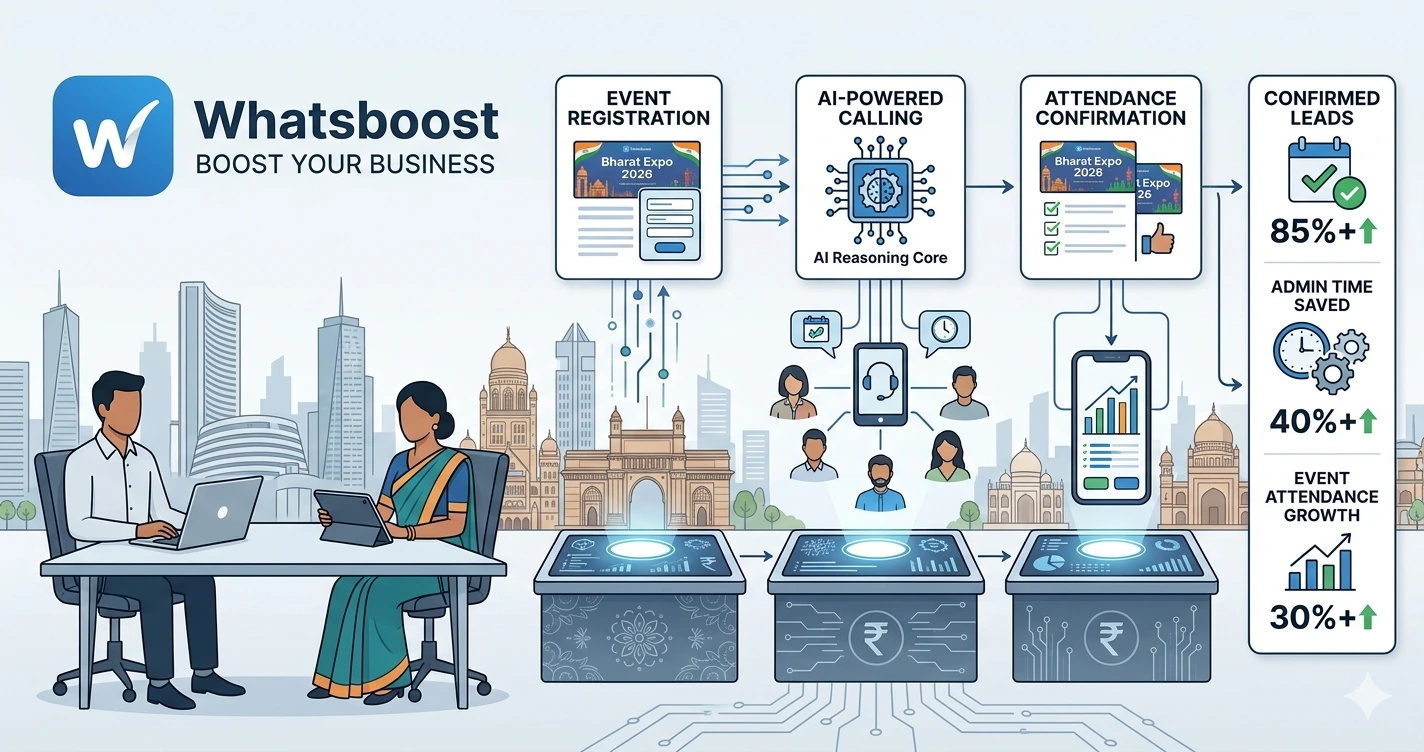
AI Calling Automation for Event Registration and Attendance Confirmation: A Case Study by WhatsBoost
Discover how businesses, exhibition organizers, educational institutions, and event companies use AI calling automation and WhatsApp workflows to confirm registrations, improve attendance rates, reduce no-shows, and automate event communication.
AI Calling Automation for Event Registration and Attendance Confirmation: A Case Study by WhatsBoost
Event registrations are easy.
Getting people to actually attend is the hard part.
Whether it's:
- Business exhibitions
- Trade shows
- Educational seminars
- Webinars
- Workshops
- Networking events
- Industry conferences
Most organizers face the same challenge.
People register.
But many never show up.
The result?
❌ Lower attendance rates
❌ Wasted marketing budgets
❌ Poor event planning accuracy
❌ Empty seats and missed opportunities
❌ Reduced event ROI
The problem isn't always lack of interest.
Often, attendees simply forget.
Or they fail to confirm.
Or they don't receive timely reminders.
This is where AI calling automation is changing event management.
👉 Instead of manually calling hundreds or thousands of attendees, businesses can now automate registration verification, attendance confirmation, reminders, and follow-ups using AI-powered voice calls combined with WhatsApp automation.
The Attendance Problem Most Event Organizers Face
A common event workflow looks like this:
Registration Form Submitted
↓
Confirmation Email Sent
↓
No Further Communication
↓
Attendance Day
↓
Large Percentage of No-Shows
Sound familiar?
Many organizers focus heavily on generating registrations but spend very little time managing attendee engagement after registration.
This is why successful event marketers increasingly combine registration campaigns with strategies like pre-event WhatsApp marketing campaigns to maintain engagement before the event.
Registration alone doesn't guarantee attendance.
Why Traditional Confirmation Methods Fail
Most event teams rely on:
- Email reminders
- Manual phone calls
- SMS campaigns
- Spreadsheet tracking
These methods create several problems:
❌ Manual calling takes too much time
❌ Staff cannot handle large attendee lists
❌ Emails are often ignored
❌ Confirmation data becomes outdated
❌ Follow-ups become inconsistent
As event size grows, these issues become more severe.
What Is AI Calling Automation?
AI calling automation uses intelligent voice agents to contact registrants automatically.
The AI can:
✔ Confirm attendance
✔ Verify registration details
✔ Collect attendee responses
✔ Update attendance records
✔ Send WhatsApp reminders
✔ Escalate special cases to staff
Instead of event teams making hundreds of calls, AI handles the process automatically.
How AI Calling Works for Events
A typical workflow looks like this:
Registration Received
↓
AI Call Initiated
↓
Attendee Confirms Attendance
↓
Database Updated
↓
WhatsApp Reminder Scheduled
↓
Attendance Tracked
↓
Post-Event Follow-Up Triggered
Everything happens without manual intervention.
The WhatsBoost Event Automation Case Study
Let's look at a practical example.
The Challenge
An exhibition organizer generated over 2,000 registrations through:
- Facebook Ads
- Instagram Ads
- WhatsApp campaigns
- Partner promotions
The problem?
Previous events had attendance rates below expectations because many registrants never confirmed participation.
The team could not manually call every registrant.
The Solution
WhatsBoost implemented an automation system combining:
- AI calling
- WhatsApp automation
- Google Sheets
- CRM integration
- Event reporting dashboards
The workflow automatically engaged every registrant.
Step 1: Registration Capture
When attendees registered:
- Contact information was stored
- Event details were assigned
- Confirmation workflows were triggered
This process was similar to the systems used in WhatsApp lead tracking with Google Sheets, ensuring every registration was recorded properly.
Step 2: AI Calling for Attendance Confirmation
Within hours of registration:
The AI voice agent called attendees and asked:
- Will you attend the event?
- Are your registration details correct?
- Do you require additional information?
Responses were automatically categorized as:
- Confirmed
- Not Attending
- Call Back Later
- No Response
This immediately improved visibility.
Step 3: WhatsApp Follow-Up Automation
After the AI call:
Confirmed attendees received:
✔ Event agenda
✔ Location details
✔ Calendar reminders
✔ Event FAQs
This approach mirrors many principles discussed in effective WhatsApp follow-up messaging, where timely communication improves engagement and action rates.
Step 4: CRM and Database Updates
Every attendee interaction automatically updated the CRM.
This prevented:
❌ Duplicate communication
❌ Outdated attendee records
❌ Manual data entry
Businesses implementing event workflows often use systems similar to Salesforce and WhatsApp integrations to maintain centralized attendee records.
Step 5: Automated Reminder Sequences
The system automatically sent reminders:
7 Days Before Event
Event overview.
3 Days Before Event
Attendance reminder.
1 Day Before Event
Final preparation information.
Event Day
Check-in instructions.
This strategy complements post-event WhatsApp marketing strategies, creating a complete attendee journey.
Step 6: Internal Team Notifications
Event staff received updates when:
- VIP attendees confirmed
- Large groups registered
- Attendance forecasts changed
- Special requests were submitted
Automation helped teams stay informed without constantly checking spreadsheets.
Workflows similar to automated employee alerts on WhatsApp can be adapted effectively for event management.
Results Achieved
After implementing AI calling automation:
✔ Higher attendance confirmation rates
✔ Reduced manual calling effort
✔ Improved attendee engagement
✔ Better attendance forecasting
✔ Reduced no-show rates
✔ Faster event coordination
Most importantly, organizers gained accurate attendance data before the event began.
Why AI Calling Outperforms Email Alone
| Email Only | AI Calling + WhatsApp |
| Often ignored | Direct engagement |
| Limited interaction | Two-way communication |
| No confirmation verification | Attendance validation |
| Low response visibility | Real-time updates |
| Manual follow-up required | Automated workflows |
The combination of voice and messaging creates a stronger attendee experience.
Combining AI Calling With WhatsApp Communities
For larger events, organizers can continue engagement after confirmation.
Many exhibition organizers use approaches similar to WhatsApp Community automation to:
- Share updates
- Broadcast announcements
- Coordinate attendees
- Increase participation
This keeps attendees engaged right up to event day.
Industries Benefiting From AI Event Calling
AI calling automation is particularly useful for:
- Exhibitions
- Trade shows
- Conferences
- Educational institutions
- Training companies
- Workshops
- Networking events
- Business seminars
- Product launches
Any event with registrations can benefit.
How WhatsBoost Helps Event Organizers
WhatsBoost helps businesses automate:
✔ Event registrations
✔ AI attendance confirmation calls
✔ WhatsApp reminders
✔ CRM updates
✔ Reporting dashboards
✔ Event communication workflows
✔ Lead nurturing after events
✔ Community engagement
The result is a scalable event management system that improves attendance while reducing operational effort.
Final Conclusion
Generating registrations is only half the battle.
The real challenge is getting people to attend.
Without proper follow-up:
❌ No-shows increase
❌ Event ROI decreases
❌ Teams waste time on manual calling
❌ Attendance forecasting becomes unreliable
By combining AI calling automation with WhatsApp messaging, CRM systems, and automated workflows, event organizers can create a predictable and scalable attendance management process.
The most successful events today don't rely on manual follow-ups.
They rely on automation.
👉 The future is: WhatsApp + AI + Automation = Scalable Business Operations 🚀
Want to automate WhatsApp for your business?
Set up campaigns, replies, and follow-ups in minutes.