
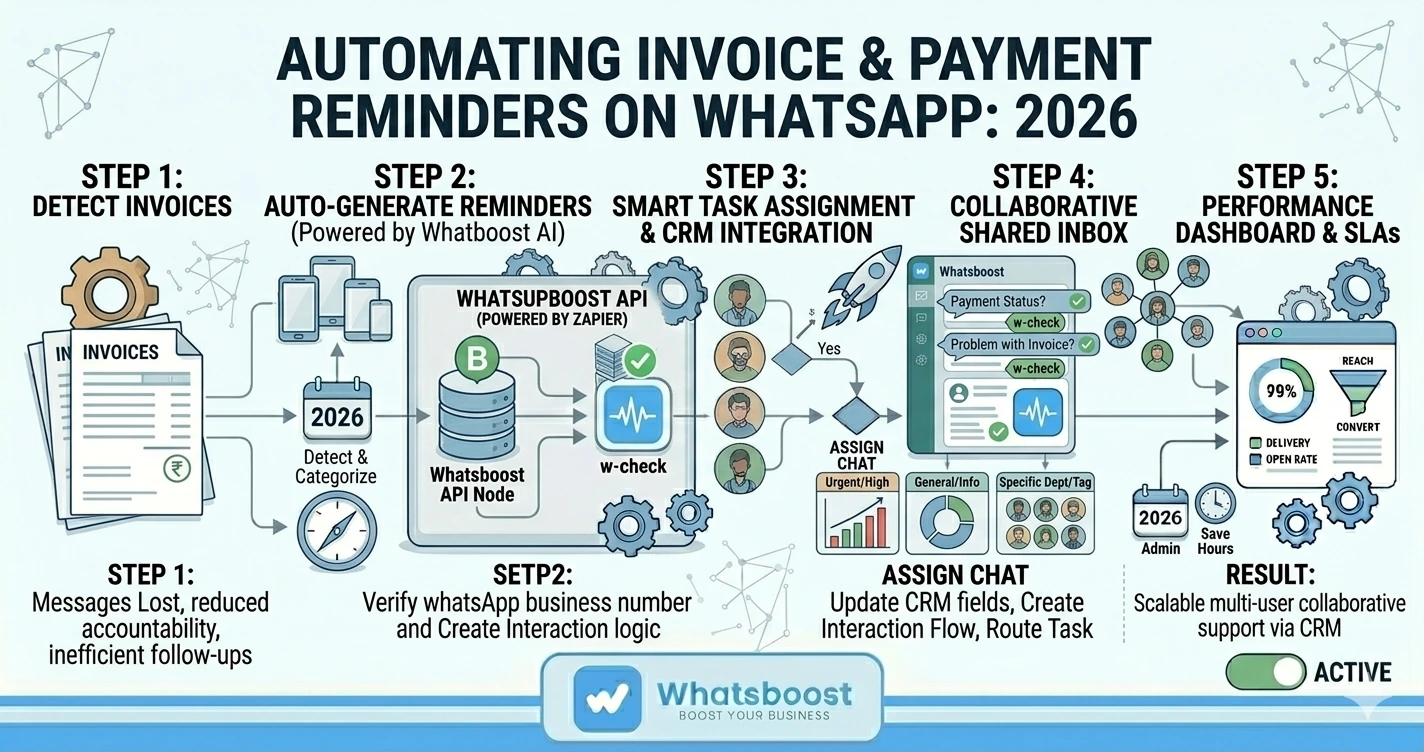
Automating Invoice and Payment Reminders on WhatsApp for Service Providers in 2026 | Whatsboost
Learn how service providers can automate invoice and payment reminders on WhatsApp in 2026. Discover practical workflows, setup steps, and how Whatsboost helps Indian freelancers and agencies get paid faster with WhatsApp automation.
Late payments are one of the most persistent and frustrating challenges for Indian service providers. Freelancers, agencies, consultants, and service businesses spend valuable time chasing invoices — sending reminder emails that go unread, making awkward follow-up calls, and navigating the uncomfortable dynamic of asking clients for money that is already owed.
The irony is that most late payments are not the result of clients refusing to pay. They are the result of invoices being forgotten, lost in crowded inboxes, or deprioritised in a busy week. A timely, well-placed reminder on the right channel is often all it takes to get the payment moving.
In 2026, that channel is WhatsApp. And with Whatsboost powering your invoice and payment reminder automation, Indian service providers can send every reminder automatically, professionally, and at exactly the right moment — without the discomfort of manual follow-up or the delay of waiting until someone finally checks their email.
Why WhatsApp Is the Most Effective Channel for Payment Reminders
Email payment reminders are easy to ignore. They sit in inboxes alongside dozens of other unread messages and are frequently buried before the recipient gets to them. Phone calls for payment reminders are effective but uncomfortable — for both the service provider and the client — and they consume time that should be spent on billable work.
WhatsApp payment reminders hit differently. Open rates on WhatsApp messages consistently exceed 90%. Messages are seen within minutes of delivery. And because WhatsApp is where clients already communicate for everything from project updates to casual check-ins, a payment reminder arriving there feels natural rather than confrontational.
For Indian service providers — where maintaining warm, ongoing client relationships is essential for repeat business and referrals — the ability to send professional, automated payment reminders on WhatsApp without the awkwardness of a manual follow-up is genuinely valuable. Whatsboost provides the WhatsApp Business API and automation infrastructure that makes this possible at scale. Visit Whatsboost.in to explore the platform.
The Complete WhatsApp Invoice and Payment Reminder Workflow
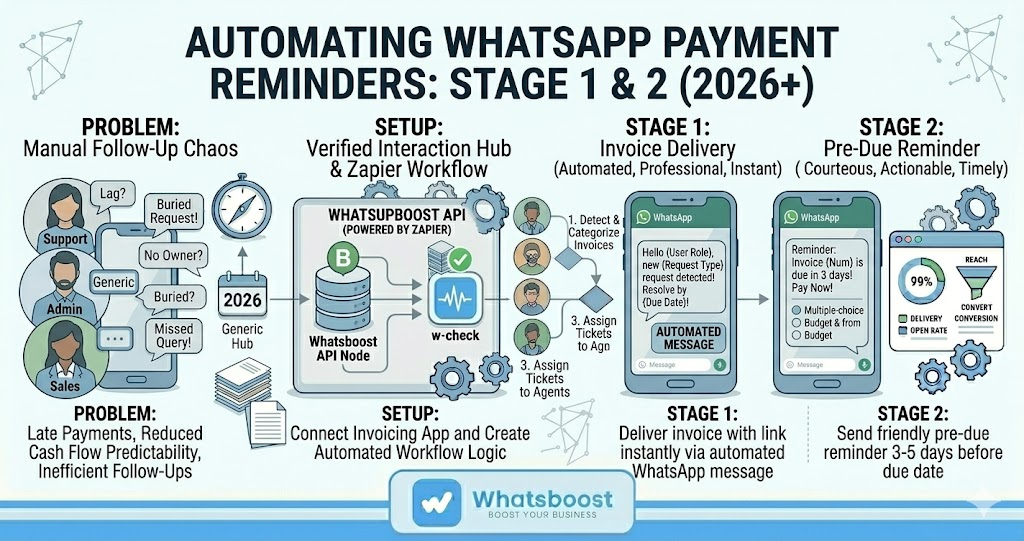
A well-structured WhatsApp payment reminder system for service providers operates across four key stages — from invoice delivery through to final payment confirmation.
Stage 1 — Invoice Delivery on WhatsApp
The moment an invoice is generated — whether from your accounting software, a Google Sheet, or a manual process — Whatsboost automatically sends a WhatsApp message to the client delivering the invoice. The message includes the client's name, the invoice number, the amount due, the payment due date, and a direct payment link.
Delivering the invoice on WhatsApp rather than email means it is seen immediately — not hours later when the client finally opens their inbox. It also creates a natural conversation thread where all future payment communication with that client is visible in one place.
Stage 2 — Pre-Due Date Reminder
Three to five days before the payment due date, Whatsboost automatically sends a courteous WhatsApp reminder to the client — a friendly nudge that the invoice is approaching its due date, with the payment link included again for easy access.
This pre-due reminder is the most effective single intervention in reducing late payments. Most clients who receive it pay immediately — not because they were unwilling, but because the reminder redirected their attention to an invoice they had genuinely forgotten. For Indian service providers, implementing this single automated touchpoint alone often produces a measurable improvement in on-time payment rates within the first month.
Stage 3 — Due Date Notification
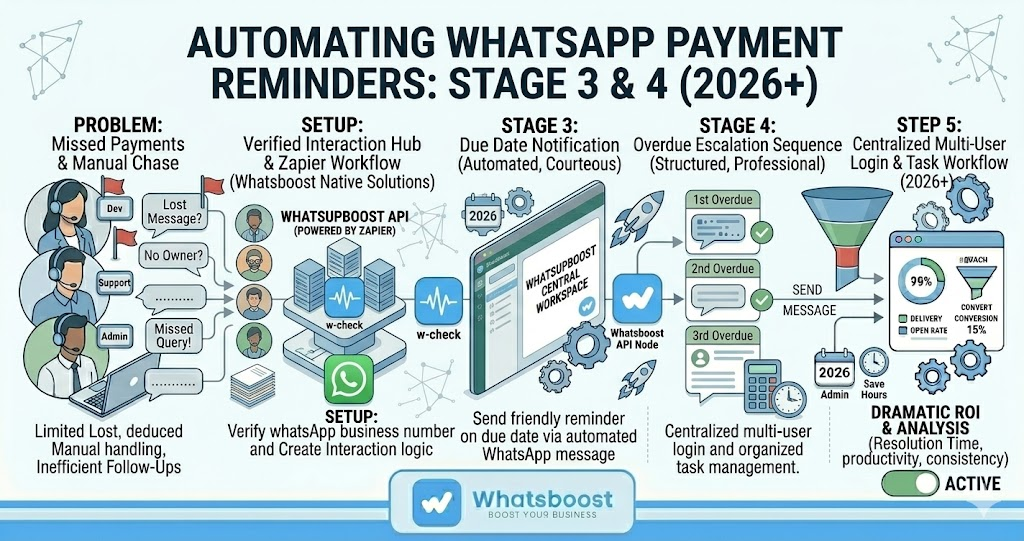
On the payment due date, a brief, professional WhatsApp message is sent to any client whose payment has not yet been received — acknowledging that payment is due today and providing the payment link with a clear call to action.
The tone at this stage remains professional and courteous. The message assumes the best — that the client intends to pay and simply needs a final prompt. For clients who are genuinely facing a delay, this message also opens the WhatsApp conversation thread naturally, making it easy for them to message back and communicate directly.
Stage 4 — Overdue Escalation Sequence
For invoices that pass the due date without payment, Whatsboost triggers a structured overdue escalation sequence — three WhatsApp messages spaced three to five days apart, each escalating slightly in urgency while maintaining a professional tone.
The first overdue message acknowledges that the payment is now past due and requests confirmation of when payment can be expected. The second follows up if no response has been received and offers to discuss any issues directly. The third is a final notice before the service provider takes further action.
If the client responds at any point in the sequence, the conversation moves to Whatsboost's shared team inbox where the service provider can handle the discussion personally — with the full payment history visible in the thread. Learn more at Whatsboost.in.
Setting Up WhatsApp Invoice and Payment Reminder Automation With Whatsboost
Step 1: Activate WhatsApp Business API via Whatsboost
Whatsboost is an authorised WhatsApp Business Solution Provider that activates your WhatsApp Business API with full setup support. This is the foundation — without the API, automated, scalable WhatsApp messaging for invoices and reminders is not possible.
Step 2: Connect Your Invoicing System to Whatsboost
Use an automation platform — Zapier, Make, or Pabbly Connect — to connect your invoicing tool to Whatsboost. Whether you use Zoho Invoice, QuickBooks, FreshBooks, a custom Google Sheet, or a manual trigger, the connection works the same way: a new invoice event triggers a Whatsboost workflow that initiates the WhatsApp message sequence for that client.
Step 3: Build Your Reminder Sequence in Whatsboost's No-Code Builder
Create the four-stage reminder sequence — invoice delivery, pre-due reminder, due date notification, and overdue escalation — using Whatsboost's no-code workflow builder. Set the timing for each message, configure the payment link and invoice details to be pulled dynamically from the trigger data, and define the conditions that pause the sequence when payment is confirmed.
Step 4: Configure Payment Confirmation Trigger to Stop the Sequence
The most important technical step. When payment is received and marked as paid in your invoicing system, the automation must immediately pause any pending reminder messages for that invoice. A client who has already paid should never receive an overdue reminder — that experience damages the relationship and the professional trust you have built.
Configure a "payment confirmed" event in your invoicing tool to trigger a Whatsboost workflow that cancels the reminder sequence and sends a warm WhatsApp thank-you message to the client — a small but meaningful gesture that reinforces the professional relationship.
Step 5: Personalise Every Message Template
Every WhatsApp message in your reminder sequence should be personalised with the client's name, the invoice number, the specific amount due, and the due date. Generic payment reminders feel impersonal and are less effective. Whatsboost's dynamic message fields pull these details automatically from your invoicing trigger data — so every reminder is personalised without any manual effort.
Practical Benefits for Indian Service Providers
Faster average payment collection — Automated WhatsApp reminders reduce the average days-to-payment for Indian service providers significantly. Clients who might have waited two weeks before noticing an email reminder often pay within 24 hours of a WhatsApp notification.
Eliminated manual follow-up awkwardness — The automation handles every reminder professionally and consistently. Service providers no longer need to decide when to follow up, how to phrase the message, or whether it is too soon to send another reminder — the system manages all of this automatically.
Improved cash flow predictability — When every invoice follows a structured, automated reminder sequence, outstanding payments become predictable and manageable. Service providers can forecast cash flow more accurately and spend less time managing accounts receivable manually.
Professional client experience at every stage — Automated reminders sent through WhatsApp with professional templates and personalised details create a consistent, positive impression at every payment stage — reinforcing the service provider's professionalism even in the commercially sensitive context of requesting payment.
More time for billable work — Every hour not spent chasing invoices is an hour available for client work. For Indian freelancers and small agencies where time is the primary resource, this recovered time has direct revenue implications.
Get Paid Faster Without the Awkward Follow-Up
Late payments are a cash flow problem. Manual follow-up is a time problem. Automated WhatsApp invoice and payment reminders, powered by Whatsboost, solve both simultaneously — sending every reminder professionally and on time, on the channel where Indian clients actually respond, without a single uncomfortable conversation initiated by you.
In 2026, Indian service providers who automate their payment reminder workflows get paid faster, maintain better client relationships, and recover significant time each month that was previously lost to manual accounts receivable management.
Visit Whatsboost.in and start automating your invoice and payment reminders on WhatsApp today.
Want to automate WhatsApp for your business?
Set up campaigns, replies, and follow-ups in minutes.