
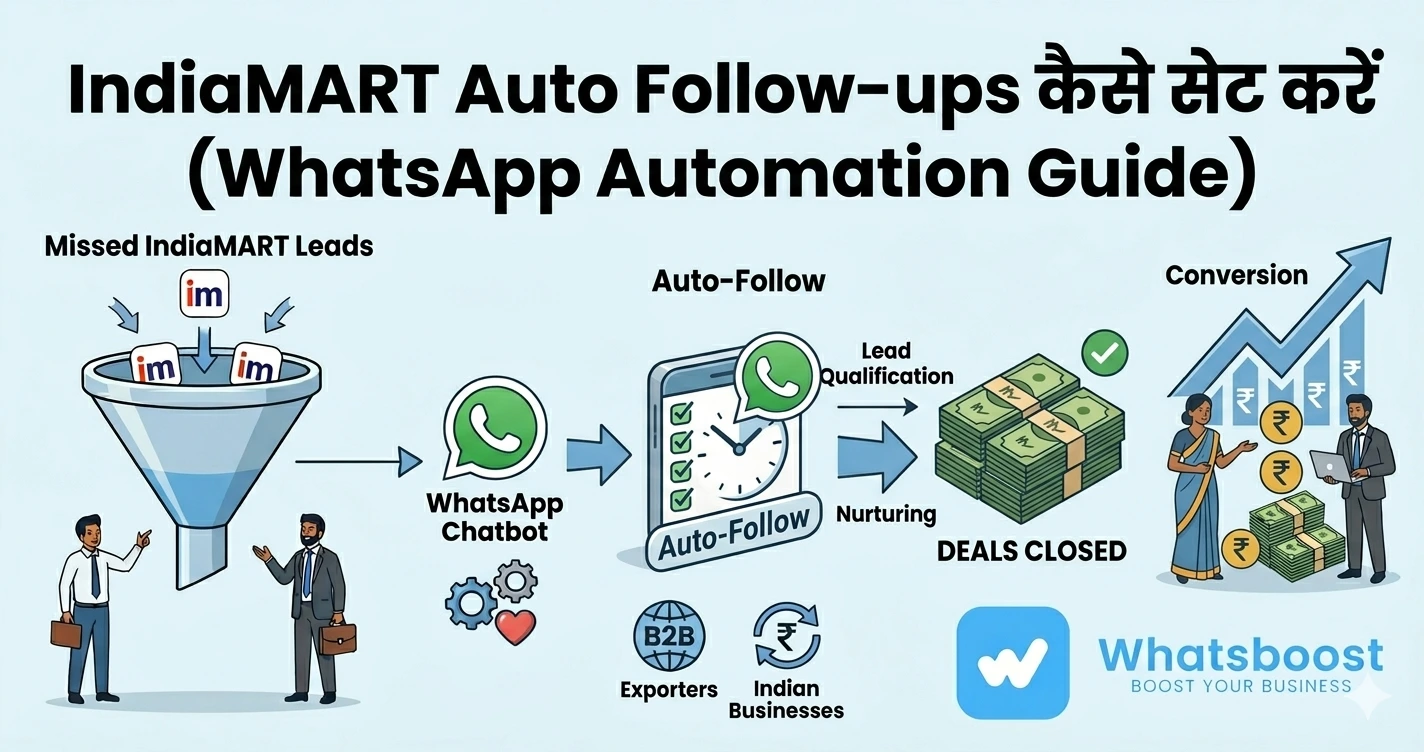
IndiaMART Follow-up Automation Guide: WhatsApp से Auto Follow-ups कैसे सेट करें
जानें कैसे WhatsApp automation से IndiaMART leads पर auto follow-ups सेट करें, instant replies भेजें और conversion 2X–3X तक बढ़ाएँ।
IndiaMART Leads आ रहे हैं… लेकिन Follow-up कौन कर रहा है?
IndiaMART आपको leads देता है
लेकिन real challenge है:
👉 follow-up करना — consistently और timely
Most businesses:
- First reply देते हैं
- फिर follow-up भूल जाते हैं
- Lead cold हो जाती है
👉 Result:
❌ Lost deals
❌ Wasted leads
❌ Low conversion
👉 Studies दिखाती हैं कि businesses 70% leads सिर्फ इसलिए lose करते हैं क्योंकि follow-up नहीं होता
Problem: Manual Follow-ups क्यों fail होते हैं?
1. Time Constraint
Sales team हर lead को track नहीं कर सकती
2. No System
Follow-up कब करना है — कोई clear structure नहीं
3. Human Error
- Follow-up miss
- गलत timing
- inconsistent messaging
4. Lead Overload
10–100+ leads/day handle करना मुश्किल
👉 इसलिए manual system scalable नहीं है
👉 अगर आप missed leads recovery समझना चाहते हैं:
https://whatsboost.in/blog/turning-missed-indiamart-enquiries-into-sales-using-whatsapp-automation-whatsboost
Solution: WhatsApp Auto Follow-up Automation
अब imagine करें:
👉 Lead आते ही WhatsApp message चला जाए
👉 Follow-ups automatically schedule हो जाए
👉 Lead engage रहे बिना manual effort के
👉 यही है WhatsApp Auto Follow-up System
WhatsApp Follow-ups इतने powerful क्यों हैं?
📈 Instant Visibility
Messages तुरंत open होते हैं
⚡ Fast Response
Customers WhatsApp पर जल्दी reply करते हैं
📊 Better Engagement
Chat-based interaction conversion बढ़ाता है
👉 WhatsApp communication 5x faster response देता है compared to traditional methods
IndiaMART → WhatsApp Automation कैसे काम करता है
Complete Flow समझें:
- IndiaMART से enquiry आती है
- System lead capture करता है
- WhatsApp auto message trigger होता है
- Follow-up sequence शुरू होता है
- Lead engage होती है
- Sales team close करती है
👉 यह पूरा process automation से चलता है
Step-by-Step: IndiaMART Follow-ups Automate कैसे करें
Step 1: Lead Capture Setup करें
IndiaMART leads:
- Email से आते हैं
- या API से
👉 इन्हें Google Sheets / CRM में capture करें
👉 Automation तभी काम करेगा जब data structured हो
Step 2: WhatsApp Automation Tool Connect करें
👉 Recommended: WhatsBoost
यह tool:
- Leads detect करता है
- WhatsApp messages trigger करता है
👉 बिना coding और बिना API भी setup possible है
Step 3: Message Templates बनाएं
आपको multiple templates बनाने होंगे:
Instant Reply
"Hi {{Name}}, आपकी enquiry मिली है. Details share कर रहा हूँ."
Follow-up (24 hours)
"Hi {{Name}}, क्या आप अभी भी interested हैं?"
Reminder (3 days)
"Let’s connect to finalize your order."
👉 Personalization जरूरी है (name, product, requirement)
Step 4: Follow-up Workflow Design करें
Example flow:
- 0 min → instant reply
- 1 hour → check-in
- 24 hours → reminder
- 3 days → offer
- 7 days → final follow-up
👉 Most deals 3–7 follow-ups के बाद close होते हैं
Step 5: Conditional Logic Add करें
Automation smart होना चाहिए:
- Lead reply करे → follow-up stop
- Interested हो → tag as hot lead
- No response → continue sequence
👉 इससे automation natural लगता है (spam नहीं)
Step 6: Track & Optimize करें
Track करें:
- Response rate
- Follow-up success
- Conversion rate
👉 Data-driven optimization जरूरी है
WhatsApp Follow-up Automation के Key Benefits
🚀 Instant Engagement
Lead आते ही message
🔁 Consistent Follow-ups
कोई lead miss नहीं
🤖 Automation at Scale
100+ leads handle easily
📊 Better Conversion
Follow-ups = more sales
⏱️ Time Saving
90% manual effort reduce होता है
WhatsBoost कैसे इस Process को आसान बनाता है
WhatsBoost एक WhatsApp-first automation platform है
यह आपको देता है:
🚀 Instant Auto Replies
2 seconds के अंदर reply
🤖 Smart Follow-up Sequences
Timed automation flows
📊 Lead Tracking
- New
- Contacted
- Hot
- Closed
👥 Team Assignment
Leads automatically assign होती हैं
🔗 Integration Support
Google Sheets, Zapier, CRM
👉 इससे पूरा follow-up system autopilot पर चलने लगता है
👉 Detailed setup guide पढ़ें:
https://whatsboost.in/blog/automating-indiamart-follow-ups-on-whatsapp-using-whatsboost-full-guide
Real Use Cases
Manufacturers
Bulk enquiries follow-up करना
Exporters
Time-zone based follow-ups
Traders
High-volume leads manage करना
Service Providers
Appointments + enquiries track करना
Manual vs Automation (Comparison)
| Factor | Manual Follow-up | Automation |
|---|---|---|
| Response Time | Slow | Instant |
| Follow-ups | Missed | Automated |
| Effort | High | Low |
| Conversion | Low | High |
👉 Automation clearly superior है
Common Mistakes (Avoid करें)
❌ Follow-up delay करना
❌ Same message repeat करना
❌ No personalization
❌ Over messaging (spam)
❌ No tracking
Pro Tips (Expert Strategy)
Structured Flow बनाएं
Random messaging avoid करें
सही Timing रखें
Too early / too late avoid करें
Personalization Use करें
Name + product details
Automation + Human Balance रखें
Bot engage करे, human close करे
Final Conclusion
IndiaMART leads valuable हैं
लेकिन conversion depend करता है:
👉 Follow-up consistency पर
अगर आप manual follow-ups कर रहे हैं:
❌ Leads miss होंगी
❌ Sales drop होगी
लेकिन WhatsApp automation के साथ:
✔ हर lead follow होगी
✔ हर conversation structured होगी
✔ हर opportunity maximize होगी
👉 यही difference है random selling और predictable sales system के बीच 🚀
Want to automate WhatsApp for your business?
Set up campaigns, replies, and follow-ups in minutes.