
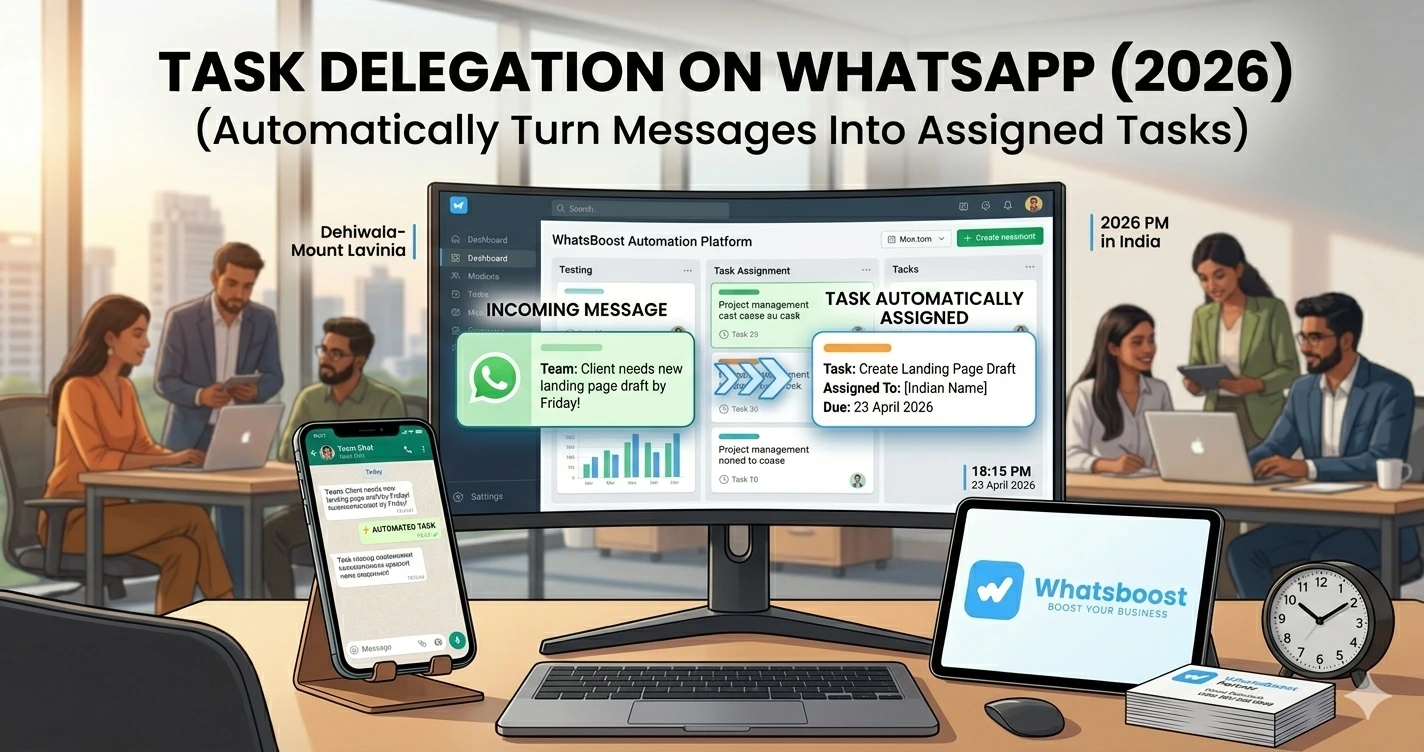
Task Delegation on WhatsApp (2026) Automatically Turn Messages Into Assigned Tasks
Learn how to automate task delegation on WhatsApp, convert messages into trackable tasks, assign teams instantly, and improve productivity with smart workflows.
Your Team is Busy… But Work Still Gets Missed
Every growing business reaches this stage 👇
- Messages are everywhere
- Tasks are unclear
- Follow-ups are forgotten
- Team members are confused
And the biggest issue?
👉 Important work is buried inside WhatsApp chats
The Real Problem: Messages ≠ Tasks
Let’s be honest. Most teams operate like this:
- A client sends a message
- Someone reads it
- Someone thinks it’s handled
- No one actually owns it
👉 Result:
❌ Tasks get missed
❌ Deadlines slip
❌ Clients get frustrated
👉 If you’re still handling communication manually, you need to understand how WhatsApp automation without Business API works — because automation is the foundation of task delegation.
What is Task Delegation on WhatsApp?
Simple definition 👇
👉 Every message = potential task
👉 System automatically:
- Detects task intent
- Converts it into a task
- Assigns it to a team member
- Tracks completion
👉 Without manual effort
Why This Matters More Than Ever
📲 WhatsApp is Now a Work Tool
Not just messaging — it’s where business happens
⚡ Speed is Critical
Fast response = better conversion
👥 Teams Are Distributed
Coordination is harder than ever
📊 Accountability is Missing
Without tracking, nothing scales
👉 To understand how teams track work efficiently, explore platforms to track conversations and deal progress
How Task Delegation on WhatsApp Works
High-Level Workflow
- Message arrives
- System detects intent
- Task is created
- Assigned to team member
- Progress is tracked
- Task is completed
👉 This turns WhatsApp into a task management system
Step-by-Step: Build WhatsApp Task Delegation System
Step 1: Identify Task Triggers
Not every message is a task
👉 You need to define triggers like:
- “Please send quotation”
- “Follow up with client”
- “Fix this issue”
👉 These keywords = automation triggers
Step 2: Capture Messages Automatically
Sources:
- Customer chats
- Team groups
- Form submissions
👉 You can automate incoming workflows using Google Forms to WhatsApp automation so every input becomes actionable.
Step 3: Convert Messages Into Tasks
System should:
✔ Extract key information
✔ Create task entry
✔ Assign priority
Example:
Message:
“Client needs updated pricing by tomorrow”
👉 Task created:
- Task: Send updated pricing
- Deadline: Tomorrow
- Assigned: Sales team
Step 4: Assign Tasks Automatically
Assignment can be based on:
- Department
- Workload
- Availability
👉 This removes confusion completely
Step 5: Notify Team Members Instantly
Once task is created:
👉 Assigned person gets notified
👉 No delay, no confusion
Step 6: Enable Collaboration Using WhatsApp Groups
For complex tasks:
👉 Create internal WhatsApp groups
- Add team members
- Discuss task
- Share updates
👉 This is similar to how WhatsApp group automation systems enable structured workflows.
Step 7: Track Task Progress
Every task should have:
- Pending
- In progress
- Completed
👉 Without tracking = no system
Step 8: Close Tasks Automatically
Once completed:
✔ Mark done
✔ Notify stakeholders
✔ Archive
👉 Clean workflows = scalable operations
Real Workflow (Simple Table)
| Step | Action | Result |
| Message received | Trigger detected | Task created |
| Task assigned | Team notified | Work starts |
| Collaboration | Group discussion | Faster resolution |
| Task completed | Status updated | Closure |
Best Use Cases
🏢 Sales Teams
- Follow-ups
- Lead nurturing
👉 See how businesses turn TradeIndia leads into a sales machine using automation.
🛒 E-commerce
- Order processing
- Delivery issues
🏭 B2B Businesses
- Multi-step workflows
- Client coordination
🎓 Agencies
- Client deliverables
- Task tracking
Advanced Strategies (Expert Level)
🔁 Smart Task Routing
Automatically assign based on:
- Keywords
- Customer type
- Priority
🧠 AI-Powered Task Detection
AI can:
- Understand intent
- Suggest tasks
- Auto-reply
👉 You can enable this using Gemini AI WhatsApp integration for intelligent workflows.
📊 Performance Analytics
Track:
- Task completion rate
- Response time
- Team efficiency
🔗 CRM Integration
All tasks linked to customer data
👉 Learn more about CRM + WhatsApp automation integration for full visibility.
WhatsApp Groups vs Task Systems (Reality Check)
| Factor | WhatsApp Only | With Task System |
| Tracking | ❌ No | ✔ Yes |
| Ownership | ❌ Unclear | ✔ Defined |
| Efficiency | ❌ Low | ✔ High |
| Scalability | ❌ Poor | ✔ Strong |
👉 Without system = chaos
Common Mistakes to Avoid
❌ Treating messages as tasks manually
❌ No ownership
❌ No deadlines
❌ Overloading one person
❌ No tracking system
👉 These mistakes slow down growth
Pro Tips (From Real Teams)
Use Clear Task Naming
Avoid confusion
Automate Repetitive Tasks
Save hours daily
Keep Teams Focused
Don’t overload
Combine Automation + Human Oversight
Best results
Why WhatsBoost is Ideal for Task Delegation
🚀 Automation Engine
Trigger → Task → Action
🤖 Smart Workflows
No-code automation
👥 Team Coordination
Better collaboration
📊 Analytics & Tracking
Measure everything
👉 It transforms WhatsApp into a task execution system
Real Insight (What Teams Experience)
Many teams report:
👉 “We thought we were busy… but we were just unorganized”
👉 Once task automation is implemented:
✔ Work becomes structured
✔ Teams become faster
✔ Clients become happier
Scaling Strategy (Important)
Start Small
- Automate 1 workflow
- Test it
Expand Gradually
- Add more triggers
- Add more teams
Optimize Continuously
- Improve workflows
- Reduce manual effort
👉 Scaling without system = failure
Final Conclusion
WhatsApp is where work happens
But without structure:
❌ Messages get lost
❌ Tasks get missed
❌ Teams get overwhelmed
With task delegation automation:
✔ Every message becomes actionable
✔ Every task is tracked
✔ Every team member is accountable
👉 The future is clear:
👉 Messages → Tasks → Automation → Growth 🚀
Want to automate WhatsApp for your business?
Set up campaigns, replies, and follow-ups in minutes.