
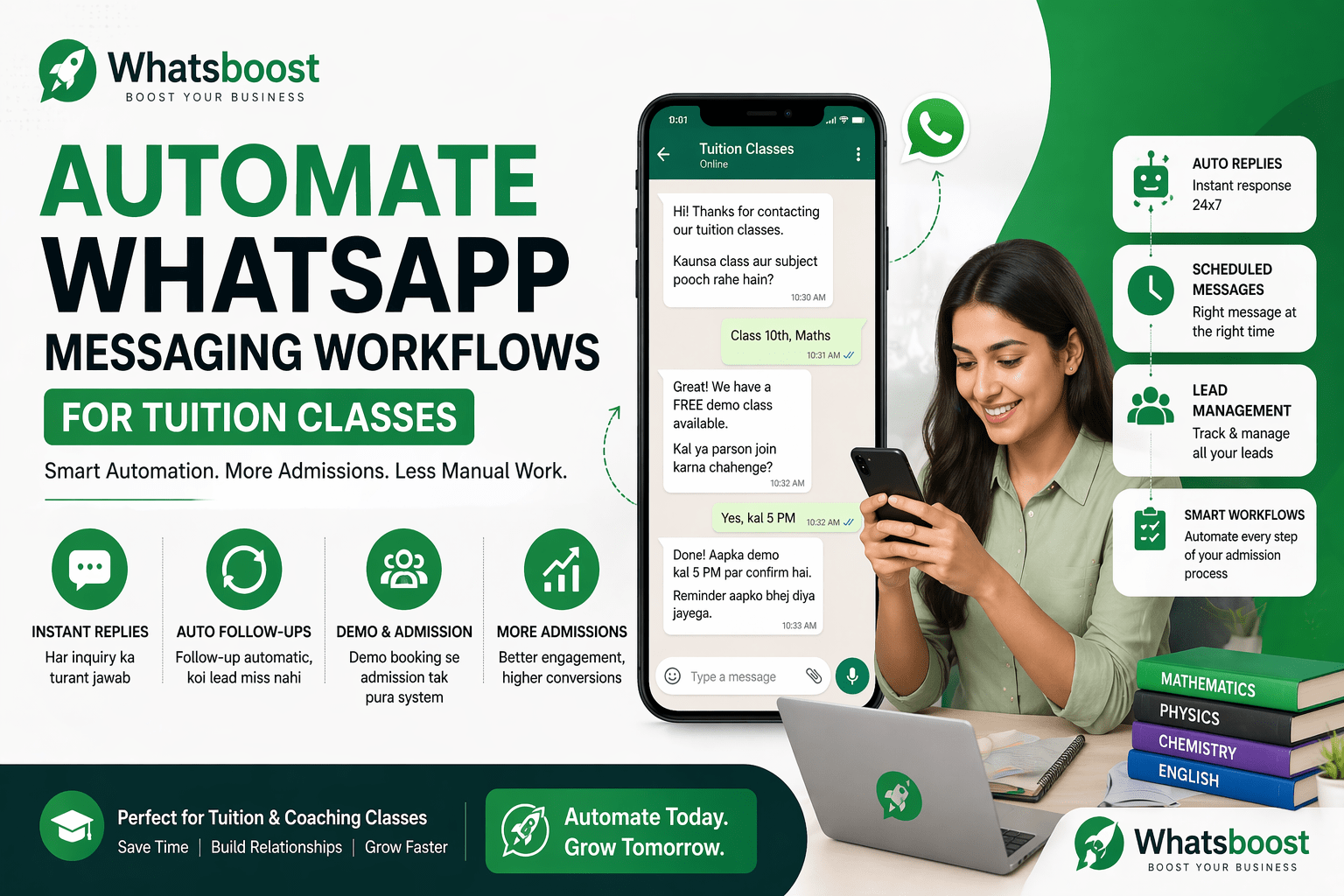
Tuition Classes ke liye WhatsApp Messaging Automation Kaise Kare (Complete Workflow Guide)
Agar aap tuition classes chalate hain aur WhatsApp se admissions badhana chahte hain, to yeh guide aapke liye hai. Isme aap seekhenge kaise WhatsApp automation, auto replies aur follow-up system use karke apna pura admission workflow automate kar sakte hain aur time bachate hue better results paa sakte hain.
Aaj ke time mein WhatsApp sirf chatting app nahi hai —
yeh tuition classes ke liye ek powerful admission engine ban chuka hai.
Lekin problem yeh hai ki:
Har inquiry ka reply time par nahi hota
Parents follow-up ignore kar dete hain
Demo ke baad conversion drop ho jata hai
Aur pura system manual hone ki wajah se slow ho jata hai
Agar aap yeh soch rahe hain:
👉 “WhatsApp se tuition admissions kaise badhaye”
👉 “WhatsApp automation kaise setup kare coaching classes ke liye”
Toh aapko sirf messaging nahi, ek proper workflow system banana padega।
🤔 WhatsApp Automation Actually Kya Hota Hai?
Simple terms mein:
WhatsApp automation ka matlab hai —
har message, follow-up aur response system ke through automatically handle hona
Iska matlab:
Inquiry aate hi auto reply
Demo reminder automatic
Follow-up scheduled
Admission push structured
📌 Real Example
Agar koi parent message karta hai:
“Fees kya hai?”
To automation ke through:
Instant reply chala jayega
Demo offer diya jayega
Next follow-up already scheduled hoga
👉 Result: Speed + consistency + better conversion
😓 Tuition Classes Mein Sabse Badi Problem Kahan Hoti Hai?
Most tuition owners ek hi mistake karte hain:
Sab kuch manually manage karna
🔴 Common issues:
Leads WhatsApp chat mein lost ho jati hain
Follow-up yaad nahi rehta
Same questions bar-bar answer karne padte hain
Team coordination weak hota hai
📉 Impact:
Low admission rate
Time waste
Growth slow
🧠 Solution: Structured WhatsApp Workflow
Agar aapko real results chahiye, to aapko WhatsApp ko
👉 system ke tarah use karna hoga, tool ke tarah nahi
📊 Complete WhatsApp Automation Workflow (Step-by-Step)
🔹 Step 1: Lead Capture (Inquiry Entry)
Leads aate hain:
WhatsApp direct message
Facebook / Instagram ads
Google form
👉 Yahan sabse important hai:
lead miss nahi honi chahiye
🔹 Step 2: Instant Auto Reply
Jab bhi inquiry aaye, reply turant jaana chahiye।
Example:
“Hi 👋
Thanks for contacting
Class 8–10 ke liye demo available hai
Aap kaunsa class pooch rahe hain?”
👉 Isse first impression strong hota hai
🔹 Step 3: Lead Qualification
Har inquiry same nahi hoti।
Aapko identify karna hoga:
Class
Subject
Urgency
🔹 Step 4: Demo Class Automation
Manual demo booking ka wait mat karo।
Automatically message bhejo:
“Free demo class available hai
Kal ya parson join karna chahenge?”
👉 Yahan conversion start hota hai
🔹 Step 5: Follow-Up System
Most businesses yahin fail hote hain।
First message se admission rarely hota hai
Follow-up se hota hai
📌 Smart follow-up:
Demo reminder
Missed response reminder
Limited seats urgency
Example:
“Hi, demo class aaj 5 PM hai, join karna na bhooliye”
📈 Agar aap follow-up messaging improve karna chahte hain, to yeh samajhna important hai ki messaging style bhi conversion ko impact karta hai—jaise ki is guide mein explain kiya gaya hai ki AI chatbot naming aur messaging tone ka engagement par kya effect hota hai.
🔹 Step 6: Admission Conversion
Yahan urgency ka role important hota hai।
Example:
“Sirf 5 seats left hain
Aaj confirm karna hai?”
👉 Clear CTA + urgency = higher conversion
🔹 Step 7: Student Onboarding
Admission ke baad bhi communication important hai।
Send:
Welcome message
Batch details
Timing
Notes
👉 Yeh professionalism build karta hai
🔑 Why Automation is Important for Tuition Classes
Automation ke bina:
System break hota hai
Leads drop hoti hain
Automation ke saath:
Consistency
Speed
Scalability
🤖 Whatsboost Ka Role Kya Hai Isme?
Yeh pura system manually banana possible hai—but practical nahi hai।
Isi liye tools ka use hota hai।
👉 Whatsboost ek aisa platform hai jo WhatsApp messaging ko
CRM + automation + workflow system mein convert karta hai:
💡 Whatsboost ke through aap:
Auto replies set kar sakte hain
Follow-up automate kar sakte hain
Leads ko track kar sakte hain (CRM)
Broadcast campaigns run kar sakte hain
Students aur parents ko manage kar sakte hain
👉 Agar aap different tools compare kar rahe hain, to yeh samajhna bhi zaroori hai ki har platform ka focus alag hota hai.
🚫 Common Mistakes Jo Aapko Avoid Karni Chahiye
Sirf manual replies pe depend rehna
Follow-up system na banana
Same generic message sabko bhejna
Long aur boring messages
WhatsApp ko CRM ki tarah use na karna
🧠 Pro-Level Tips (Jo Real Difference Banate Hain)
Short aur clear messages likho
Demo offer always include karo
Minimum 2–3 follow-up karo
Urgency create karo
Parent ke concern ko directly address karo
🎯 Final Strategy (Simple but Powerful)
👉 Lead → Auto Reply → Qualification → Demo → Follow-up → Admission → Onboarding
Agar yeh system properly set ho gaya, to:
Admissions increase honge
Time save hoga
Business scalable banega
🎯 Bottom Line
WhatsApp automation optional nahi hai
Aaj ke time mein yeh necessity hai
Jo tuition classes system build kar rahi hain
👉 wahi fastest grow kar rahi hain
Want to automate WhatsApp for your business?
Set up campaigns, replies, and follow-ups in minutes.